EasyManua.ls Logo

Aruba Instant On AP11 - User Manual

Aruba Instant On AP11
15 pages
Print Icon
To Next Page IconTo Next Page
Loading...
Aruba Instant On AP11 Access Point
Installation Guide
Rev01 | June 2019 1
The Aruba Instant On AP11 dual-radio access point supports IEEE 802.11ac Wave 2, delivering high performance
with 2x2 MU-MIMO (Multi-User Multiple-Input, Multiple-Output) technology, while also supporting 802.11a/b/g /
n wireless services. The AP11 access point is designed for ceiling and wall mount.
Package Contents
1 x AP11 access point
1 x Ceiling mount bracket (suspended ceiling rail)
1 x Wall/ceiling mount bracket (solid surface)
1 x Ethernet cable
Hardware Overview
The following sections outline the hardware components of the AP11 access point.
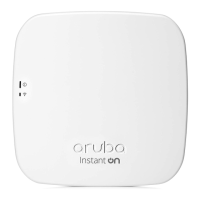
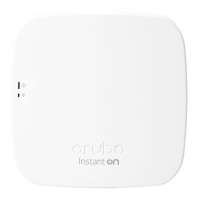
Figure 1 AP11 (front view)
If you have ordered AP11 bundle, the package would also include a power adapter and cord to power the AP
through an electrical power outlet.
Inform your supplier if there are any incorrect, missing, or damaged parts. If possible, retain the carton, including
the original packing materials. Use these materials to repack and return the unit to the supplier if needed.
System
Radio
Question and Answer IconNeed help?

Do you have a question about the Aruba Instant On AP11 and is the answer not in the manual?

Aruba Instant On AP11 Specifications

General IconGeneral
BrandAruba
ModelInstant On AP11
CategoryWireless Access Point
LanguageEnglish

Summary

Package Contents

Device Components

Reset Button

Details how to reset the access point to factory default settings or control LED display.

Access Point Installation

Using the Ceiling Mount Bracket

Step-by-step instructions for mounting the AP to a drop-tile ceiling.

Using the Wall;Ceiling Mount Bracket

Instructions for mounting the AP to a solid surface like a wall or ceiling.

Post-Installation and Setup

Verifying Post-Installation Connectivity

How to use the AP's LED to confirm power and initialization.

Mobile Application Installation

Guide to downloading and installing the Aruba Instant On mobile app.

Log in to Instant On Portal

Instructions for accessing the setup portal via a web browser.

Specifications and Compliance

Electrical and Environmental Specifications

Details electrical requirements and environmental operating conditions.

Safety and Regulatory Compliance

Information on RF exposure, FCC, Industry Canada, and EU regulations.
Related product manuals