5
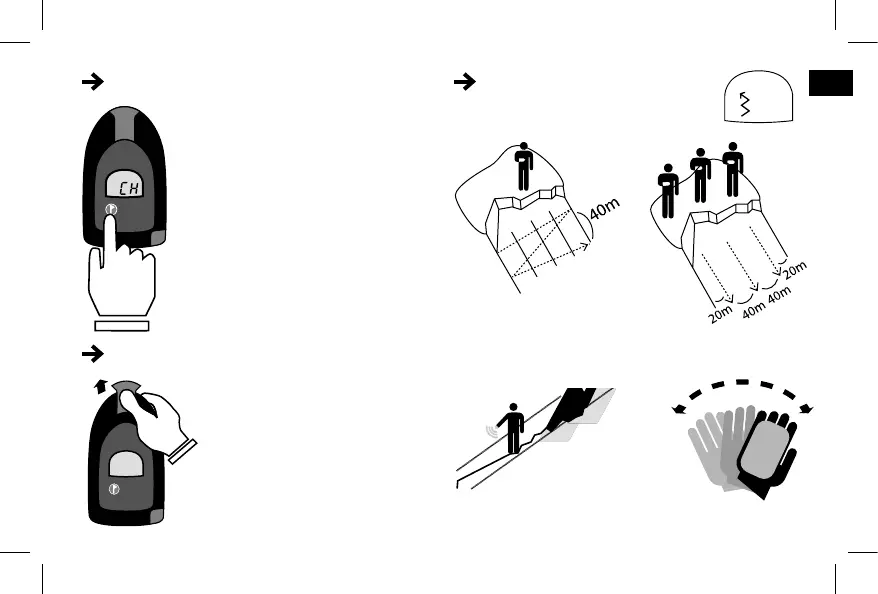
GROUP CHECK SIGNAL SEARCH
SEARCH MODE
To switch to search mode, push the
S/T button up with your thumb.
• The Group Check function allows the
group leader to verify that all other
transceivers are working properly.
• To enter Group Check mode, press
the marking button within 5 seconds
after turning on the device (in transmit
mode).
• The device will verify all transmitting
signals within a 0.5 to 1.5 meter radius,
and emit a beep to confirm that they
function properly.
• To exit Group Check mode, press the
marking button.
Start searching for a signal based on one
of the two diagrams below.
Slowly rotate back and
forth to try to detect the
signal(s).
To maximize the range of your ARVA :
It is important to point your ARVA in the
direction of the avalanche, parallel to the
slope and not pointing upwards towards
the sky.
EN


 To Next Page