Need help?
Do you have a question about the ARZOPA G1 Game and is the answer not in the manual?
Ensures sufficient power (5V/3A or above) is supplied before connecting the monitor.
Connect laptops via Type-C, noting power requirements for brightness/volume and port compatibility.
Connect PCs/laptops via HDMI, requiring separate power supply (5V/3A or above).
Connect phones via Type-C, supporting direct connection or external power for charging.
Connect other devices like game consoles using Mini HDMI and external power supply.
Lists compatible phone brands and models for the ARZOPA monitor.
Lists compatible laptop brands and models for the ARZOPA monitor.
 General
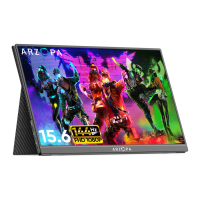
| Screen Size | 15.6 inches |
|---|---|
| Refresh Rate | 144Hz |
| Panel Type | IPS |
| Brightness | 300 nits |
| Response Time | 3 ms |
| Aspect Ratio | 16:9 |
| Contrast Ratio | 1000:1 |
| Viewing Angle | 178° |
| Color Gamut | 72% NTSC |
| VESA Mount | No |
| Built-in Speakers | Yes |
| Resolution | 1920 x 1080 |
| Ports | 1 x Mini HDMI, 1 x 3.5mm audio jack |

 To Next Page