Need help?
Do you have a question about the ARZOPA S1 Table and is the answer not in the manual?
Specifies the power requirements for connecting the monitor, emphasizing the need for sufficient input power.
Guide on how to connect laptops using a Type-C port, including notes on compatibility and power.
Instructions for connecting PCs and laptops using the HDMI port, noting power requirements.
Details how to connect smartphones via USB-C, including power considerations and iPhone compatibility.
 General
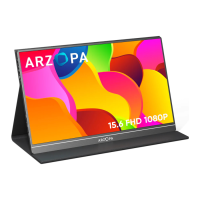
| Screen Size | 15.6 inches |
|---|---|
| Panel Type | IPS |
| Refresh Rate | 60Hz |
| Response Time | 5ms |
| Contrast Ratio | 1000:1 |
| Aspect Ratio | 16:9 |
| Resolution | 1920 x 1080 (Full HD) |
| Connectivity | USB-C, HDMI |
| Built-in Speakers | Yes |
| Viewing Angle | 178° (H) / 178° (V) |
| Ports | 1x USB-C, 1x HDMI, 1x 3.5mm audio jack |
| Weight | 720g (1.59 lbs) |

 To Next Page