Need help?
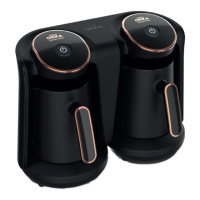
Do you have a question about the Arzum OKKA OK001 and is the answer not in the manual?
Instructions to fill the water chamber to the MAX level and reattach it.
Instructions to check and reattach the spoon and waste water tray.
Instructions to adjust the cup stand height.
Instructions to plug in, set cup size, and power on the appliance.
Steps to open lid, add coffee/sugar, and close lid.
Place cup, optionally use slow brew, and press single-cup button.
Remove the brewed cup after the brewing cycle completes.
Steps to open lid, add coffee/sugar, and close lid.
Place two cups, optionally use slow brew, and press double-cup button.
Remove the brewed cups after the brewing cycle completes.
Instructions to initiate cleaning cycles and perform manual cleaning of parts.
Reassemble the mixer and brewing head and lock into place.
Turn off the appliance, initiating an automatic rinsing cycle.
Remove, empty, and clean the water and waste water trays.
Clean the cup stand and unplug the appliance from the power source.
Procedures to reset the boiling point based on altitude changes.
How to increase, decrease, or reset the brewing temperature.
Addresses interruptions during brewing/cleaning and recovery after power outages.
Guides troubleshooting when all LEDs flash with an acoustic signal.
 General
| Brand | Arzum |
|---|---|
| Model | OK001 |
| Category | Coffee Maker |
| Type | Turkish Coffee Maker |
| Capacity | 4 cups |
| Material | Plastic |
| Automatic Shut-Off | Yes |
| Overheat Protection | Yes |
| Sound Alert | Yes |
| Indicator Light | Yes |
| Voltage | 220-240 V |
| Automatic Brewing | Yes |
| Color | Black |
| Frequency | 50 Hz |

 To Next Page