EasyManua.ls Logo

ASA Electronics Jensen JWM41 - User Manual

ASA Electronics Jensen JWM41
24 pages
Print Icon
To Next Page IconTo Next Page
Loading...
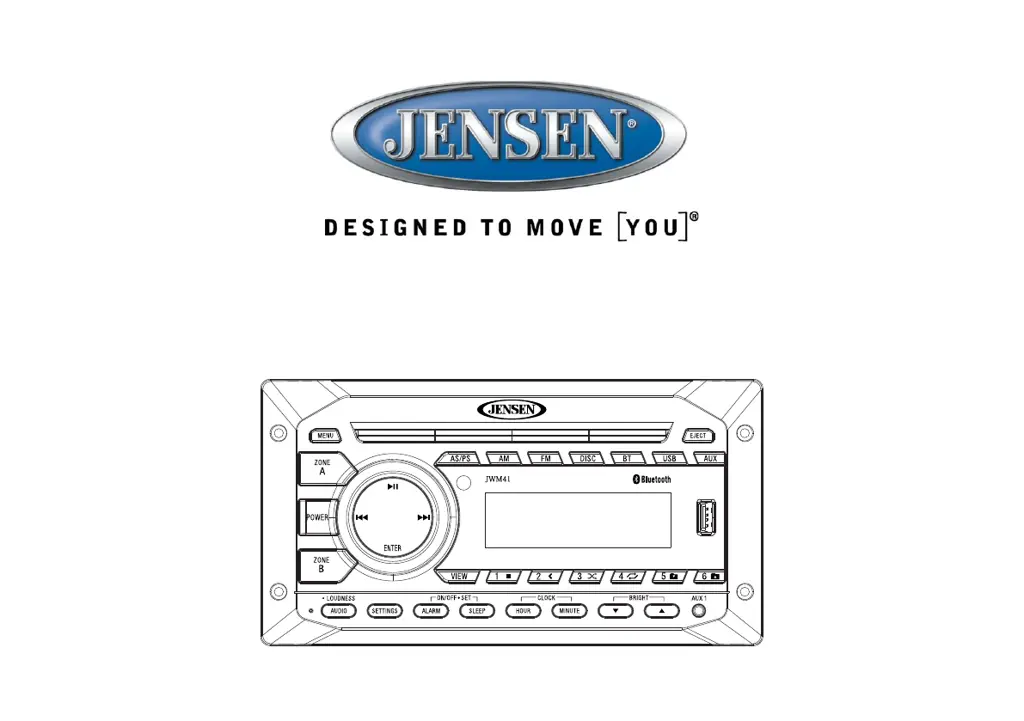
Installation and Owner's Manual
MOBILE AUDIO SYSTEM
JWM41

Questions and Answers

  • J
    juliakimJul 27, 2025
    How to fix ASA Electronics Jensen JWM41 Car Receiver when the radio turns on, but there is no sound?
    • H
      Haley JosephJul 27, 2025
      If your ASA Electronics Car Receiver turns on but produces no sound, verify that the Volume, Fader/Balance, and Mute controls are correctly set. You can also try the reset button. Additionally, check the speaker selection and connections to ensure they are properly configured. Finally, check for shorts or open circuits on the speaker wires.
  • B
    Brandi GarrisonAug 1, 2025
    What to do if my ASA Electronics Jensen JWM41 radio will not turn on or has no front panel operation?
    • B
      Brittany PruittAug 1, 2025
      If your ASA Electronics Car Receiver is not turning on or the front panel is not working, try the reset button first. Then, check the fuse. Next, check the 12V+ on the accessory wire (RED wire) to the radio and ensure the ground connection is secure.
  • M
    Michael PetersonAug 5, 2025
    Why won't my Bluetooth device connect or pair with my ASA Electronics Jensen JWM41 Car Receiver?
    • J
      Jamie FrancisAug 5, 2025
      If your Bluetooth device won't connect or pair with your ASA Electronics Car Receiver, ensure that no other devices are already connected. Disconnect any connected devices. Then, turn the Bluetooth off and on again on your smart device and try again.
  • B
    Barbara LynnAug 8, 2025
    What to do if my ASA Electronics Jensen JWM41 Car Receiver DVD plays sound but no video?
    • D
      Daniel OsborneAug 9, 2025
      If your ASA Electronics Car Receiver DVD plays sound but no video, make sure the RCA cable is properly connected.
  • L
    Laura HillAug 13, 2025
    What to do if my ASA Electronics Jensen JWM41 CD/DVD does not load fully?
    • H
      Hunter BlackAug 13, 2025
      If your ASA Electronics Car Receiver CD/DVD does not load fully, ensure the disc is compatible and inserted correctly. Also, verify the disc is free from dirt and scratches. Check with factory CDs and inspect them for compatibility warnings due to copy-protection or multimedia content. Finally, inspect the radio's chassis to verify shipping screws have been removed.
  • C
    cynthia80Aug 17, 2025
    Why is the display blank on my ASA Electronics Jensen JWM41?
    • V
      Vincent BrownAug 17, 2025
      If the display on your ASA Electronics Car Receiver is blank, turn the unit off and on again to reset the display.
  • K
    Karla LyonsAug 22, 2025
    How to improve AM or FM reception on my ASA Electronics Jensen JWM41 Car Receiver?
    • J
      Jaclyn CrossAug 22, 2025
      To improve AM or FM reception on your ASA Electronics Car Receiver, first verify that you are tuned to a valid station. Then, check your antenna connection on the rear of the stereo. If the problem persists, try a different antenna.

Summary

Product Introduction

Safety and Precautions

Advises on safe operation, power supply, avoiding moisture, and proper cleaning to prevent damage.

Unit Installation

Installation Tools and Supplies

Lists necessary tools and materials for installing the JWM41 unit, ensuring a smooth setup process.

Battery Disconnection Procedure

Instructs on safely disconnecting the vehicle battery before installation to prevent short circuits.

Mounting Location Selection

Offers advice on choosing an appropriate location for the unit, avoiding heat and dust.

Wiring Diagram and Connections

Wiring Harness Connections

Details the wiring harness connections required for proper operation of the JWM41 unit.

Basic System Operation

Audio Input and System Functions

Auxiliary and USB Input Operation

Connect external devices via auxiliary ports or USB for audio playback and charging.

Time and Alarm Functions Setup

Configure time-based functions like clock, alarm, and sleep timer for user convenience.

Bluetooth Device Connectivity

Set up and use Bluetooth for wireless audio streaming and device management.

Unit Reset Procedure

When and How to Reset the Unit

Explains when and how to use the reset button to resolve operational issues or errors.

Radio Tuner Operation

Band Selection and Manual Tuning

Covers selecting AM/FM bands and manual or auto seek tuning for stations.

Disc Playback Operations

DVD Playback Features

MP3 and USB Media Playback

Bluetooth Wireless Operation

Bluetooth Device Management

Covers pairing, connecting, disconnecting, locking, and deleting Bluetooth devices.

Remote Control Operation Guide

Disc Setup Menu Configuration

Video, Digital, and Speaker Setup

Product Care and Troubleshooting

Troubleshooting Common Problems

Lists symptoms and solutions for common problems like power, sound, display, Bluetooth, and reception issues.

ASA Electronics Jensen JWM41 Specifications

General IconGeneral
BluetoothYes
USB PortYes
Aux InputYes
AM/FM TunerYes
Display TypeLCD
TypeSingle DIN
Playable FormatsMP3, WMA
Mounting StyleDIN
TouchscreenNo
Video OutputNo
CompatibilityAndroid, iOS
Power Output200 Watts (50W x 4)

Related product manuals