EasyManua.ls Logo

Asaklitt 31-6100 - User Manual

Asaklitt 31-6100
44 pages
Print Icon
To Next Page IconTo Next Page
Loading...
Suom i Deutsch
Norsk
Svenska
English
Ver. 20201014
Art.no.
31-6100
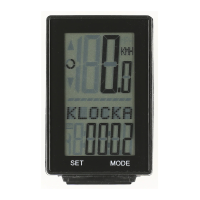
WIRELESS CYCLE
COMPUTER
Trådlös cykeldator
Trådløs sykkelcomputer
Polkupyörän langaton ajotietokone
Funk-Fahrradcomputer

Questions and Answers

Summary

Batteries

Assembly - Computer Mounting

Attaching the Computer Bracket

Attaching the computer bracket to the stem or handlebar using cable ties.

Assembly - Sensor and Magnet

Installing the Sensor and Magnet

Attaching the sensor to the front fork and magnet to spokes, ensuring correct spacing.

Initial Computer Setup

Language Selection

Selecting the display language from a list of options using MODE and SET buttons.

Setting Measurement Units

Choosing between kilometers per hour (km/h) and miles per hour (mph) for speed.

Wheel Circumference Configuration

Configuring the wheel circumference for accurate distance and speed readings.

Main Menu and Functions

Overview of Main Menu Modes

Overview of the various modes accessible from the main menu, such as clock, distance, and speed.

Understanding Data Displays

Explains what each data display (e.g., Trip distance, Average speed, Total distance) represents.

Customised Settings and Expert Mode

Accessing Expert Mode

How to access the advanced settings and customisation options by entering EXPERT mode.

Expert Mode Functions Explained

Details on specific functions available in EXPERT mode, like stopwatch, temperatures, and calories.

Maintenance

Maintenance Reminders and Reset

How the maintenance symbol appears and how to reset the maintenance interval.

Resetting, Shut-off, Care, and Troubleshooting

Resetting to Factory Defaults

Procedures for resetting the computer to its original factory default settings.

Automatic Shut-off Feature

Information on the automatic shut-off function after a period of inactivity.

Care and Maintenance Guidelines

Guidelines for cleaning and storing the computer and sensor to ensure longevity.

Troubleshooting Common Issues

Solutions for common problems like no speed reading, black screen, or weak characters.

Product Information

Responsible Disposal Guidelines

Instructions on how to dispose of the product responsibly according to environmental regulations.

Technical Specifications

Key technical details including fork size, operating temperatures, dimensions, and battery types.

Asaklitt 31-6100 Specifications

General IconGeneral
BrandAsaklitt
Model31-6100
CategoryBicycle Accessories
LanguageEnglish

Related product manuals