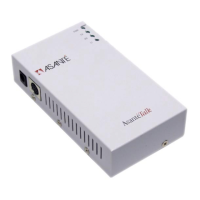
8) AsantéTalk versus Micro AsantéPrint
• The Micro AsantéPrint is an older version of the AsantéTalk with some
additional features and some limitations.
• The Micro AsantéPrint is better suited for large networks with Appletalk
zones. It includes a software program that allows you to select in which
zone the device and its printers appear.
• The Micro AsantéPrint will not work when connected to an autosensing
port or computer. Thus, it cannot be connected directly to an iMac, Blue
& White G3, or a 10/100 hub or switch.
• The Micro AsantéPrint is for printers only. Localtalk computers are not
supported for file sharing.
9) I still cannot see my printer or computer!
• If after following all of these instructions, the printer or localtalk computer is still
not accessible by the network there is likely something physically wrong with the
setup.
• By the process of elimination, you need to test the Ethernet cables, the din8 –
din8 cable, or the localtalk connectors including the phone (RJ11) cable and the
terminators.
• For example, plug the printer directly into a Mac that has a printer port
using the same localtalk cabling and see if the printer is accessible.
• Use the Ethernet cable to connect to some other Ethernet device to
test its functionality.
• If all the cables prove to be functioning, then the AsantéTalk itself may be
defective.


 To Next Page