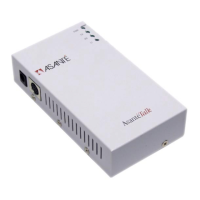
4) The yellow Ethernet cable versus the silver Ethernet cable.
• The yellow Ethernet cable is a “cross-over” cable. As such it is for use when
the AsantéTalk is plugged directly into the Ethernet port of a Mac.
• The silver Ethernet cable is a “straight through” cable. It is to be employed
when connecting the AsantéTalk into an Ethernet hub or switch.
• If the correct cable is used, the light labeled “LI” on the AsantéTalk will come on
solid.
5) Multiple localtalk devices and the AsantéTalk.
• When attaching more than one localtalk printer or computer, localtalk
connectors must be used to “daisy chain” the devices together.
• One localtalk connector must be plugged into each localtalk device, including
the AsantéTalk. Phone cables(RJ11) must then be used to go from one device
to the next in a straight line. The devices at the two ends of the chain must have
a terminator plugged into the spare RJ11 phone jack. The AsantéTalk MUST BE
one of these two devices at the end. In other words, the localtalk connector
plugged into the AsantéTalk must have the terminator in one of its RJ11 phone
jacks.
• All RJ11 cables must be at least 6 feet long.
• Star configurations or passive star configurations are NOT compatible with the
AsantéTalk. For this reason, the AsantéTalk cannot be in the middle of a daisy
chain configuration.
• Multiple AsantéTalk units cannot be added to the same localtalk daisy chain. If
you need to add multiple Ethernet Macs to a localtalk daisy chain, you must
connect the Ethernet devices to a hub and then connect one AsantéTalk
between the hub and the localtalk network.
• The AsantéTalk can have a MAXIMUM of 8 localtalk devices (computers and
printers) attached to its localtalk port
6) Appletalk drivers versus serial drivers.
• If you select the driver for your printer in the Chooser and it asks you to choose
either the printer or modem port, you are not using the correct driver. This is the
serial driver. For the AsantéTalk to function, you must use the printer’s Appletalk
driver. If you do not have the Appletalk driver for your printer, please contact the
printer’s manufacturer.
7) File sharing between computers.
• Power up procedures followed for printers must also be followed with
computers on the localtalk side of the bridge.
• Sharing must be set up on all computers that need to be accessed on the
network. Sharing is feature of the MacOS so Apple must be contacted for further
information and help.
• Macs running MacOS 8.5.1 cannot share files with Macs not running Open
Transport. This again is MacOS issue so Apple must be contacted for further
information and help.


 To Next Page
 Loading...