EasyManua.ls Logo

ASCO POWER TECHNOLOGIES Series 300 - User Manual

ASCO POWER TECHNOLOGIES Series 300
18 pages
Print Icon
To Next Page IconTo Next Page
Loading...
381333–122 B
ASCO POWER TECHNOLOGIES L.P. 50 Hanover Road, Florham P ark, New Jersey 07932 USA www.asco.com
Operator’s
Manual
Seri es 300
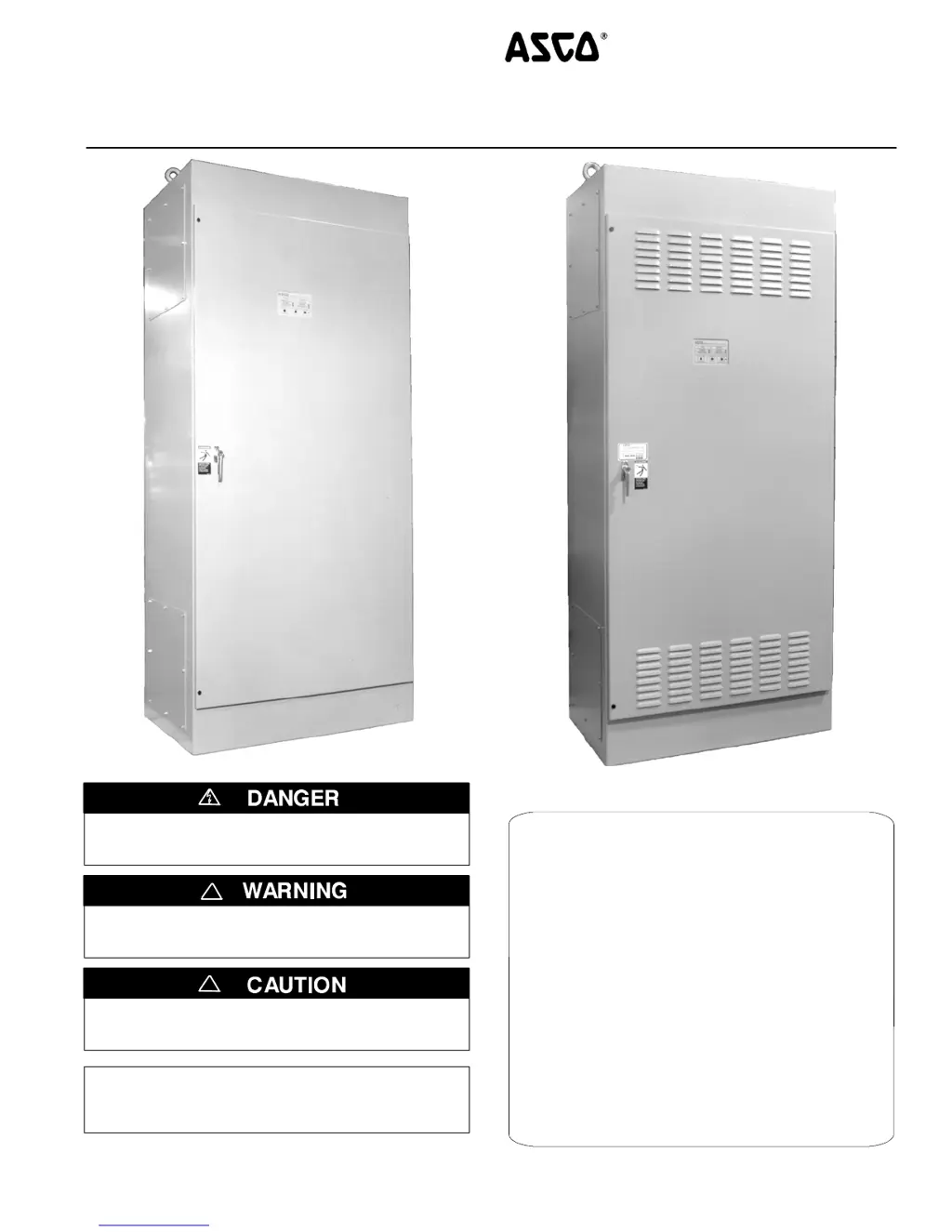
Automatic Transfer Switches
G des ig n 1000 t hro ug h 3000 amp s
1000, 1200, 1600 amp. sizes
DANGER is used in this manual to warn of high
voltages capable of causin g shock , burns, or death .
WARNINGisusedinthismanualtowarn
of possible personal injury.
!
CAUTIONisusedinthismanualtowarn
of possible equipment damage.
!
Refer to the outline and wiri ng drawings provided
with ASCO Series 300 ATS for all installation details.
2000 amp. size
An experienced licensed electrician must install the ATS.
TABLE OF CONTENTS
section
INST ALLATION 1..........................
SEQUENCE OF OPERATION 2.............
TESTING & SERVICE 3....................
ADJUSTMENTS 4.........................
CONTROL FEATURES 5...................
INDEX back cover.........................

Questions and Answers

  • E
    Erin AlexanderJul 31, 2025
    Why ASCO POWER TECHNOLOGIES Switch does not transfer the load to emergency source after the gen-set starts?
    • T
      Troy MolinaJul 31, 2025
      The ASCO POWER TECHNOLOGIES Switch may not transfer the load to the emergency source if the generator output circuit breaker is not closed or if the generator frequency is below 57 Hz. Allow the Transfer to Emergency Delay (0 to 5 min.) to expire. If you need an immediate transfer, press the BYPASS TIME DELAY button.
  • C
    Candice JohnsonAug 7, 2025
    Why ASCO POWER TECHNOLOGIES Switch gen-set does not start when the TRANSFER SWITCH TEST button is pressed?
    • A
      andrewcooperAug 7, 2025
      If the ASCO POWER TECHNOLOGIES Switch gen-set does not start, hold the TRANSFER SWITCH TEST button for 15 seconds, or ensure the outage lasts long enough to account for the 1 or 3 second Momentary Normal Source Outage Delay, plus engine cranking and starting time.
  • U
    utaylorAug 14, 2025
    What to do if ASCO POWER TECHNOLOGIES Switch gen-set does not stop after load retransfer to the normal source?
    • J
      John StevensAug 14, 2025
      If the ASCO POWER TECHNOLOGIES Switch gen-set doesn't stop after load retransfer, allow the 5-minute Unloaded Running Delay to time out.
  • A
    Angela RhodesAug 22, 2025
    What to do if ASCO POWER TECHNOLOGIES Switch does not transfer the load to normal source when normal returns?
    • T
      Teresa EdwardsAug 22, 2025
      If the ASCO POWER TECHNOLOGIES Switch doesn't transfer the load to the normal source, wait for the Retransfer to Normal Delay (1 second to 30 minutes) to time out. For immediate re-transfer, press the BYPASS TIME DELAY button.

Summary

ASCO Series 300 Automatic Transfer Switches Operators Manual

SECTION 1 INSTALLATION

Manual Operation Test

Procedure for manually operating the transfer switch before energizing.

Voltage Checks

Steps to check voltages at normal and emergency source terminals.

Electrical Operation

Steps to verify the transfer switch's electrical operation with status lights.

SECTION 2 SEQUENCE OF OPERATION

Transfer To Emergency

Describes the automatic sequence for transferring load to the emergency source.

Retransfer to Normal

Details the sequence for automatically retransferring load to the normal source.

SECTION 3 TESTING & SERVICE

TROUBLE-SHOOTING

Checklist for diagnosing and resolving common problems with the ATS.

SECTION 4 ADJUSTMENTS

Time Delay Adjustment

Guide to adjusting time delay settings using DIP switches and potentiometers.

Sensor Adjustments

Instructions for adjusting voltage and frequency sensor pickup/dropout points.

How to Change a Setting

Detailed steps for modifying controller settings and adjustments.

SECTION 5 CONTROL FEATURES - ENGINE EXERCISERS

OPTIONAL PROGRAMMABLE ENGINE EXERCISER (Accessory 11 CD)

Details the programmable exerciser with seven days of programmable exercise periods.

ASCO POWER TECHNOLOGIES Series 300 Specifications

General IconGeneral
Product TypeAutomatic Transfer Switch
Amperage30-4000 A
Poles2, 3, 4
Frequency50/60 Hz
StandardsUL 1008, CSA C22.2
ControllerMicroprocessor
OperationAutomatic
EnclosureNEMA 1, 3R, 4, 12
Voltage120-600 VAC
Transfer TypeOpen, Delayed, Closed