EasyManua.ls Logo

Asco 4000 series - User Manual

Asco 4000 series
32 pages
Print Icon
To Next Page IconTo Next Page
Loading...
381333–126 K
50 Hanover Road, Florham Park, New Jersey 07932–1591 USA
For sales or service call 1 800 800–2726 (ASCO) www.ascopower.com
ASCO POWER TECHNOLOGIES CANADA PO Box 1238, 17 Airport Road, Brantford, Ontario, Canada N3T 5T3
telephone 519 758–8450, fax 519 758–0876, for service call 1 888 234–2726 (ASCO) www.asco.ca
User’s Guide
Group 5 Controller
for 4000 & 7000 Seri es
Automatic Transfer Switch Products
4–line
LCD
display
Enter/Save
Settings
key
Esc
key
Menu Scroll
(left/right)
keys
Increase (up)/
Decrease (down)
Value keys
cut–out opening
in enclosure
door
Power Control Center keypad and display
DANGER is used in this manual to warn of high
voltages capable of causi ng shock, burns, or death.
WARNINGisusedinthismanualtowarn
of possible personal injury.
CAUTIONisusedinthismanualtowarn
of possible equipment damage.
Refer to the outline and wiring drawings provided with
the 4000 or 7000 Seri es ATS product for all installation
and connection details and accessories.
Refer to the Operator’s Manual for the ASCO 4000 or
7000 Series ATS product for installation, functional
testing, sequence of operation,and troubleshooting.
Description
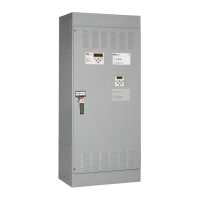
A SCO 4000 & 7000 Series A u tomatic Transfer Switch
products utilize the Group 5 Controller for sensing,
timing, and control functions. This state–of–the art
micro p roc e sso r–based c ontroller in c lu d es a b u ilt in
keypad and a fo u r– line LCD display. All mon it o rin gan d
control functions can be done with the enclosure door
closed for g reat er con ven ien ce. In addit ion , all chan g es
in voltage setting s (exc ep t for nomin al voltage) and time
delayscanbemadethroughasystemofmenus.
TABLE OF CONTENTS
section-page
OVERVIEW
Controls 1-1..............................
Settings 1-2..............................
SETTINGS
How to Change a Setting 2-1...............
Voltage & Frequency 2-2...................
Time Delays 2-4..........................
Features 2-6..............................
General 2-8..............................
Engine Exerciser 2-10.....................
View Event Log 2-12.......................
Service Statistics / Diagnostics 2-13......
OPERATING the CONTROLS
Status of ATS and Sources 3-1.............
Display Messages and Their Meanings 3-2...
DESCRIPTION of OPERATION
Open–Transition 4-1.......................
Closed–Transition 4-3......................
Delayed–Transition 4-6....................
APPENDIX
DIP switch actuators A -2...................
V oltage jumper blocks A-4.................
INDEX back page..........................

Other manuals for Asco 4000 series

Question and Answer IconNeed help?

Do you have a question about the Asco 4000 series and is the answer not in the manual?

Summary

Settings

How to Change a Setting

Details the step-by-step procedure for modifying controller settings using the keypad, including password entry.

Voltage & Frequency Settings

Lists and describes settings for normal and emergency source voltage and frequency pickup and dropout points.

Time Delay Settings

Details various time delay features, their default settings, adjustment ranges, and display screen names.

Operating the Controls

Description of Operation

Open-Transition (2-position) Automatic Transfer (4 ATS,7 ATS,7 ATB)

Details the sequence for open-transition load transfer to the emergency source due to normal source failure.

Closed-Transition Automatic Transfer (4 ACTS, 7 ACTS, 7 ACTB)

Explains closed-transition load transfer conditions, including tests, and the sequence for transfer to emergency.

Delayed-Transition Automatic Transfer (4 ADTS, 7 ADTS, 7 ADTB)

Describes the sequence for delayed-transition load transfer to the emergency source, including load disconnect.

Summary

Settings

How to Change a Setting

Details the step-by-step procedure for modifying controller settings using the keypad, including password entry.

Voltage & Frequency Settings

Lists and describes settings for normal and emergency source voltage and frequency pickup and dropout points.

Time Delay Settings

Details various time delay features, their default settings, adjustment ranges, and display screen names.

Operating the Controls

Description of Operation

Open-Transition (2-position) Automatic Transfer (4 ATS,7 ATS,7 ATB)

Details the sequence for open-transition load transfer to the emergency source due to normal source failure.

Closed-Transition Automatic Transfer (4 ACTS, 7 ACTS, 7 ACTB)

Explains closed-transition load transfer conditions, including tests, and the sequence for transfer to emergency.

Delayed-Transition Automatic Transfer (4 ADTS, 7 ADTS, 7 ADTB)

Describes the sequence for delayed-transition load transfer to the emergency source, including load disconnect.

Asco 4000 series Specifications

General IconGeneral
TypeSolenoid Valve
Series4000
Amperage RangeVaries by model
VoltageVaries by model (AC and DC options available)
PolesNot applicable
Switch TypeNot applicable
Control PanelNot applicable
MediaAir, Water, Oil
Orifice SizeVaries by model
Pressure RangeVaries by model
Body MaterialBrass, Stainless Steel, Aluminum
Seal MaterialVaries by model (e.g., NBR, FKM, EPDM)
OperationDirect Acting, Pilot Operated
Function2-Way, 3-Way
Temperature RangeVaries by model
Port SizeVaries by model (NPT or BSPP)