P/N PM000199A • Rev. 3 • ISS 25APR2018
5 of 5
3. Gently twist the screwdriver to disengage the dome light
latch from the backplate. Do not use excessive force while
twisting.
4. Remove the dome light from the backplate.
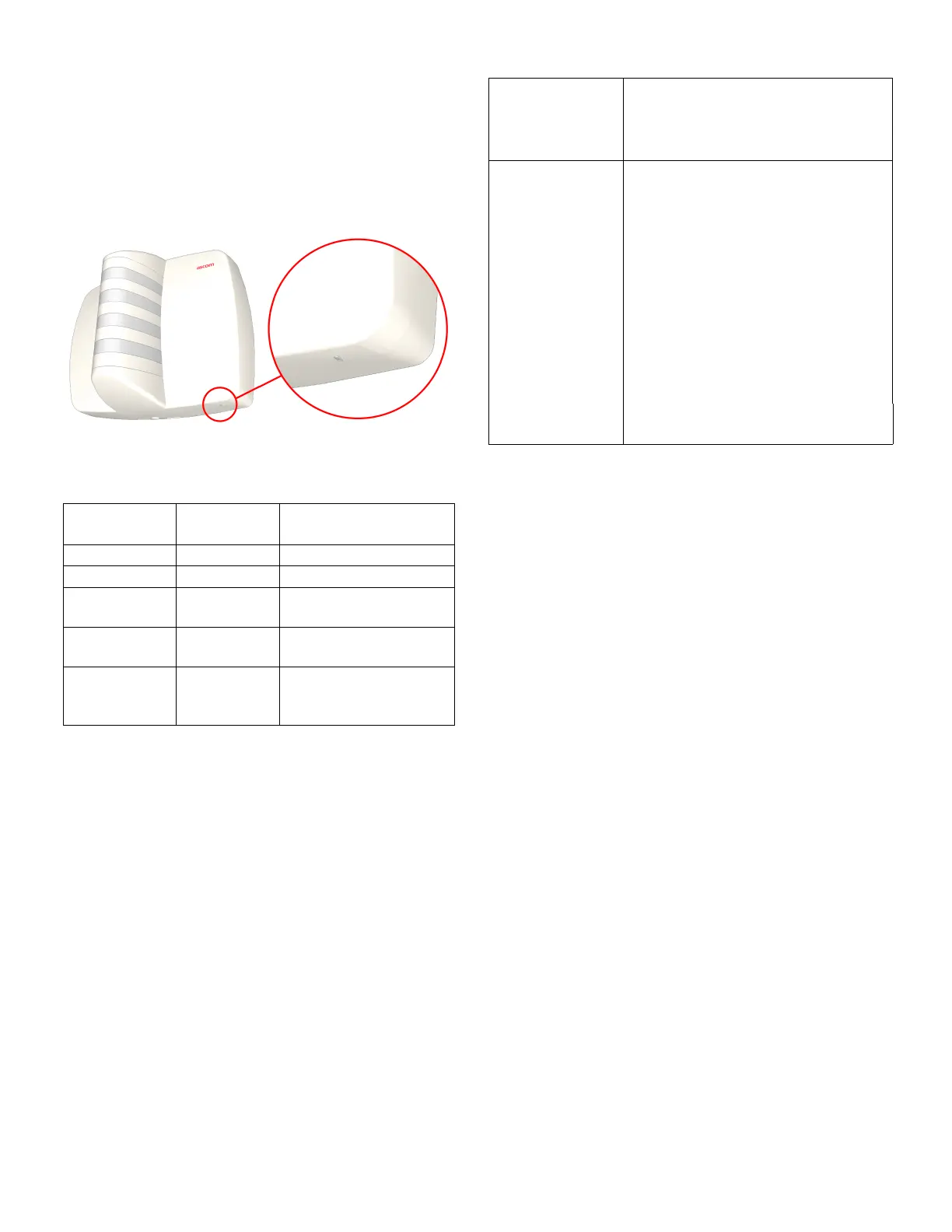
LED Status Indicator
The dome light is equipped with a status LED indicator
located at the bottom of the front cover.
Figure 4: Status LED
The following table identifies the LED color, the blinking rate,
and what this indicates.
Table 2: LED colors and blinking rate
Status LED
Color
Blinking Rate What it Indicates
Off None No power
Blue Solid Normal operation
Blue Fast (8 times
per sec.)
Missing connection to
Gateway II (Safe Mode)
Blue Slow (approx.
once per sec.)
Firmware upgrade
Any other color
than blue
Solid (or
alternating
colors)
DIP switches (Factory or
Mode DIP switches are
not set correctly)
Specifications
Wire/terminations
Cat 5/5e/6/7 U/UTP with RJ-45
connectors
Note: Cat 6/7 cable may be too stiff
for some back boxes.
Compatible
electrical boxes
(metal or plastic)
North America RACO models (or equivalent)
1-gang: 690, 695
2-gang: 691, 696
Australia Clipsal models (or equivalent)
1-gang: 157, 157/1, 157/1A, 157/1X
2-gang: 157/2
European Union EU box (or equivalent)
Single backbox with mounting holes
60mm (2.36in.)
United Kingdom MK Honeywell models (or equivalent)
1-gang: 861ZIC, 866ZIC, 877ZIC


 To Previous Page
 Loading...