EasyManua.ls Logo

Ashly GQX-3102 - User Manual

Ashly GQX-3102
12 pages
Print Icon
To Next Page IconTo Next Page
Loading...
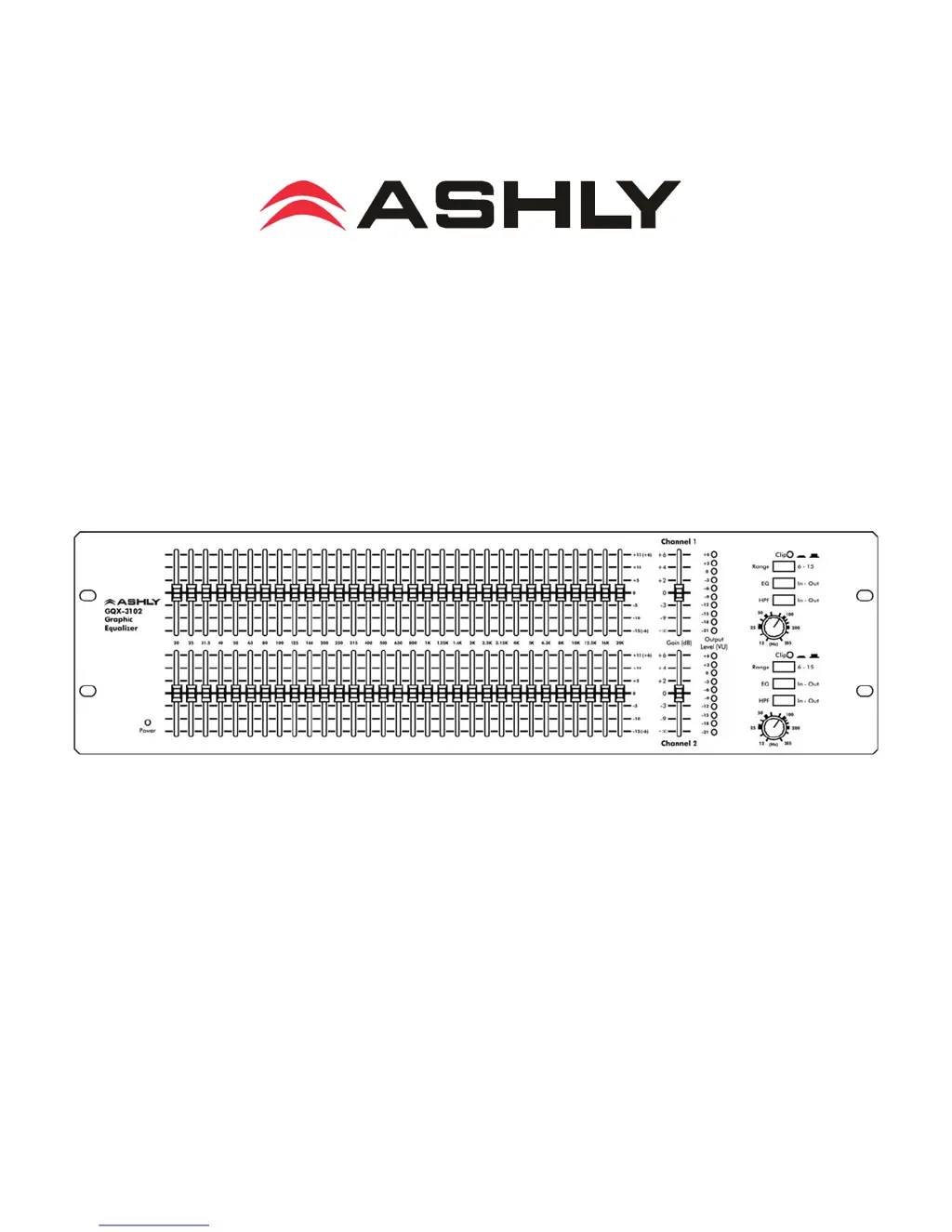
GQX-3102 Graphic Equalizer
Operating Manual
Ashly Audio Inc.
847 Holt Road, Webster, NY 14580-9103
Toll Free (800) 828-6308, Telephone (585) 872-0010, FAX (585) 872-0739
www.ashly.com
All Trademarks referred to herein, are the property of their respective owners. R-1012

Other manuals for Ashly GQX-3102

Questions and Answers

  • H
    hbrownJul 26, 2025
    What to do if Ashly Recording Equipment has distorted sound?
    • T
      Theresa JonesJul 26, 2025
      If you are experiencing distorted sound with your Ashly Recording Equipment, it's likely due to excessive signal levels, indicated by the Clip LED. To resolve this, adjust the gain of each component in your setup to maintain a comfortable level throughout the audio chain.
  • L
    lorimorenoAug 1, 2025
    Why does my Ashly Recording Equipment have excessive hum or noise?
    • M
      marisawoodsAug 1, 2025
      Excessive hum or noise in your Ashly Recording Equipment can stem from several causes. Hum is often due to a ground loop between components; try using balanced inputs and outputs to mitigate this. Excessive hiss may result from an insufficient drive signal to the equalizer; ensure you're sending a nominal 0 dBu line level signal. Additionally, cumulative noise can occur if gain is applied too late in the audio chain; apply gain to individual source signals as early as possible for optimal performance.
  • B
    Brian GonzalesAug 6, 2025
    How to troubleshoot no audio output on Ashly Recording Equipment?
    • I
      ibarramelissaAug 7, 2025
      If your Ashly Recording Equipment has no audio output, first check the AC power to ensure the power LED is on. Also, verify that you have an input signal present.
  • J
    Jessica LongAug 12, 2025
    What to do if the peak light flashes on Ashly Recording Equipment?
    • B
      Brandon WhiteAug 12, 2025
      If the peak light on your Ashly Recording Equipment flashes or remains constantly lit, it indicates that the signal level to the equalizer is too high. Reduce the gain. If the light remains on after reducing the gain, the unit requires professional servicing.
  • J
    James OrtizAug 19, 2025
    Why do EQ controls do nothing on Ashly Recording Equipment?
    • V
      Victoria JamesAug 19, 2025
      If the EQ controls on your Ashly Recording Equipment aren't functioning, ensure the master EQ switch is engaged. Also, the lowest and highest frequency sliders may be beyond the range of the program material, producing little or no audible effect.

Summary

Important Safety Instructions

FCC Compliance

Details compliance with FCC Rules regarding harmful interference and operation.

Introduction

About Ashly

Background information on the founding and philosophy of Ashly Audio Inc.

Safety

Crucial safety warnings and precautions to minimize risks before connecting to a sound system.

GQX Equalizers

Connectors & Cables

Details the types of connectors (TRS, XLR, Euroblock) used for system interfacing.

Grounding

Explains unbalanced connections and potential ground-loop noise issues.

Physical Description

Front Panel Controls

Describes the function of controls and indicators on the front panel of the GQX-3102.

Rear Panel Connections

Details the input and output connectors and their configurations on the rear panel.

Installation

General Requirements

Outlines physical, electrical, and signal requirements for proper operation of the equalizer.

AC Power

Specifies AC power connection requirements and safety precautions for the unit.

Typical Applications

General Tone Control

Guidance on using the graphic equalizer for basic tone shaping and frequency adjustments.

Feedback Control

Using the equalizer to manage moderate feedback issues and system gain.

Console Channel Equalization

How to integrate the graphic equalizer for more precise channel equalization via console inserts.

Room Equalization

Strategies for using the equalizer to address acoustic issues in large rooms.

Troubleshooting

Dimensions

Specifications

Limited Warranty (USA Only)

Obtaining Warranty Service

Procedure for obtaining warranty service and returning the product for repair.

Ashly GQX-3102 Specifications

General IconGeneral
TypeGraphic Equalizer
Channels2
Frequency Bands31
Frequency Range20 Hz - 20 kHz
Input ConnectorsXLR, 1/4" TRS
Output ConnectorsXLR, 1/4" TRS
Maximum Input Level+22 dBu
Maximum Output Level+22 dBu
Power Supply100-240 VAC, 50/60 Hz
Range (Boost/Cut)±12dB
Input Impedance20 kOhms balanced, 10 kOhms unbalanced
Dimensions19" x 1.75" x 7.5" (483 x 44 x 191mm)
Weight5.5 lbs

Related product manuals