Rev 3 Page 13
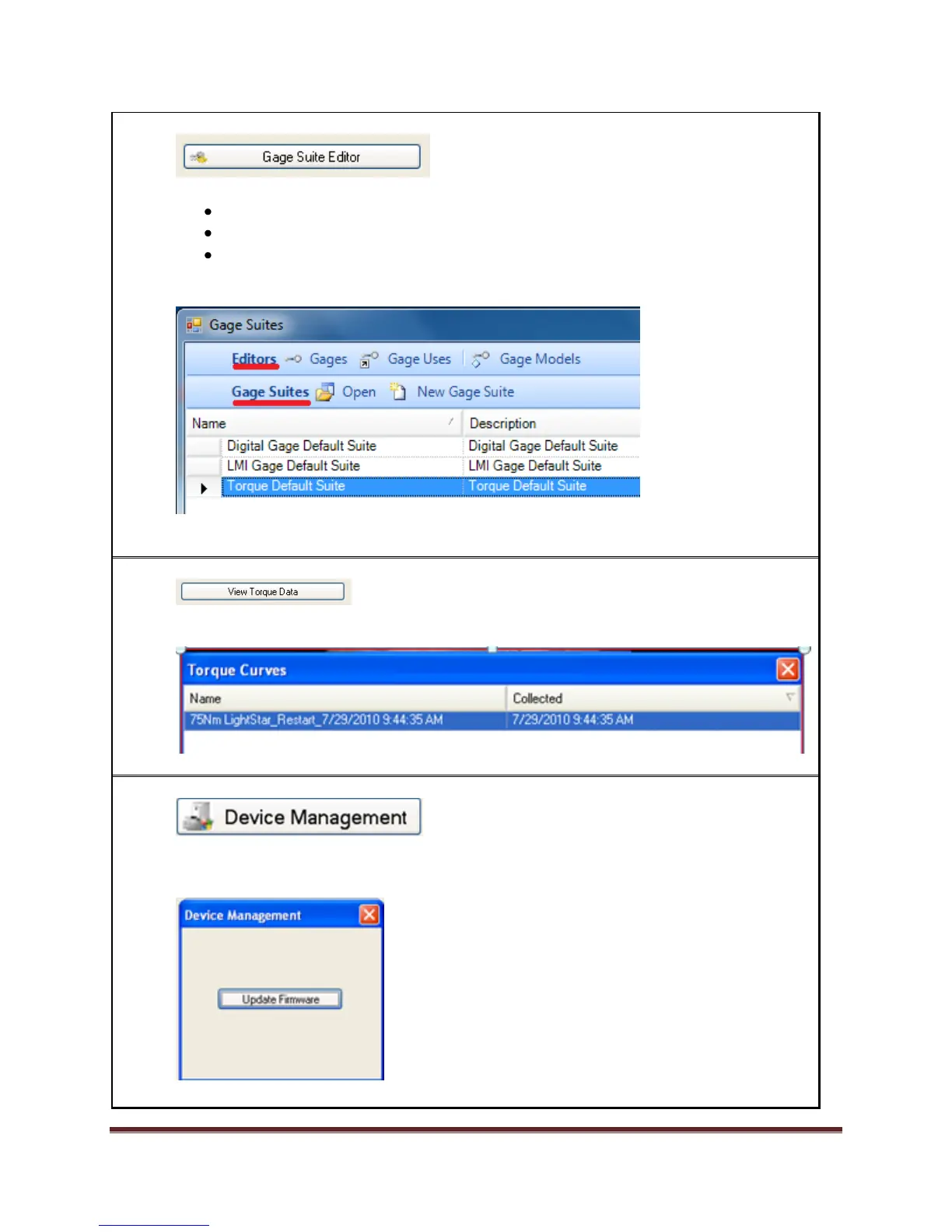
4. Select Gage Suite Editor. Gage Suites are sets of gage instructions for the 600.
Note the following:
Editors: Gages, Gage Uses, Gage Models
Gage Suites: Open, New Gage Suite
List of gage suites
o The default suites will most likely be all you need
Close the Gage Suite Editor using the red X.
5. Select View Torque Data.
Note the saved torque curve. Close Torque Curves using the red X.
6. Note Device Management. It is grayed out if the 600 is not attached to the PC.
If the 600 is attached selecting Device Management will show this Update Firmware
message. This will usually need to be done when updating TranSend II software.
Note: Once firmware is updated, reinitialize the collector.


 To Next Page
 Loading...