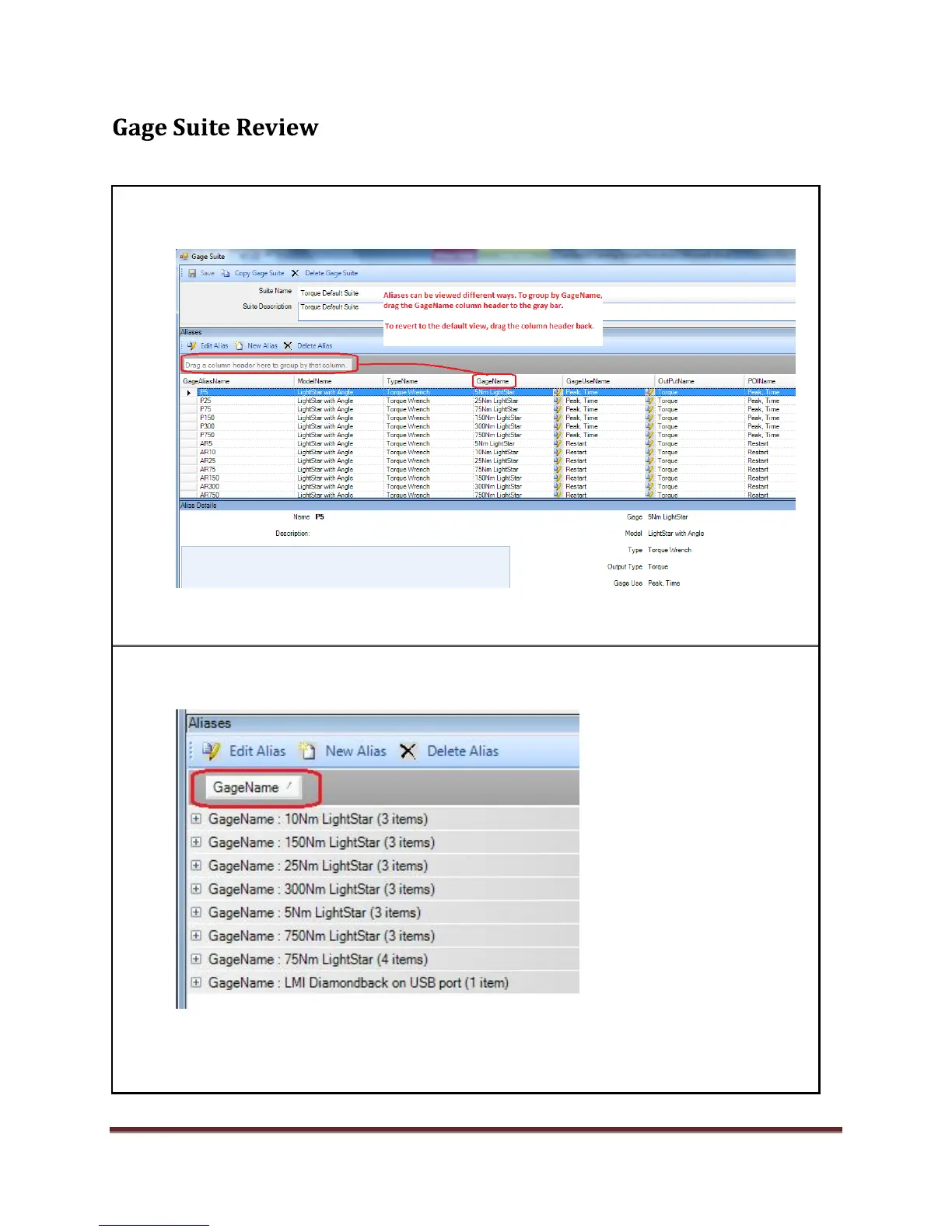
1. Open the Gage Suite Editor. Open the Torque Default Suite. View the Aliases and note the
alias details Model, Type, Gage, Use etc.) An alias is assigned in the source field in a setup.
.
2. To view aliases grouped by GageName, drag the GageName column header to the gray
bar.
Click the arrow next to GageName to sort in different directions.
Note the toolbar buttons for Gage Suite and Aliases.
Close the Torque Default Suite when finished. Note: This resets the columns.
*Note: you can drag the column heads back to the data to reset the columns as well.



 To Next Page