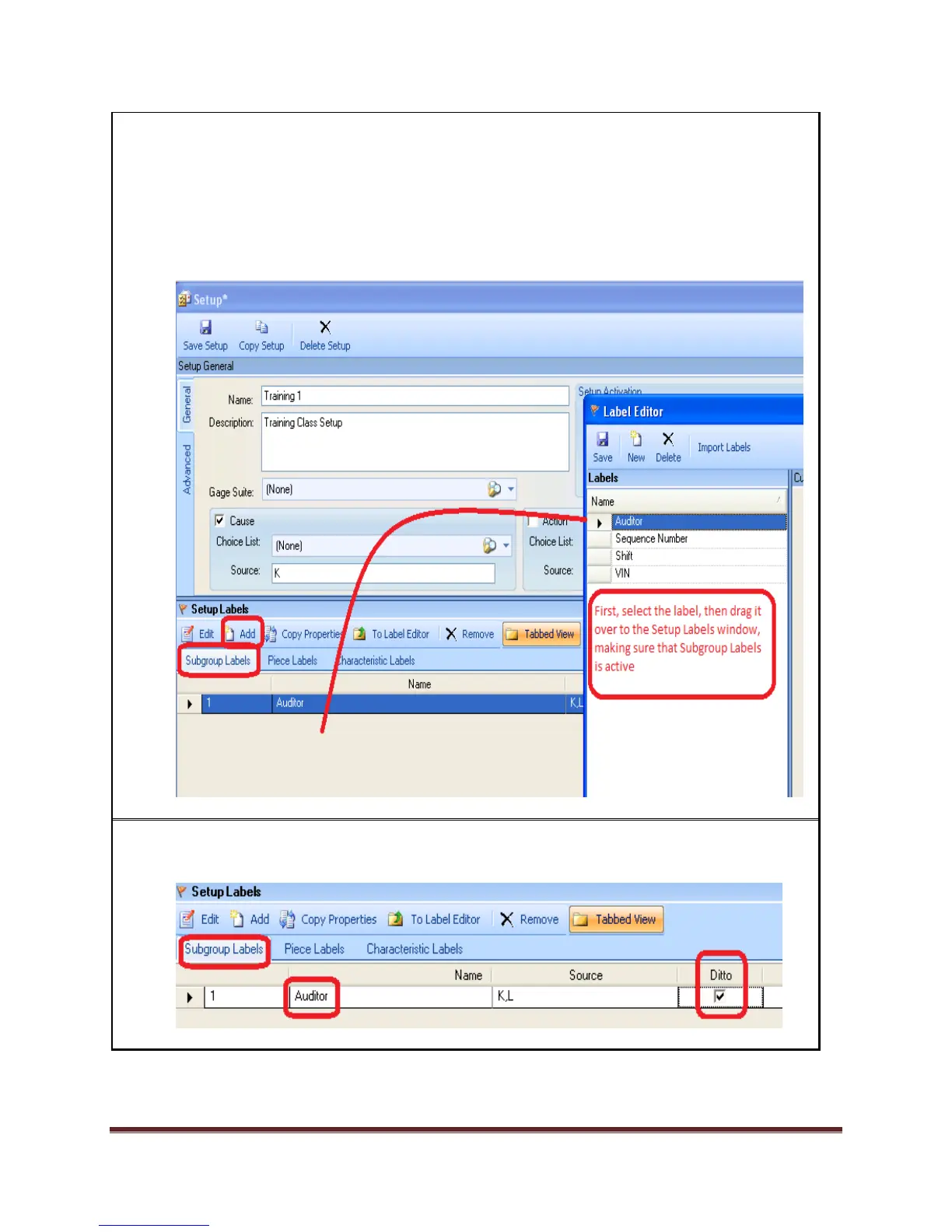
5. On Setup Labels, click either Add or To Label Editor to bring up the Label Editor. You will
be adding subgroup and characteristic labels to this setup.
Select the Auditor label.
Drag it over to the setup labels window; making sure the Subgroup Labels tab is active
before dropping (so Auditor is added as a Subgroup Label).
6. Check Ditto for Auditor. This will bring up the same value when collecting data so that the
operator won’t have to choose it again. Save your changes.


 To Next Page