Rev 3 Page 8
The goal is to understand how all the components work together to create setups, collect data
and upload it to the TranSend II database.
TranSend II Objectives:
Demonstrate an understanding of:
1) Gage Suites
a. Create a gage suite with aliases and their uses
2) Setup Editor
a. Configure Setup Editor preferences
b. Create labels and assign them to a setup
c. Create characteristics with alarms and assign them to a setup
d. Assign aliases to characteristics
e. Select images and assign them to characteristics
f. Add characteristic descriptors and assign them to characteristics
g. Create a setup group and assign setups to the group
3) Demonstrate understanding of information transfer between TranSend II and the 600 so that:
a. Setup Groups are sent to the collector
b. Gage suites are sent to the collector
c. Data is harvested from the collector
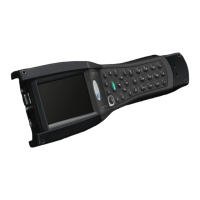
600 Objectives:
Demonstrate understanding of:
1) Menus and keystrokes
2) Preference settings for efficient battery use
3) How to select a gage suite to master and test the gages
4) About screen information and options
5) Select a setup, respond to prompts and collect data
6) View analysis charts and torque curves
7) Reaudit


 To Next Page
 Loading...