Rev 3 Page 92
Creating new gage use
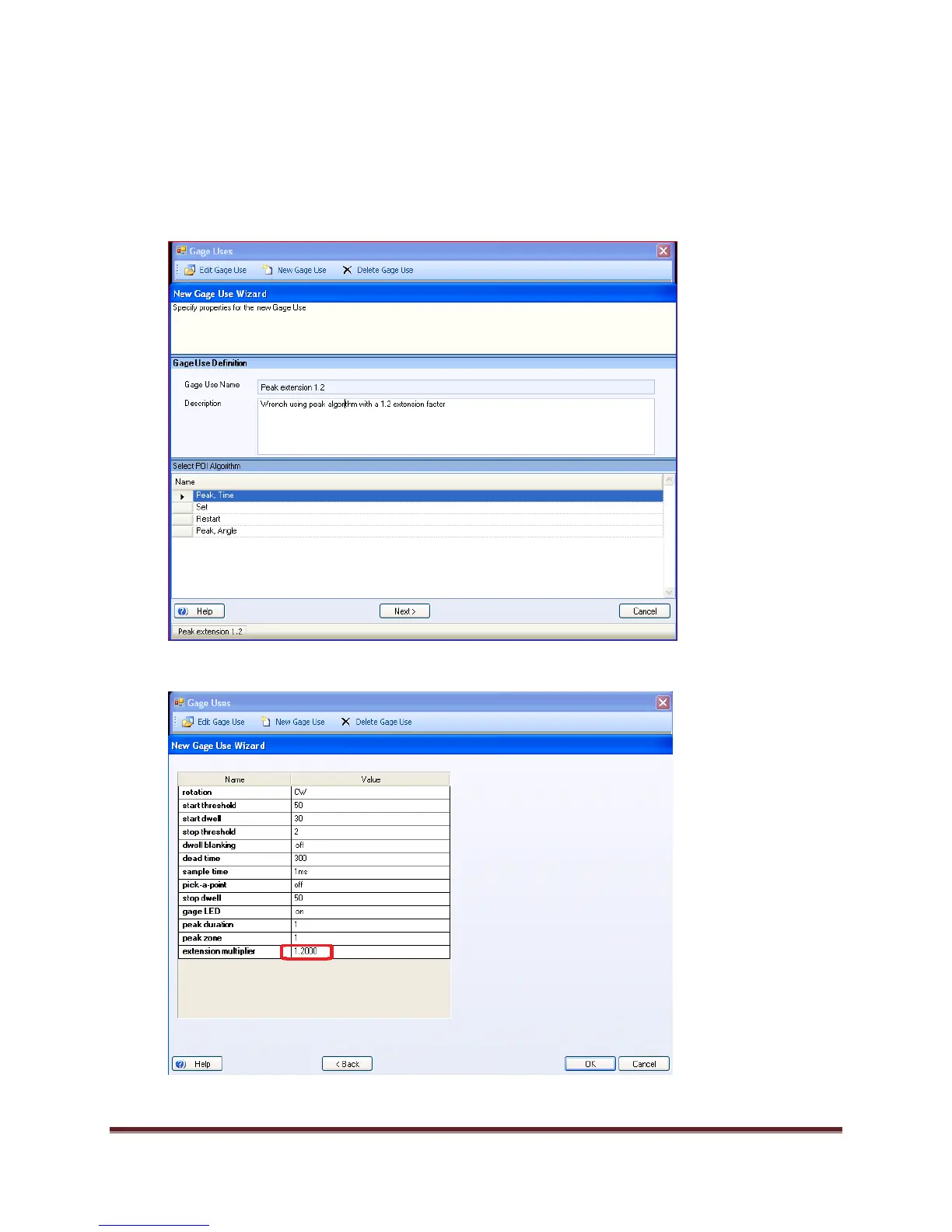
In the Gage Suite, select the Gage Uses, then New Gage Use.
1. In the New Gage Use Wizard, name the gage use, include the description, the Peak, Time
Algorithm and select Next:
2. Change the extension multiplier to 1.2 and select OK.
Close Gage Uses.


 To Next Page