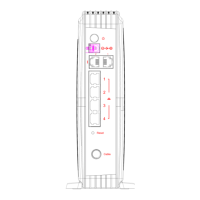
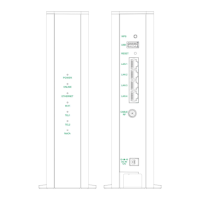
The RTF7000 GPON Mini-ONT is a single LAN port Gigabit Passive Optical Network (GPON) Optical Network Terminal (ONT) designed to provide high-speed internet connectivity with a bandwidth of up to 1 Gbps. Manufactured by ASKEY®, an industry leader in networking, this device supports Optical Network Termination Management and Control Interface (OMCI), enabling service providers to provision services remotely.
Function Description:
The primary function of the RTF7000 GPON Mini-ONT is to terminate the optical fiber connection from a GPON network and convert it into an Ethernet signal for local area network (LAN) devices. It acts as a bridge between the fiber optic network and the user's home network, allowing for high-speed data transmission. The device is designed for indoor use and can be either free-standing or wall-mounted.
Important Technical Specifications:
- Bandwidth: Up to 1 Gbps.
- Ports:
- 1 x LAN Port (Ethernet RJ-45) for connecting to high-speed internet devices.
- 1 x GPON Port for connecting to the fiber optic cable.
- 1 x Power connector for the DC adapter.
- Buttons:
- Power Switch: To turn the device on or off.
- Reset Switch: For resetting the device.
- LED Indicators: The device features several LED indicators to display its operational status:
- Power LED:
- Off: ONT is switched off.
- Green Steady On: ONT is switched on.
- ALARM LED: Indicates problems with the optical signal power levels.
- Off: Optical power >-27dBm (normal).
- Red Steady On: Optical B+ power <-27dBm (alarm, indicating low reception power).
- CONNECTION LED: Shows the synchronization and activation phases with the GPON network.
- Off: ONT is not synchronized with the PON.
- Green Blinking: ONT is synchronizing with the PON and is in the activation phase.
- Green Steady On: ONT has reached its Operational State and is working.
- ETH LED: Displays the status of the Ethernet port.
- Off: Link is down.
- Green Steady On: Link is up but no traffic detected.
- Green Blinking: Link is up and Rx/Tx traffic is detected.
- Power Supply: AC Power Adaptor.
Usage Features:
- Easy Setup: The device offers a quick setup process, involving connecting the fiber cable to the GPON port, an Ethernet cable to the GE port, and the power adapter.
- Status Monitoring: The LED indicators provide clear visual feedback on the device's operational status, including power, alarm conditions, GPON connection status, and Ethernet link activity.
- Flexible Placement: The RTF7000 can be placed on a flat, sturdy surface or wall-mounted using screws and wall anchors, offering flexibility in installation.
- Remote Management: Supports OMCI, allowing service providers to manage and provision services remotely, simplifying network administration.
- Safety Guidelines:
- Placement: Must be placed in a dry, indoor area, away from wet or damp environments (kitchens, bathrooms, laundry rooms) and magnetic devices (audio/video tapes, diskettes, credit cards) to protect stored data.
- Laser Safety: Users are warned about invisible laser radiation at the fiber optic cable when it's removed from the connector. Direct exposure to the laser beam should be avoided to prevent eye damage. Precautions must be taken before plugging in optical modules.
- Fiber Cable Handling: A bend radius of no less than 1.5 inches (3.8 cm) must be maintained when connecting the fiber optic cable to prevent damage to the optic fiber.
Maintenance Features:
- Troubleshooting via LED Indicators: The manual provides a detailed LED indicator troubleshooting guide to help users identify and resolve common issues. For example:
- If the Power LED is not steady ON, check the power cable connection.
- If the CONNECTION LED is not steady ON, check the fiber cable connection.
- If the ALARM LED is ON, check the fiber cable connection; if the alarm persists, contact the local agent.
- If the ETH LED is off, the link is down. If it's steady green, the link is up but no traffic. If it's blinking green, traffic is detected.
- Specific scenarios like "RTF7000 SN mismatch, GPON password mismatch or RTF7000 failed" are indicated by a Green Steady Power LED and Green Blinking Connection LED, requiring contact with a local dealer.
- "Reception power level is too low" is indicated by a Green Steady Power LED and a Red Steady Alarm LED, also requiring contact with a local dealer.
- Reset Functionality: A dedicated reset switch allows users to reset the device if needed, which can help resolve certain operational issues.
- Disposal & Recycling: Users are advised to follow local country or region-specific sorting rules for disposal and recycling of the device, often involving returning it to sales points or designated collection centers.
The RTF7000 GPON Mini-ONT is a robust and user-friendly device designed for reliable high-speed internet access in a GPON environment, with clear indicators and safety guidelines to ensure proper operation and maintenance.

 Need help?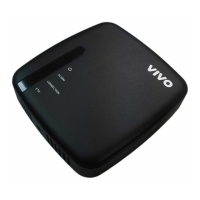

 To Next Page
 General