EN 9
Combi microwave
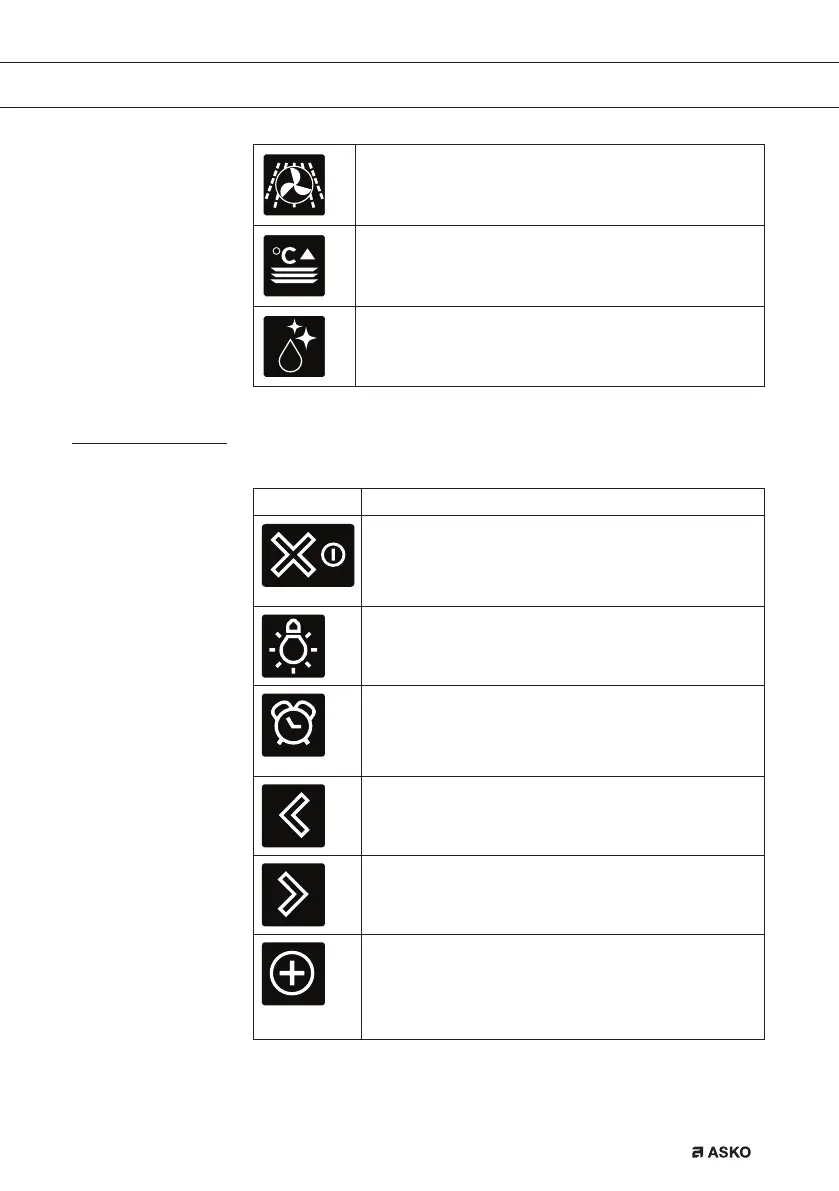
Hot air + microwave
Large grill + fan + microwave
Warming
Plate warming
Keep warm
Aqua clean
Keys
In the table below you can find the discription of the different keys.
Keys Description of the keys
On/off key and stop key
- Press short: cancel operation or go one step back in
the menu.
- Press long: turn the appliance off or on.
Light key
- To turn the cavity light on or off.
Egg timer
- The egg timer can be used independently from the
oven function.
- The longest possible alarm time is 23:59.
Navigation key left
- To move the active area to the left.
Navigation key right
- To move the active area to the right.
Plus key
- To open or exit the settings menu (in standby-
mode).
- To open or exit the plus menu with the extra options
possible at that moment (in on-mode).
YOUR OVEN
687405_en_naslovnica_drug_papir.indd EN9687405_en_naslovnica_drug_papir.indd EN9 8. 08. 2022 15:39:518. 08. 2022 15:39:51



 To Next Page