EN 5
YOUR OVEN
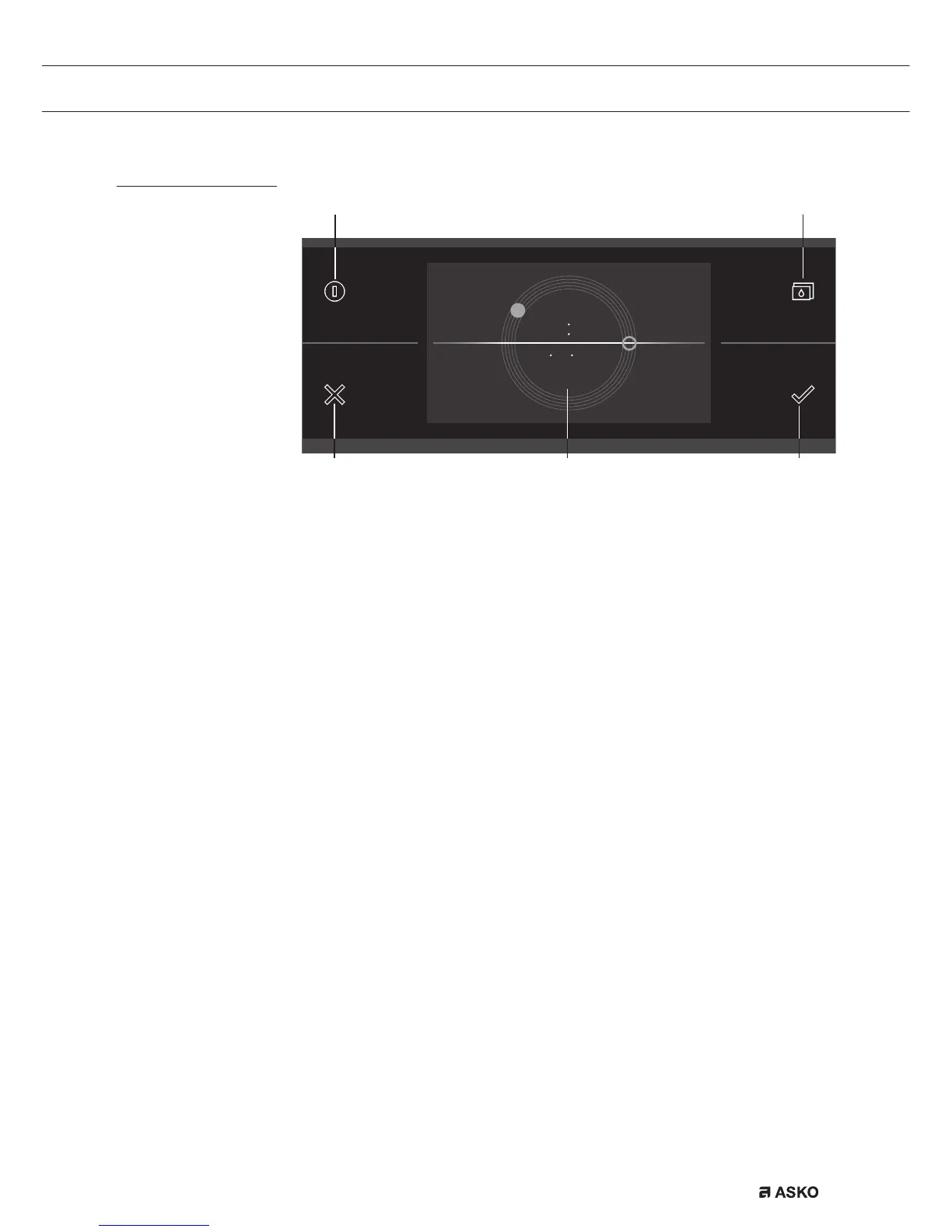
Control panel
01. On/Off button; use to:
▷ switch on the appliance.
▷ switch to stand-by.
▷ switch off the appliance. Keep the ‘On/Off’ key pressed until the
appliance switches off.
02. X button; use to:
▷ go a step back in the menu.
▷ lose or answer ‘No’ to a pop-up menu.
▷ lose or cancel a menu or function.
03. Water reservoir button; use to:
▷ open the water reservoir valve.
04. Confirm key; use to:
▷ confirm settings.
▷ start a function.
▷ close or answer ‘Yes’ to a pop-up.
05. Touch screen/display
10 15
10 10 2015
040502
01 03



 To Next Page