EN 11
USE
SETTINGS
To change the settings, rotate the setting knob to the right and hold it for three seconds. Press the
start/sop icon to scroll through respective settings or parameters. To change a parameter, rotate
the setting knob to the right or to the left.
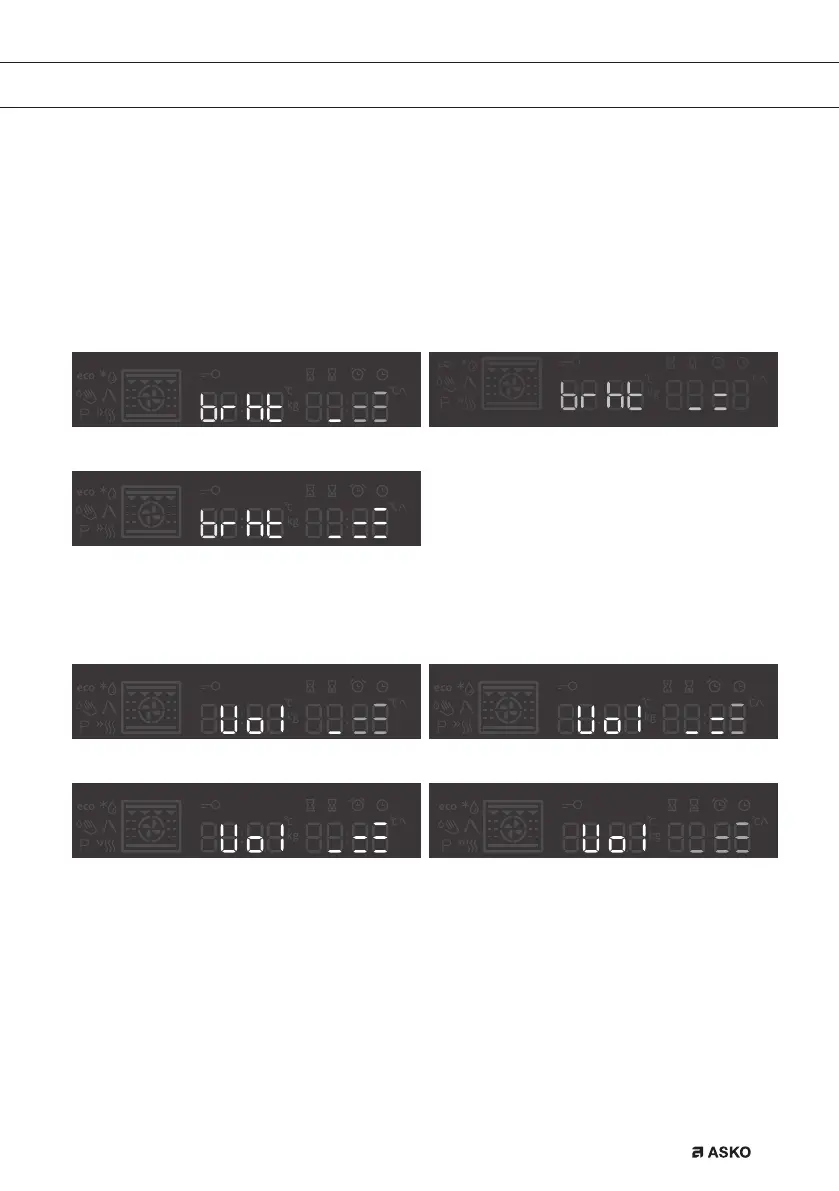
BRIGHTNESS LEVEL
Select between three different options of brightness levels. Mid level is pre-set. Levels can be set
by rotate knob.
Brightness level low Brightness level mid
Brightness level max
SOUND LEVEL
Mid level is pre-selected. Sound levels can be set by rotate knob.
Volume level low Pre-set mid sound level
Volume level max Volume level off
862798_en_naslovnica_drug_papir.indd EN11862798_en_naslovnica_drug_papir.indd EN11 29. 09. 2022 12:16:2629. 09. 2022 12:16:26



 To Next Page