25
STEP 5: CHOOSING THE PROGRAM SETTINGS
Using the program settings, the drying programs can be further adjusted to your wishes.
Some program settings may not be available for your selected program.
Selected program settings will remain stored after the end of the drying cycle and may be changed
subsequently (except for delayed start which is not stored after the drying is complete).
Choose the program settings before pressing the START button.
When the drying program is in progress, program settings cannot be changed.
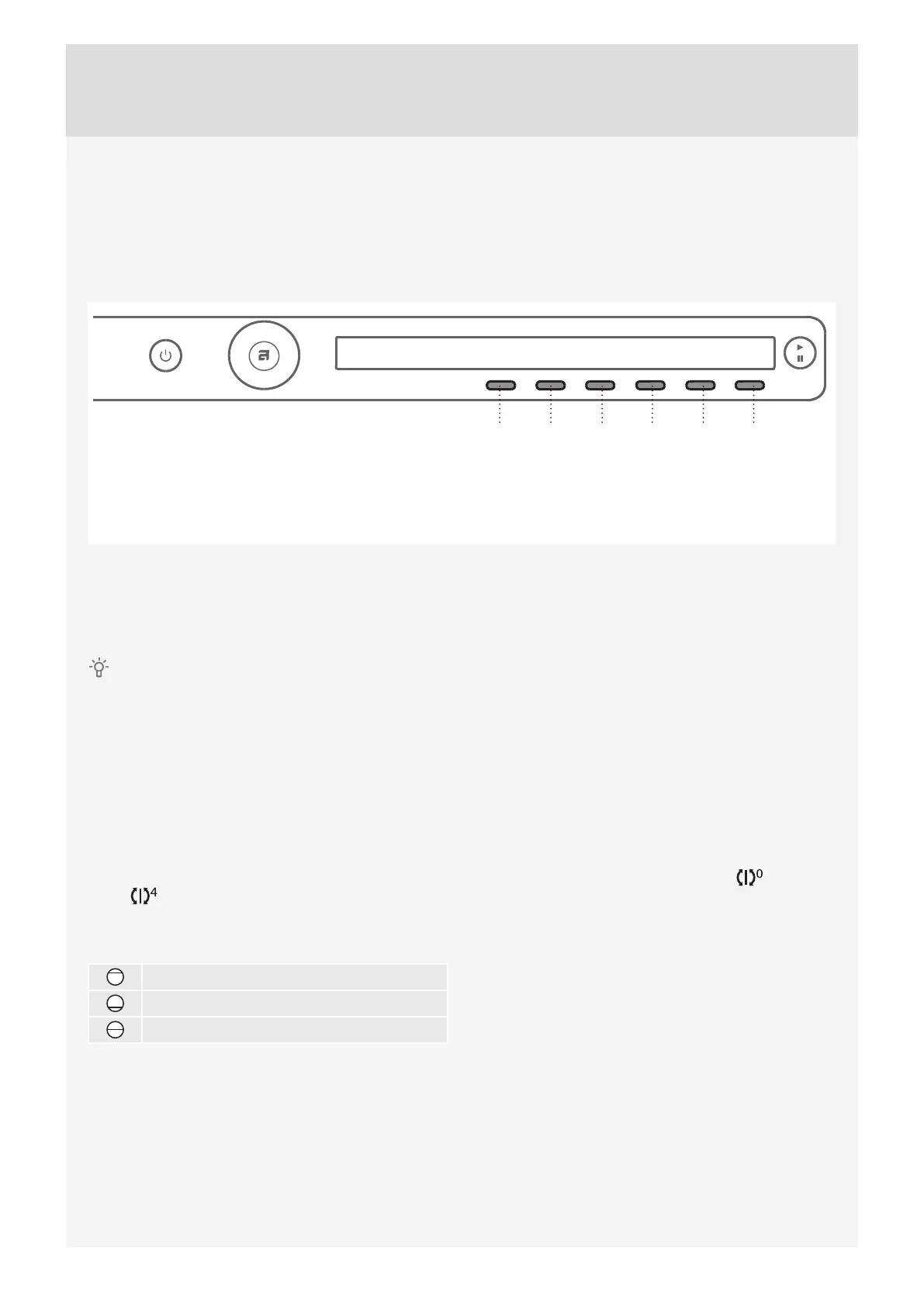
Press and hold the button under a program setting to display the information (INFO) about it.
Following are the program settings that may be selected using the buttons 1 to 6:
1. Dryness level (extra dry)
By pressing the button 1, you can choose between extra dryness levels (+, ++, +++).
Each time the button is pressed, the fi nal level of laundry dryness and drying time will change.
2. Anti-crease
This function pertains to what happens after the drying cycle.
By pressing the button 2, you can choose the duration of the anti-crease program from 0 hours to 4
hours
, in 1-hour steps.
3. Load
By pressing the button 3, you can choose between loads of the dryer.
Full load
Small load
Partial load
Selection of actual load aff ects the initially displayed anticipated drying time.
4. Steam (steam drying)
By pressing the button 4, you can switch the steam drying on or off .
Steam fi nish gives the laundry a steam treatment, like straightening the creases and refreshing the laundry
with steam in the end of program cycle (only for programs in which steam treatment is possible).
123456
1. Dryness level (extra dry)
2. Anti-crease
3. Load
4. Steam (steam drying)
5. Time (timed drying)
6. Delay Start


 To Next Page