30
SYSTEM SETTINGS
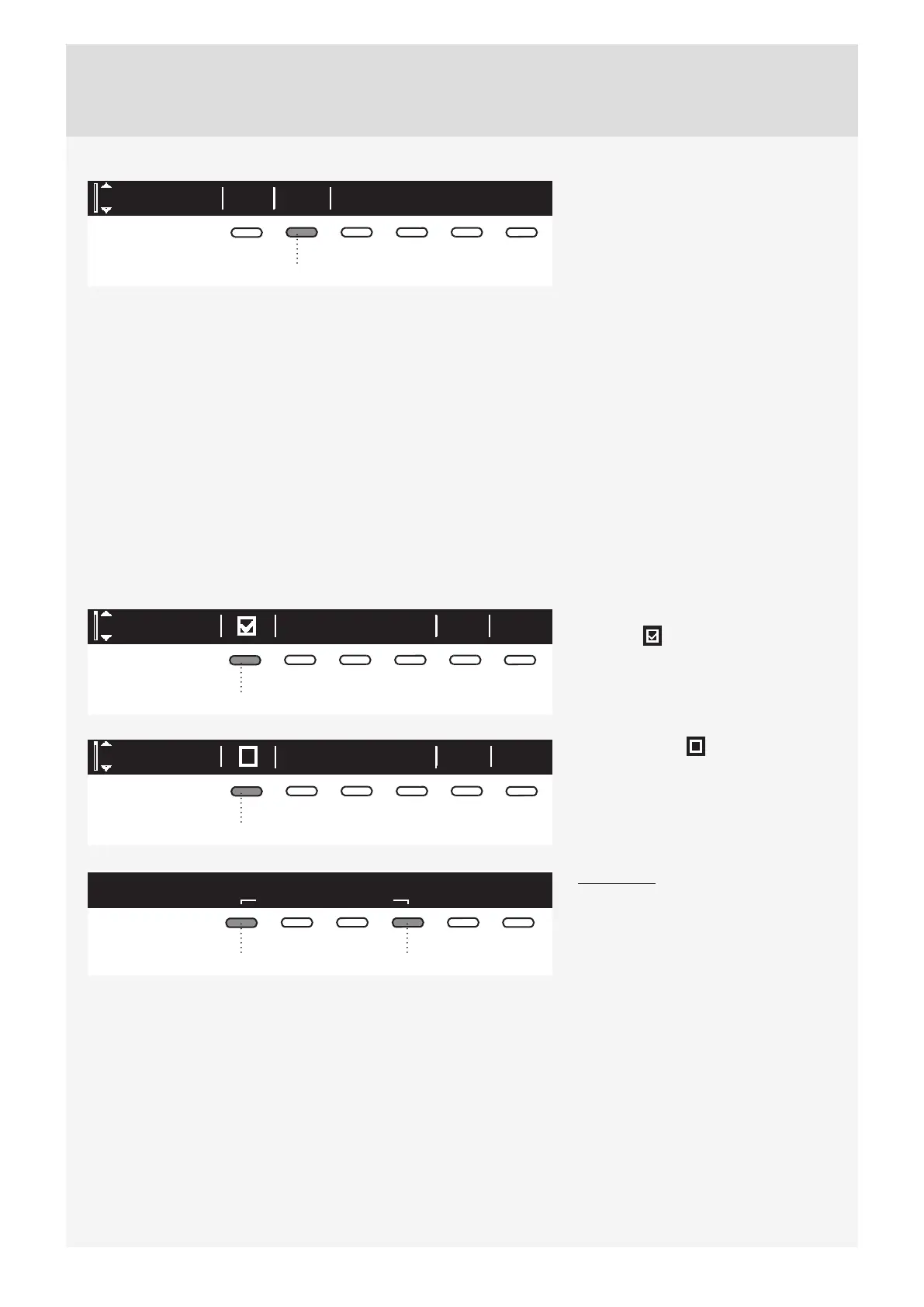
Enter
System settings
2
In the main menu, use the program
selector knob to select "System
Settings".
Confi rm the selection by pressing the
button 2.
Then, use the program selector knob to scroll the list of settings that can be changed.
• Child Lock
• Language
• Programs
• Display (display unit: contrast & logo)
• Sounds
• Condensed water
• Reset
Use the button 6 (BACK) to return to "System Settings" or to the main menu.
Press the INFO key to display brief information about the setting.
CHILD LOCK
Child lock BackInfo
1
Child lock can be activated by pressing
the button 1 . This will prevent
children from switching on the machine.
Child lock BackInfo
1
Press the button 1 to deactivate the
child lock.
When the child lock is activated, no
other function can be selected.
Child lock
Hold for to deactivate.
locks user interface to any interactions.
3 sec
14
To temporarily (for 3 minutes) switch off
the child lock, press the 1 and 4 buttons
simultaneously and keep them pressed
for 3 seconds.


 To Next Page