31
LANGUAGE
EU English
Language Ok
36
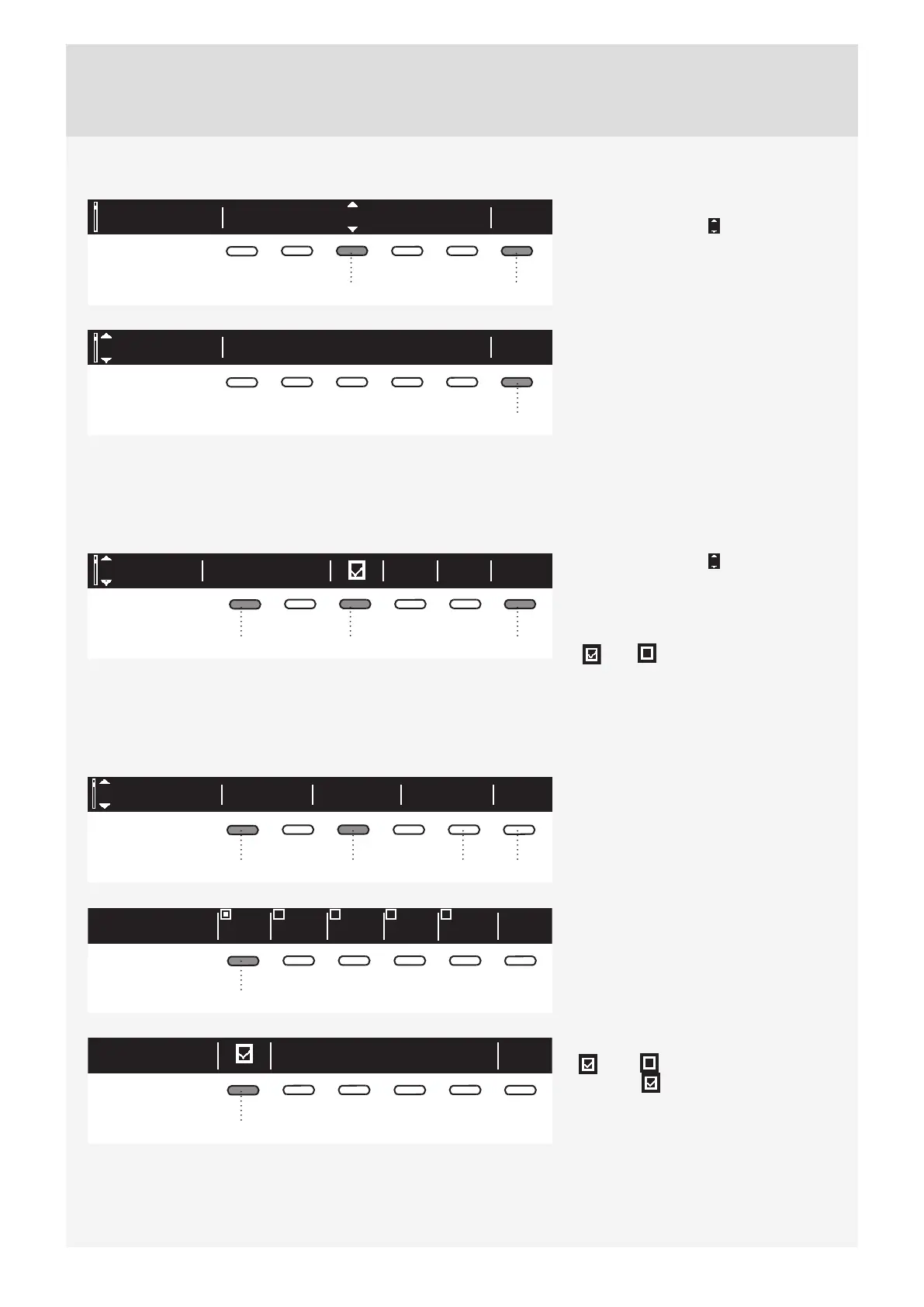
You can choose between 24 languages.
Press the button 3 for to appear. Use
the program selector knob or the button
3 to scroll the list of languages.
Use the button 6 (OK) to confi rm the
selected language.
EU English
Language Back
6
Use the button 6 to return to "System
Settings".
PROGRAMS
The main menu includes the entire set of programs that you can choose using the program selector knob.
This setting allows only displaying the selected program in the main menu.
Sports wearPrograms BackInfo
13 6
Press the button 1 for to appear. Use
the program selector knob or the button 1
to select a program.
Use the button 3 to set whether this
program is to be displayed or not:
On / Off .
Use the button 6 to return to "System
Settings".
DISPLAY UNIT
Contrast Logotype
Back
Display
1356
Set the Contrast and Logo display.
1 2
3
4
5
BackContrast
1
BackLogotype
1
Use the buttons 1 to 5 to set the
Contrast.
Use the button 1 to toggle Logo display
on or off .
The symbol means that Logo will
appear on the display when the machine
is turned on.
Use the button 6 to return to "System
Settings".


 To Next Page