40
SERVICE
2
3
F3 F4
F2 F1
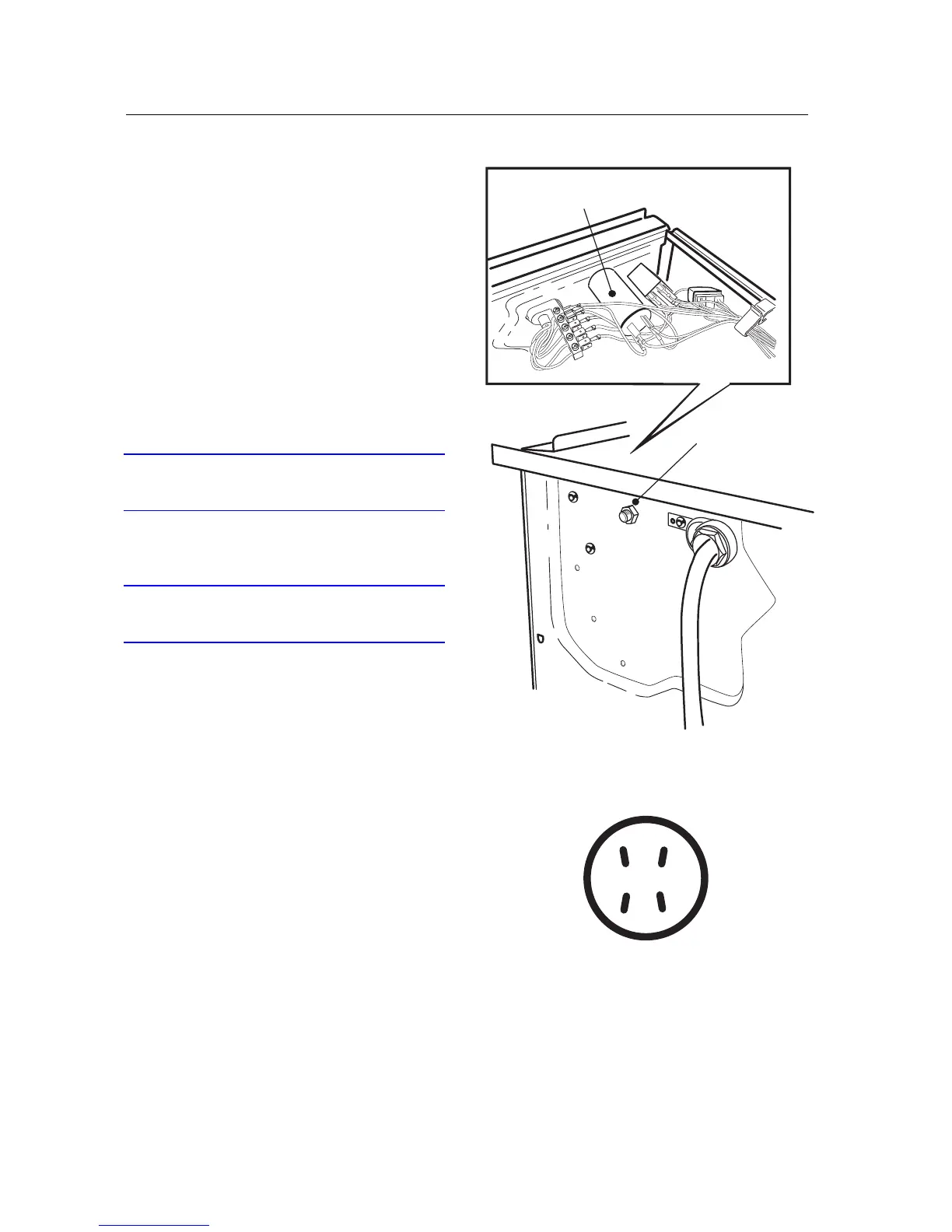
RADIO INTERFERENCE FILTER (T760/780)
Removing the radio interference filter
1. Remove the three screws at the rear edge and
lift off the top cover.
2. Disconnect the wiring from the radio interfe-
rence filter.
3. Unscrew the nut securing the filter.
Installing the radio interference filter
4. Fit the radio interference filter.
5. Install the wiring in accordance with the la-
bels on the wires.
IMPORTANT
Connect the wires to the correct flat pin connec-
tors.
6. Fit the top cover.
IMPORTANT
Don't forget the 2 star washers for the outermost
screws.



 To Next Page