EasyManua.ls Logo

Asko W6461 - User Manual

Asko W6461
2 pages
Print Icon
To Next Page IconTo Next Page
Loading...
Sani
Programs
Heavy
Normal
plus
Perma
press
Normal
Quick
Drain
Spin
Rinse
Delicate
Hand/Wool
Power
Temperature
Spin speed
Delay
Extra rinses
High water
Wrinkle free
Door
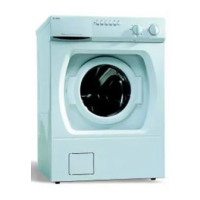
THE CONTROL PANEL
Door Open Button
Press to open the
glass door.
Program Knob
Turn to select a program. (Please note that the
dial does not move as the program advances.)
LED Window
Displays the wash temperature, program options,
estimated running time, and the remaining program time.
Power Button
Press to turn on power
to the machine.
Option Buttons
Press to select a
program option.
Power Indicator Light
Glows when the power
is turned on.
Start/Stop Button
Press to start or
stop a program.
Power Button
The Power button turns the power to the machine on and off. When the power is on, the power indicator light glows red. The power must be
on before you can open the door, set the programs or start the machine.
Door Open Button
The power must be on and you must press this button to open the door. Please note that the water must be drained before the door will open.
Start/Stop Button
Once you’ve selected the program and options, press this button to start the washer. To stop the washer during a program, press and hold
this button until the indicator light above it goes off.
Option Buttons
The option buttons allow you to select wash temperatures, spin speeds, delayed start, extra rinses, high-water level, and anti-crease. Each
option is defined in detail on the next page.
Program Knob
Turn this knob to the desired program (described in the table below). Please note that the knob does not move as the program advances.
Interrupting or Cancelling a Program
To interrupt a program to add an item, press and hold the Door Open button until the indicator light next to the button comes on (about 3
seconds). Any water in the machine will be pumped out and the door will open. When you close the door, the unit will start at the point it was
interrupted. To cancel a program, press and hold the Start/Stop button until the indicator light goes off. When you press Start/Stop again, the
program will restart from the beginning.
We know you’re excited about owning an ASKO washing machine and you’re anxious to get started, so here is a brief summary of the
operating procedures. To get the most of the features of your machine, we recommend that you read your
Use and Care Guide
.
Washer Quick Start Guide
W6461
PROGRAMS
Your ASKO washer has several programs and options specifically designed to give you the cleanest laundry possible. The table below
shows the recommended types of laundry and load size for each program. Refer to “Options” on the next page for more information.
Program Types of Laundry Preset Temps. * Load Size
Sani For heavily soiled cotton 140° F Full
Heavy For normally soiled cotton 140° F Full
Normal plus For lightly soiled cotton and colorfast fabrics 105° F Full
Perma Press For acrylic, polyester 140° F Half
Normal Lightly soiled fabrics of all types (except wool and acrylics) 140° F Full
Quick Lightly soiled fabrics of all types (except wool and acrylics) 105° F Half
Hand/Wool Washable 8 F Third
Delicate Delicate fabrics, such as silk or nylon 85° F Third
Rinse
Spin
Drain
* The wash temperatures can be adjusted. See the “Options” section on the following page.

Other manuals for Asko W6461

Questions and Answers

  • S
    Sydney MichaelAug 14, 2025
    Why my Asko Washer will not spin?
    • J
      James AcevedoAug 14, 2025
      If your Asko washer isn't spinning, first ensure that the 'No Spin' option is turned off. Also, check the pin trap and outlet hose for any blockages and clean if necessary. If the load is unbalanced, the washer will attempt to redistribute it, but if it remains unbalanced after several tries, it will skip the spin cycle.
  • D
    David StricklandAug 17, 2025
    What to do if water left in the Asko Washer after final spin?
    • M
      Maria BrownAug 17, 2025
      If water is left in your Asko washer after the final spin, verify that the 'No Spin' option isn't enabled. Check the pin trap and outlet hose for any clogs. Inspect the outlet hose for kinks and ensure that no part of it is less than 3/4” (19 mm) in diameter.
  • F
    fhillAug 20, 2025
    How to fix water leaks in Asko W6461 Washer?
    • A
      Arthur MarshallAug 21, 2025
      If you notice water leaks from your Asko washer, inspect all hoses at least once a year and replace them if they show signs of cracking. Check the hose connections at the faucets to ensure they are tight. Verify that the end of the outlet hose is securely inserted into the drain receptacle. Also, make sure nothing is caught between the Smart Seal and the tank.
  • A
    Andrew KleinAug 25, 2025
    What to do if my Asko W6461 Washer stops during cycle?
    • B
      Belinda BennettAug 25, 2025
      If your Asko washer stops mid-cycle, it might be normal, especially between cycles or during the delicate wash program. Ensure the 'No Spin' option isn't activated. Check that the washer is properly plugged into the electrical outlet and the power switch is on. Also, inspect the house breaker switch or fuses.
  • B
    bonillabenjaminAug 27, 2025
    How to fix extreme vibration during spin cycle in Asko Washer?
    • H
      harrisoncrystalAug 27, 2025
      To address extreme vibration during the spin cycle of your Asko washer, ensure that all packaging and shipping supports have been properly removed. Also, check that the machine is level. You may need to adjust the machine feet and tighten the locknuts to stabilize it.
  • N
    ngibsonAug 30, 2025
    How to troubleshoot if Asko W6461 Washer won’t start?
    • C
      Charles ThompsonAug 31, 2025
      If your Asko washer won’t start, begin by ensuring the glass door is securely closed and the power switch is turned on. If the power switch is on but the indicator lamp isn't lit, check the power supply by making sure the machine is properly plugged into the electrical outlet and inspect the house breaker switch or fuses.
  • J
    Judith BurnsSep 3, 2025
    Why Asko W6461 doesn’t fill?
    • P
      Patty WelchSep 3, 2025
      If your Asko washer isn’t filling, ensure that the tap to the water supply line is open. If it's open, turn off the water supply and disconnect the inlet hose to check if the strainer in the inlet connection is blocked.
  • M
    Michele MartinezSep 6, 2025
    How to prevent rips, snags, excess wear in Asko W6461?
    • A
      Aaron HernandezSep 6, 2025
      To prevent rips, snags, and excess wear on your clothes in the Asko washer: 1. Empty all pockets and turn clothes inside out before washing. 2. Fasten hooks, snaps, and zippers. 3. Remove sharp buckles. 4. Rinse harsh chemicals from fabrics before washing. 5. Mend garments before washing. 6. Wash only half loads and avoid washing with heavy items.
  • N
    Nicole MartinezSep 9, 2025
    How to prevent fading and discoloring when using Asko W6461?
    • M
      Mrs. Stacey ArnoldSep 10, 2025
      To prevent fading and discoloring of clothes in your Asko washer, separate light items from dark items. Always empty all pockets before washing, especially to remove crayons or pens. Use cool or cold water to retain dark or bright colors.

Summary

The Control Panel Overview

Power Button Function

Press to turn the washing machine on and off. The indicator light glows red when on.

Program Knob Selection

Turn the knob to select the desired wash program for your laundry load.

Door Open Button

Press to open the glass door. Requires power and may need water to drain first.

Start;Stop Button

Press to start a selected program or press and hold to interrupt/cancel.

LED Window Display

Shows wash temperature, program options, estimated and remaining run time.

Option Buttons

Used to select wash temperatures, spin speeds, delay start, and other features.

Quick Start Procedures

Machine Operation Steps

Step-by-step guide to power on, load, select program/options, and start the washer.

Detergent Drawer Loading

Instructions for pouring detergent and fabric softener into the correct compartments.

Understanding Washer Functions

LED Window Information

Details on how the LED window displays program time, temperature, and options.

Program Options Explained

Covers temperature, spin speed, delay start, extra rinses, high water, and wrinkle-free options.

Detergent Drawer

Location and function of the automatic dispensing detergent and fabric softener drawer.

Detergent and Softener Usage

Recommendations for using low-sudsing HE detergents and fabric softener amounts.

Asko W6461 Specifications

General IconGeneral
BrandAsko
ModelW6461
CategoryWasher
LanguageEnglish

Related product manuals