05
Tips:
6.flashlight
In the locking screen state, on the touch screen in the direction of the arrow (from bottom to top) slide into the
settings interface, click the flashlight icon into the flashlight function.
7.Gesture switch
In the locking screen state, on the touch screen in the direction of the arrow (from bottom to top) slide into the
settings interface, press the "^" and "v" icon to set the gesture "on" "off ". Press "Fire" to confirm and return to the
main interface.
8.Anti-ignition function
The local ignition requires the human body finger to fully touch the ignition key to ignite the cigarette, to
prevent the user from forgetting to shut down or lock the system and accidentally ignite (such as putting in the
bag with the false trigger, put in the suitcase with the false trigger, etc.).
9.System Upgrade
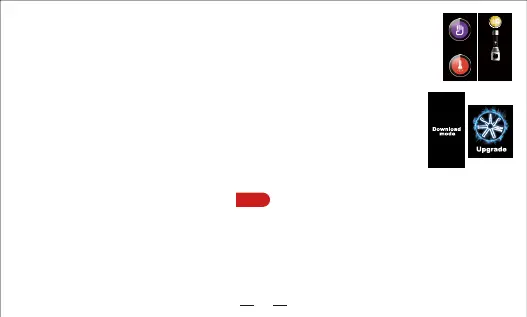
1.The device enters the upgrade mode "Download Mode".
2.Connect the device to a computer via a USB cable.
3.Open the computer side of the upgrade software, click the “Connect” button, the left side of the button
turns gray to green, indicating that the device and upgrade software connection is successful.
4.Click the "File" button, select the firmware to be upgraded (such as: xxx.firmware).
5.Click the "Upgrade" button to upgrade.
6.After the upgrade is successful, the device prompts "Upgrade Ok".
7.Power off and rebooting.
☆
10. Battery handling method
☆
1. The negative pole of the battery is against the
negative pole of the machine。
2. Push the battery to the negative direction, and
then remove the battery.
1. Warning when atomizer resistance is too high:
"
HIGH ATOMIZER
"
2. Warning when atomizer resistance is too low:
"
LOW ATOMIZER
"
3. Warning when atomizer resistance is removed:
"
ATOMIZER REMOVE
"
4. Warning when no atomizer is connected:
"
CHECK ATOMIZER
"
5. Warning when atomizer gets short circuit:
"
ATOMIZER SHORT
"
6. Warning when battery voltage is too high:
"
HIGH BATTERY
"
7. Warning when battery voltage is too low:
"
LOW BATTERY
"
8. Warning when fire working time exceeds 10S:
"
WORK OVERTIME
"
9. Display when device turns on:
"
ASMODUS
"
10. Display when device turns off:
"
SYSTEM OFF
"


 To Next Page
 Loading...