This document describes the Asnish PJ-168 Home Theater Projector with Bluetooth, an instruction manual detailing its features, setup, operation, and specifications.
Function Description:
The Asnish PJ-168 is a home theater projector designed to display images and videos from various sources onto a screen. It incorporates Bluetooth functionality, allowing for wireless audio playback. The projector supports multiple input methods, including HDMI, AV, VGA, USB, and TF (Micro SD) card, making it versatile for connecting to different devices such as set-top boxes, BD/DVD players, streaming players, computers, and mobile devices. It also features multi-screen interactive connection capabilities for both Android and iOS phones, enabling wireless and wired projection.
Important Technical Specifications:
- Model Number: PJ-168
- Light Source Type: LED
- Display Native Resolution: 1280 x 720 RGB
- HDMI Input Supported Video Resolution: 1080p, 1080i, 720p, 576i, 480p, and 480i
- Bluetooth Version: 5.1 (Transmitter)
- Power Consumption: 80W
- Included Adapter: Input AC100-240V, 50/60Hz; Output DC26V, 2.7A
- Projection Size: 36-150 inches
- Input Ports: AV, VGA, HDMI (1 & 2)
- USB Port: Supports USB devices up to 32GB, compatible with Mpeg1, Mpeg2, Mpeg4, mp3, Jpeg formats.
- TF Card Slot: Supports TF cards up to 32GB, compatible with Mpeg1, Mpeg2, Mpeg4, mp3, Jpeg formats.
- Audio Output: Aux Out / Line Out / Earphones
- Net Weight (unit): 1.5 KG
- Product Dimensions: 260 x 211 x 98 mm
Usage Features:
The projector offers a range of features for flexible use:
- Placement Options: Can be installed in four configurations: Front Table, Rear Table, Front Ceiling, and Rear Ceiling. Special rear projection screens and projector mounts are required for certain setups.
- Image Adjustment:
- Vertical Location: An "ANGLE ADJ. Knob" allows fine-tuning of the display angle.
- Focus: A "FOCUS ADJ. Knob" is used to sharpen the image by rotating it until pixels are clearly visible.
- Keystone Correction: A "KEYSTONE ADJ. Knob" corrects distorted images (trapezoidal shape) into a rectangular or square shape, especially when the projector is not perfectly perpendicular to the screen.
- Remote Control: A dedicated remote control provides comprehensive navigation and control, including power ON/OFF, menu access, source selection, volume adjustment, and mute function.
- On-Unit Controls: Buttons on the projector itself allow for basic operations such as power, source selection, menu access, navigation, return, volume control, and mute.
- Connectivity:
- HDMI: Connects to set-top boxes, BD/DVD players, or streaming players. Supports "PCM Stereo" mode for audio output.
- AV: Connects to AV devices using an AV cable.
- VGA: Connects to computers (laptops or desktops). Note that VGA connections do not support audio, requiring external speakers for sound.
- Audio Output: Allows connection to external audio devices like station amplifiers or earphones.
- USB/TF Card Playback: Functions as a media player, supporting various video, music, photo, and text formats from USB drives and Micro SD cards. A sub-menu provides playback controls like pause, fast forward/rewind, next/previous, stop, repeat, zoom, rotate, and playlist management.
- Bluetooth Playback:
- Pairing: Connects wirelessly to external Bluetooth speakers. The process involves accessing the projector's SOUND menu, enabling "BT Setting On," and then pairing with the speaker.
- Disconnecting: Bluetooth can be disconnected through the same SOUND menu by selecting "BT Setting Off."
- Multi-screen Interactive Connection (Phone and Projector):
- Wireless Projection (Miracast/Airplay):
- Local WiFi Router Connection: The projector and mobile device connect to the same local WiFi router. Users can then mirror their screen or project content.
- Android Mirroring (Miracast mode): Direct mirroring from Android devices without needing a WiFi router connection.
- Android Mirroring (DLNA mode): Requires both projector and mobile to be on the same WiFi network, allowing content to be streamed from the mobile device to the projector.
- iOS Mobile Screen Mirroring: Direct mirroring from iOS devices without needing a WiFi router connection.
- iOS Mobile Airplay: Requires both projector and mobile to be on the same WiFi network, allowing content to be streamed from the mobile device to the projector.
- Wired Projection (iOS mobile only): Connects iOS mobile devices directly to the projector using a data cable, enabling screen mirroring after selecting "trust" on the mobile device.
- Projector Menus:
- Menu 0 (VGA Mode): Provides "Screen" adjustments for Auto Adjust, Horizontal Position, Vertical Position, Clock, and Phase.
- Menu 1: Offers "Picture" settings including Picture Mode (Standard, Dynamic, Mild, User), Contrast, Brightness, Color, Sharpness, Color Temperature (Cool, Medium, Warm), and Noise Reduction (Off, Low, Middle, High).
- Menu 2: Contains "Sound" settings for Sound Mode (Standard, Movie, Music, Sports, User), Treble, Bass, Balance, and Bluetooth Setting (On/Off).
- Menu 3: Features "Option" settings for OSD Language, Flip (Front Table, Front Ceiling, Rear Table, Rear Ceiling), Aspect Ratio (4:3, 16:9, Full, Zoom1, Zoom2, Panorama, Just Scan), Restore Factory Default, and Software Update (USB).
Maintenance Features:
- Lens Cover: The projector includes a lens cover for protection when not in use.
- Cleaning: The apparatus should only be cleaned with a dry cloth.
- Ventilation: Ensure ventilation openings are not blocked to prevent overheating.
- Battery Replacement: Instructions are provided for installing/removing batteries in the remote control, with warnings about correct polarity, not mixing old/new batteries, using the same type, and proper disposal.
- Servicing: All servicing should be referred to qualified service personnel in case of damage, liquid spills, or abnormal operation.
- Safety Warnings: Emphasizes not looking directly into the projector light, avoiding touching the lens, and cautions regarding hazardous radiation exposure if controls are improperly used. It also warns against exposure to rain, moisture, dripping, or splashing, and placing liquid-filled objects on the apparatus.

 Need help?
 General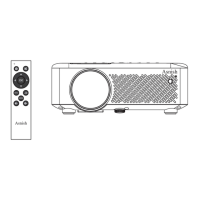

 To Next Page