6
3. Product Installation
A. Hardware Installation
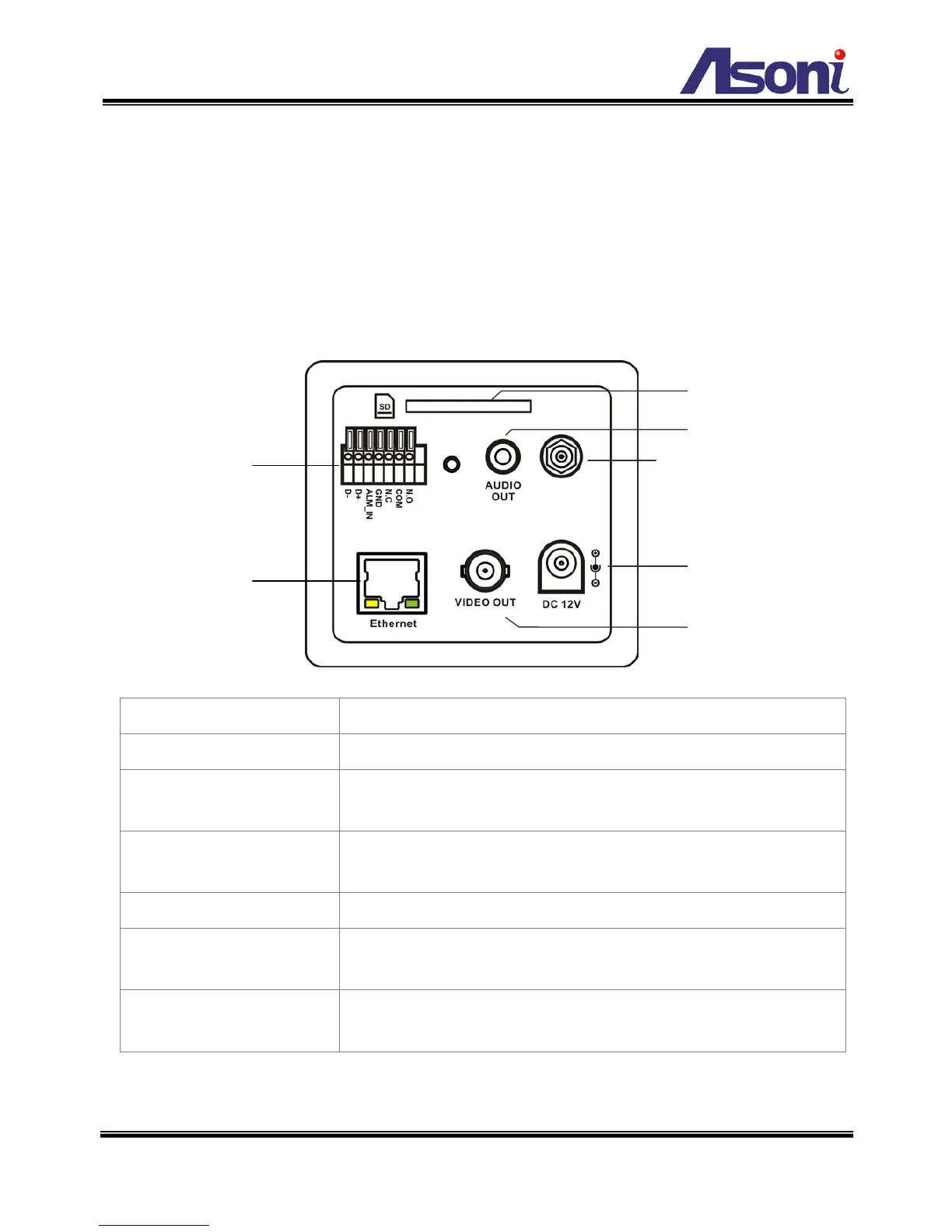
Cable Connections
The RJ-45 connector allows connect the Ethernet cable.
To connect the DC 12V power adapter.
Audio Out:
The RCA connector allows connect to an amplified speaker,
you can hear the voice of the remote site from the speaker.
Video Out:
The BNC connector allows connect to the analog display to
output analog video for locally monitoring.
Digital In and Relay Out.
SD Card Slot:
Insert a SD card if you want to do the event recording (video
only) in the camera.
Antenna Connector:
Available for Wireless model. To connect the included wireless
antenna.
1. Connect the cable of Digital I/O, Video output, and Audio output if you want to use


 To Next Page