DIGITAL VIDEO RECORDER QUICK START GUIDE
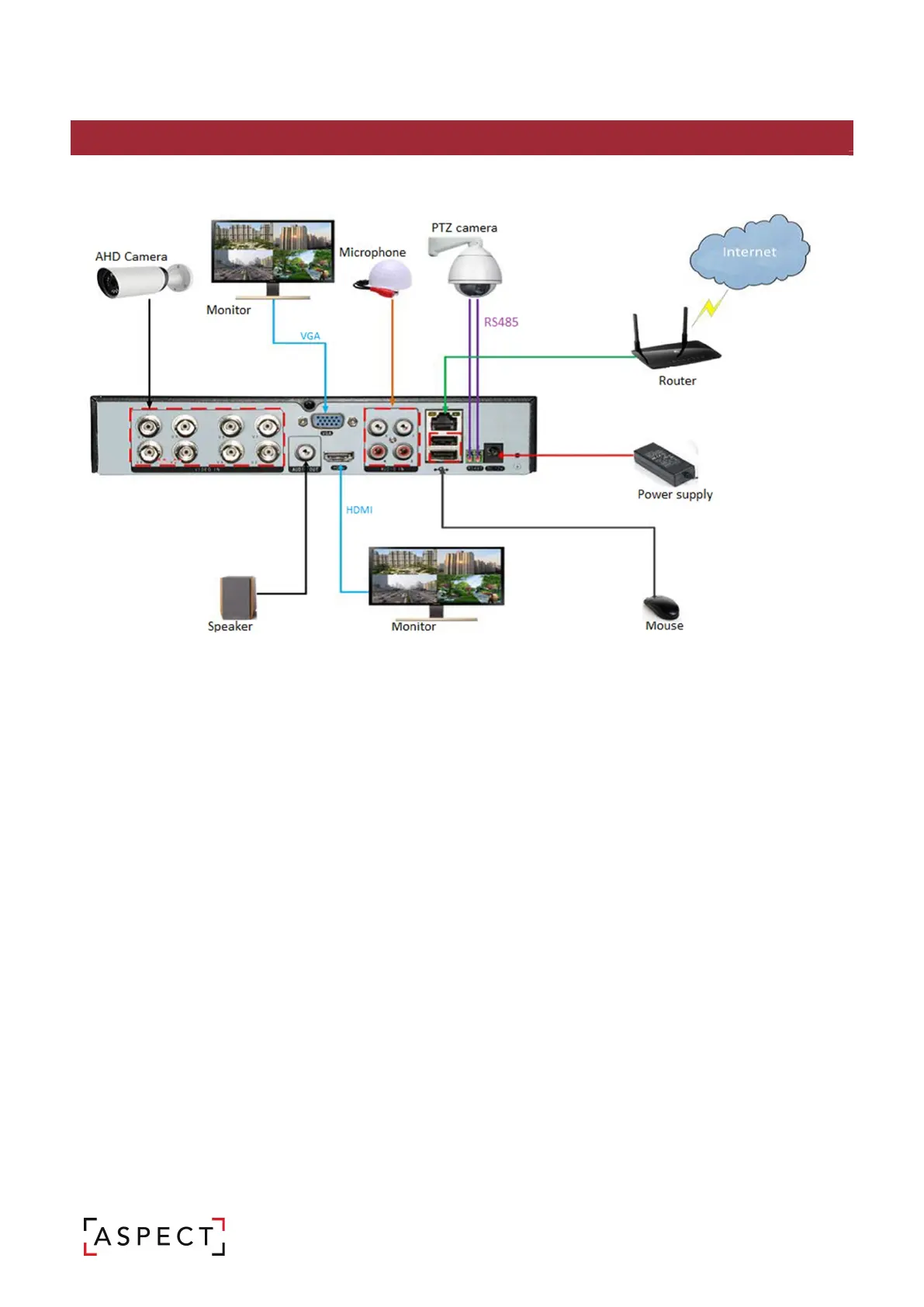
2. INSTALLATION: SYSTEM TOPOLOGY
ASPECT is designed as an out of the box CCTV system which has been optimised to improve the installation
experience.
Connect the ASPECT AHD cameras to the BNC ports of the ASPECT DVR, display the video and automatically
start recording the camera. The following instructions will outline the set up and operations of the system.
For further information refer to the user manual, available to download by scanning the QR code within this
guide.
Default credentials:
Username: admin
Password: (no password)
[NOTE] For security reasons it is highly recommended each user creates a password that includes
uppercase & lower case letters, numbers, and special characters.



 To Next Page