EasyManua.ls Logo

Aspes ATV43UHD - User Manual

Aspes ATV43UHD
15 pages
Print Icon
To Next Page IconTo Next Page
Loading...
USER MANUAL
ATV43UHD
 


Question and Answer IconNeed help?

Do you have a question about the Aspes ATV43UHD and is the answer not in the manual?

Overview

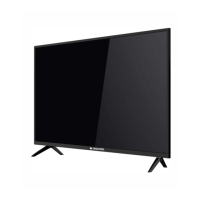
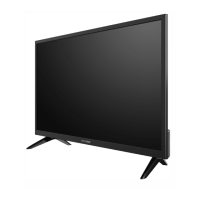
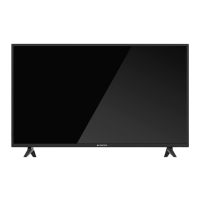
This document is the user manual for an Aspes ATV43UHD intelligent LED TV, designed for domestic use. It provides comprehensive instructions for installation, operation, and maintenance, emphasizing safety precautions.

Function Description:

The Aspes ATV43UHD is a high-performance and multifunctional intelligent LED TV. It offers a range of features including:
  • Smart TV Capabilities: Access to a home page for smart TV functions, a browser for internet access, and an Apk installer for managing applications.
  • Multimedia Playback: Supports playing video, music, and picture files from local disk devices (USB mass storage).
  • Program Scanning: Allows for auto and manual tuning of DTV (DVB-T/T2/C) and ATV (PAL D/K, I, B/G, SECAM D/K, B/G) channels.
  • Recording (REC) and Time Shift: Enables recording programs to a USB mass storage device (FAT32 file system) and pausing/resuming live TV with the time shift function.
  • Connectivity: Multiple input/output options for connecting peripheral equipment, including HDMI (with ARC support), AV, USB, LAN, and antenna inputs (DVB-S2, DVB-T2). Optical output and audio output are also available.
  • Network Settings: Supports Wi-Fi (IEEE 802.11 b/g/n) and Ethernet connections, as well as a portable hotspot function.
  • User Interface: Operable via panel control keys and a remote control, with an On-Screen Display (OSD) menu for settings and adjustments.

Important Technical Specifications:

  • Max. Resolution: 3840x2160 (UHD).
  • Power Supply: 100-240VAC, 50/60Hz.
  • Power Consumption (Speaker): 8W+8W.
  • Power Consumption (Normal working): <98W.
  • Power Consumption (Standby): <0.5W.
  • Operating Environment Temperature: 5°C~40°C.
  • Operating Environment RH: 10%~85%.
  • Operating Environment Atmospheric Pressure: 86kPa~106kPa.
  • Storage Environment Temperature: -20°C~55°C.
  • Storage Environment RH: 5%~95%.
  • Storage Environment Atmospheric Pressure: 86kPa~106kPa.
  • Dimensions (L×W×H):
    • Excluding base: 969×73×566(mm³).
    • Including base: 969×235×618(mm³).
    • Packing: 1080×119×652(mm³).
  • Weight:
    • Net Weight: 7kg.
    • Gross Weight: 9kg.
  • HDMI Video Input: Supports 480i, 480P, 576i, 576P, 720P, 1080i, 1080P, 2160P.
  • HDMI Display Modes:
    • SD: 720×480i/p (60Hz), 720×576i/p (50Hz).
    • HD: 1280×720p (50Hz, 60Hz).
    • FHD: 1920×1080i/p (50Hz, 60Hz, 24Hz, 25Hz).
    • UHD: 3840×2160p (30Hz, 50Hz, 60Hz).
    • Note: 50Hz and 60Hz refresh rates under UHD mode are effective only under HDMI version 2.0.
  • VESA Modes:
    • VGA: 640×480 (60Hz).
    • SVGA: 800×600 (60Hz).
    • XGA: 1024×768 (60Hz).
    • SXGA: 1280×1024 (60Hz).
    • WXGA: 1600×900 (60Hz).
    • WUXGA: 1920×1080 (60Hz).
    • 4K: 3840×2160 (30Hz, 60Hz).
    • Note: 60Hz refresh rate under 4K mode is effective only under HDMI version 2.0.
  • AV Video Input: 75Ω, 1±0.1Vp-p, RCA terminal.
  • AV Audio Input: 20KΩ, 0.2~2Vrms.
  • Antenna Input: 75Ω coax, unbalanced.
  • Intelligent Operating System: Android.
  • Wireless Connection: Wi-Fi (IEEE 802.11 b/g/n).
  • USB Port Output Current: Maximum 500mA.

Usage Features:

  • Installation: Provides guidelines for mounting the TV on a stable plane or a firm wall, including ventilation requirements and safety warnings regarding unstable locations. It also details wall mounting screw specifications (ST6x8mm flat tail self-tapping screws) and hole distances (400x200mm).
  • Initial Setup: Guides users through setting language, network, and time upon first power-on.
  • Remote Control: Detailed description of all remote control keys and their functions, including power, home, mute, number keys, source selection, menu navigation, volume, channel change, teletext, record, time shift, and smart TV specific functions like zoom and hold. Instructions for battery installation (two AAA 1.5V batteries) are also provided, with warnings about battery disposal and mixing old/new batteries.
  • Panel Control Keys: Explains the functions of the power LED indicator, standby, menu key, and rocker button combination key (OK, Up/Down, Left/Right) for basic operations and OSD menu navigation.
  • Smart Platform Operations:
    • Mouse Control: Explains basic mouse operations like click, press and hold, and their equivalents on the remote control.
    • Language Setting: How to set the system language in smart mode.
    • Input Method Selection: How to choose or install third-party input methods.
    • System Time Setting: How to set automatic date and time via network or manually.
    • Browser: Instructions for accessing web addresses, saving bookmarks, and copying/pasting text.
    • Apk Installer: Steps for installing and uninstalling applications from local disk.
    • Multimedia Player: How to play files from USB devices, with important cautions regarding USB device compatibility, file formats, and power supply.
  • Network Settings: Detailed instructions for connecting to Wi-Fi networks (including encrypted ones), configuring Ethernet connections (auto or manual IP settings), and setting up a portable hotspot with security options.

Maintenance Features:

  • Safety Warnings: Extensive warnings cover power supply, cable connections, placement environment (avoiding direct sunshine, moisture, flammable substances, strong magnetic fields), power cord handling, and physical interaction with the TV (avoiding sharp objects, covering vents, touching with wet hands). It also warns against disassembling the TV and advises contacting qualified personnel for maintenance.
  • Troubleshooting: Provides solutions for common issues such as snowflake spots, no display/sound, dotted line/strip disturbance, double images, colorless images, no accompanying sound, no signal input, short remote control distance, browser access issues, slow online video playback, and system crashes.
  • Cleaning: Instructs users to unplug the power cord and wipe with a soft cloth, avoiding chemical reagents and foreign substances to prevent damage.
  • Healthy TV Watching: Recommendations for appropriate lighting and volume to protect eyes and hearing.
  • Disposal: Indicates that the electrical and electronic equipment should be disposed of separately from household waste, in accordance with EU directives (2014/53/EU, 2011/65/EC, (EU)2015/863).
  • Compliance: States compliance with essential requirements of Directives 2014/53/EU (RED), and 2011/65/EC, (EU)2015/863(RoHS).
  • Dolby Audio: Mentions that the product is manufactured under license from Dolby Laboratories.
  • Double-Insulated: The product is marked as double-insulated.

Aspes ATV43UHD Specifications

General IconGeneral
BrandAspes
ModelATV43UHD
CategoryTV
LanguageEnglish

Related product manuals