
 Need help?
Do you have a question about the ASRock Industrial IMB-151D-WF and is the answer not in the manual?
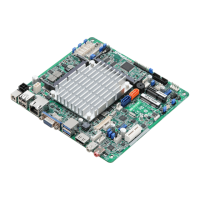
Details form factor, CPU, system specs, expansion slots, memory, graphics, Ethernet, and SATA.
Identifies and describes the external input/output ports on the motherboard.
Step-by-step guide for installing SO-DIMM memory modules into the motherboard.
Allows configuration of advanced UEFI features including CPU, Chipset, Storage, and more.
Details CPU-specific settings such as SpeedStep, C-States, and virtualization support.
Configures chipset features like graphics adapter priority, memory allocation, and onboard device settings.
Configures SATA controller modes, link power management, and S.M.A.R.T. features.
Monitors CPU temperature, fan speeds, system voltages, and other hardware health parameters.
 General
| Form Factor | Mini-ITX |
|---|---|
| CPU Socket | LGA 1151 |
| Max Memory | 32GB |
| Expansion Slots | 1 x PCIe 3.0 x16 |
| Operating Temperature | 0°C ~ 60°C |
| Storage Interface | 1 x SATA3 |
| USB Ports | 2 x USB 2.0 |
| LAN | 1 x Gigabit Ethernet |
| Video Output | HDMI, DP |
| Wireless | Optional Wi-Fi module |

 To Next Page