3333
3333
33
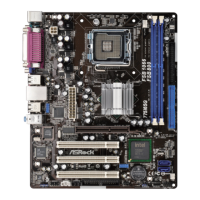
ASRock 775XFire-eSATA2+ Motherboard
EnglishEnglish
EnglishEnglish
English
2.152.15
2.152.15
2.15
Installing WindowsInstalling Windows
Installing WindowsInstalling Windows
Installing Windows
®
2000 / XP / XP 64-bit / Vista 2000 / XP / XP 64-bit / Vista
2000 / XP / XP 64-bit / Vista 2000 / XP / XP 64-bit / Vista
2000 / XP / XP 64-bit / Vista
TMTM
TMTM
TM
With RAID FunctionsWith RAID Functions
With RAID FunctionsWith RAID Functions
With RAID Functions
If you want to install Windows
®
2000 / Windows
®
XP / Windows
®
XP 64-bit OS on
your SATA HDDs with RAID functions, please follow the below steps.
STEP 1: Set up BIOS.
A. Enter BIOS SETUP UTILITY Advanced screen IDE Configuration.
B. Set “ATA/IDE Configuration” to [Enhanced], and then in the option “Configure
SATA as”, please set the option to [RAID].
STEP 2: Make a SATA Driver Diskette.
A. Insert the Support CD into your optical drive to boot your system.
B. During POST at the beginning of system boot-up, press <F11> key, and then a
window for boot devices selection appears. Please select CD-ROM as the boot
device.
C. When you see the message on the screen, “Do you want to generate Serial
ATA driver diskette [YN]?”, press <Y>.
D. Then you will see these messages,
Please insert a diskette into the floppy drive.
WARNING! Formatting the floppy diskette will
lose ALL data in it!
Start to format and copy files [YN]?
Please insert a floppy diskette into the floppy drive, and press <Y>.
E. The system will start to format the floppy diskette and copy SATA drivers into
the floppy diskette.
STEP 3: Use “RAID Installation Guide” to set RAID configuration.
Before you start to configure the RAID function, you need to check theinstallation
guide in the Support CD for proper configuration. Please refer to the document in the
Support CD, “Guide to SATA Hard Disks Installation and RAID Configuration”, which is
located in the folder at the following path: .. \ RAID Installation Guide
STEP 4: Install Windows
®
2000 / Windows
®
XP / Windows
®
XP 64-bit OS on
your system.
After making a SATA driver diskette and using “RAID Installation Guide” to set RAID
configuration, you can start to install Windows
®
2000 / Windows
®
XP / Windows
®
XP
64-bit on your system. At the beginning of Windows setup, press F6 to install a third-
party SCSI or RAID driver. When prompted, insert a floppy disk containing the Intel
RAID driver. After reading the floppy disk, the driver will be presented. Select the
driver to install according to the mode you choose and the OS you install. You
may select: “Intel(R) 82801GR/GH SATA RAID Controller (Desktop ICH7R-Windows
XP/2000)” for Windows
®
XP/2000 or “Intel(R) 82801GR/GH SATA RAID Controller
(Desktop ICH7R-Windows XP64)” for Windows
®
XP 64-bit.
The installation procedures for Windows
®
Vista
TM
are subject to change.




 To Next Page