EasyManua.ls Logo

ASROCK B460M-HDV - User Manual

ASROCK B460M-HDV
82 pages
Print Icon
To Next Page IconTo Next Page
Loading...
Questo manuale d’istruzione è fornito da trovaprezzi.it. Scopri tutte le offerte per AsRock B460M HDV o
cerca il tuo prodotto tra le migliori offerte di Schede Madri

Other manuals for ASROCK B460M-HDV

Question and Answer IconNeed help?

Do you have a question about the ASROCK B460M-HDV and is the answer not in the manual?

Summary

Chapter 1 Introduction

Package Contents

Lists all the items included in the motherboard package.

Motherboard Specifications

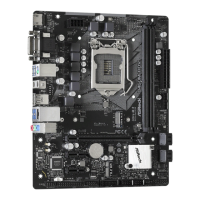
Details the technical specifications of the ASRock B460M-HDV motherboard.

Motherboard Component Layout

Visual guide identifying all components and headers on the motherboard.

Rear Panel I;O Ports

Description and function of the external input/output connectors.

Chapter 2 Installation

Installing the CPU

Step-by-step instructions for safely installing the CPU into the socket.

CPU Fan and Heatsink Installation

Guide on how to properly mount the CPU fan and heatsink assembly.

Installing Memory Modules (DIMM)

Instructions for installing DDR4 RAM modules into the motherboard slots.

Expansion Slots (PCI Express)

Information on utilizing PCI Express slots for expansion cards.

Jumpers Setup

Explanation of motherboard jumpers and their configurations, like CMOS clear.

Onboard Headers and Connectors

Details on internal headers for system panel, fans, and other peripherals.

M.2 SSD (NGFF) Module Installation

Procedure for installing M.2 NVMe or SATA SSD modules.

M.2 WiFi;BT Module Installation

Instructions for installing an M.2 module for WiFi and Bluetooth.

Chapter 3 Software and Utilities Operation

Installing Drivers

Guide to installing necessary drivers from the support CD for optimal performance.

ASRock Motherboard Utility (A-Tuning)

Overview and usage of the ASRock A-Tuning software suite.

ASRock Live Update & APP Shop

Instructions for using the ASRock store to update BIOS, drivers, and utilities.

Chapter 4 UEFI SETUP UTILITY

UEFI Setup Utility Introduction

Explains how to access and navigate the UEFI BIOS setup utility.

EZ Mode Overview

Description of the simplified BIOS interface for quick system status checks.

Advanced Mode Configuration

Introduction to the comprehensive BIOS settings available in Advanced Mode.

Main Screen System Overview

Details on the system information displayed on the UEFI Main screen.

OC Tweaker Screen Features

Configuration options for performance tuning and overclocking.

Advanced Screen Settings

Configuration for CPU, Chipset, Storage, and other advanced system settings.

UEFI Setup Utility Tools

Overview of the various tools available within the UEFI setup utility.

Hardware Health Monitoring

How to monitor system hardware status like temperatures, voltages, and fan speeds.

Security Settings

Options for setting supervisor/user passwords and secure boot.

Boot Configuration Options

Settings for managing boot priority, fast boot, and other boot-related options.

Exit Screen Options

Options for saving, discarding changes, or loading default BIOS settings.

Summary

Chapter 1 Introduction

Package Contents

Lists all the items included in the motherboard package.

Motherboard Specifications

Details the technical specifications of the ASRock B460M-HDV motherboard.

Motherboard Component Layout

Visual guide identifying all components and headers on the motherboard.

Rear Panel I;O Ports

Description and function of the external input/output connectors.

Chapter 2 Installation

Installing the CPU

Step-by-step instructions for safely installing the CPU into the socket.

CPU Fan and Heatsink Installation

Guide on how to properly mount the CPU fan and heatsink assembly.

Installing Memory Modules (DIMM)

Instructions for installing DDR4 RAM modules into the motherboard slots.

Expansion Slots (PCI Express)

Information on utilizing PCI Express slots for expansion cards.

Jumpers Setup

Explanation of motherboard jumpers and their configurations, like CMOS clear.

Onboard Headers and Connectors

Details on internal headers for system panel, fans, and other peripherals.

M.2 SSD (NGFF) Module Installation

Procedure for installing M.2 NVMe or SATA SSD modules.

M.2 WiFi;BT Module Installation

Instructions for installing an M.2 module for WiFi and Bluetooth.

Chapter 3 Software and Utilities Operation

Installing Drivers

Guide to installing necessary drivers from the support CD for optimal performance.

ASRock Motherboard Utility (A-Tuning)

Overview and usage of the ASRock A-Tuning software suite.

ASRock Live Update & APP Shop

Instructions for using the ASRock store to update BIOS, drivers, and utilities.

Chapter 4 UEFI SETUP UTILITY

UEFI Setup Utility Introduction

Explains how to access and navigate the UEFI BIOS setup utility.

EZ Mode Overview

Description of the simplified BIOS interface for quick system status checks.

Advanced Mode Configuration

Introduction to the comprehensive BIOS settings available in Advanced Mode.

Main Screen System Overview

Details on the system information displayed on the UEFI Main screen.

OC Tweaker Screen Features

Configuration options for performance tuning and overclocking.

Advanced Screen Settings

Configuration for CPU, Chipset, Storage, and other advanced system settings.

UEFI Setup Utility Tools

Overview of the various tools available within the UEFI setup utility.

Hardware Health Monitoring

How to monitor system hardware status like temperatures, voltages, and fan speeds.

Security Settings

Options for setting supervisor/user passwords and secure boot.

Boot Configuration Options

Settings for managing boot priority, fast boot, and other boot-related options.

Exit Screen Options

Options for saving, discarding changes, or loading default BIOS settings.

ASROCK B460M-HDV Specifications

General IconGeneral
Processor socketLGA 1200 (Socket H5)
Processor manufacturerIntel
Graphics processor family-
Compatible processor seriesIntel Celeron, Intel Core i3, Intel Core i5, Intel Core i7, Intel Core i9, Intel Pentium
Maximum number of SMP processors1
Wi-FiNo
Ethernet LANYes
LAN controllerIntel® I219-V
Ethernet interface typeGigabit Ethernet
Memory channelsDual-channel
Memory slots typeDIMM
Number of memory slots2
Supported memory typesDDR4-SDRAM
Maximum internal memory- GB
Supported memory clock speeds2133, 2400, 2666, 2800, 2933 MHz
Audio chipRealtek ALC887
CertificationFCC, CE, ErP/EuP
Component forPC
Motherboard chipsetIntel B460
Audio output channels7.1 channels
Motherboard form factormicro ATX
Windows operating systems supportedWindows 10
RAID levels0, 1, 5, 10
Supported storage drive typesHDD & SSD
Supported storage drive interfacesSATA III
OpenGL version4.5
DirectX version12.0
Maximum resolution4096 x 2160 pixels
Number of SATA III connectors4
BIOS typeUEFI AMI
ACPI version6.0
BIOS memory size128 Mbit
System Management BIOS (SMBIOS) version2.7
USB 2.0 ports quantityUSB 2.0 ports have a data transmission speed of 480 Mbps, and are backwards compatible with USB 1.1 ports. You can connect all kinds of peripheral devices to them.
Cables includedSATA
Weight and Dimensions IconWeight and Dimensions
Width- mm

Related product manuals