42
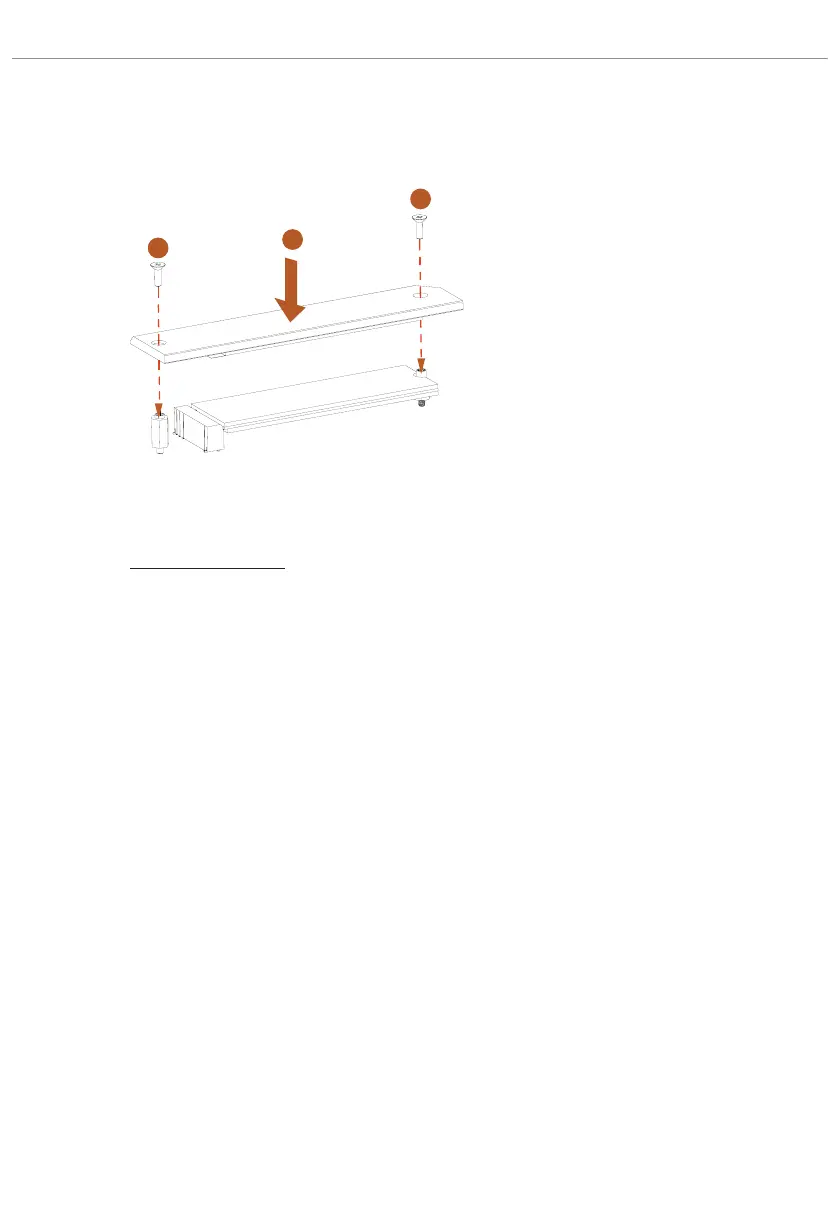
Step 8
Tighten the screws with a screwdriver
to secure the module (if your M.2
SSD module is Type 2280) and M.2
heatsink into place in the order
shown. Tighten screw opposite the
M.2 connector rst (2), and then
tighten the one next to the M.2
connector (3).
*Please do not overtighten the screw
as this might damage the module and
M.2 heatsink.
1
2
3
For the latest updates of M.2 SSD module support list, please visit our website for details:
http://www.asrock.com




 To Next Page