FM2A88X Pro+
41
English
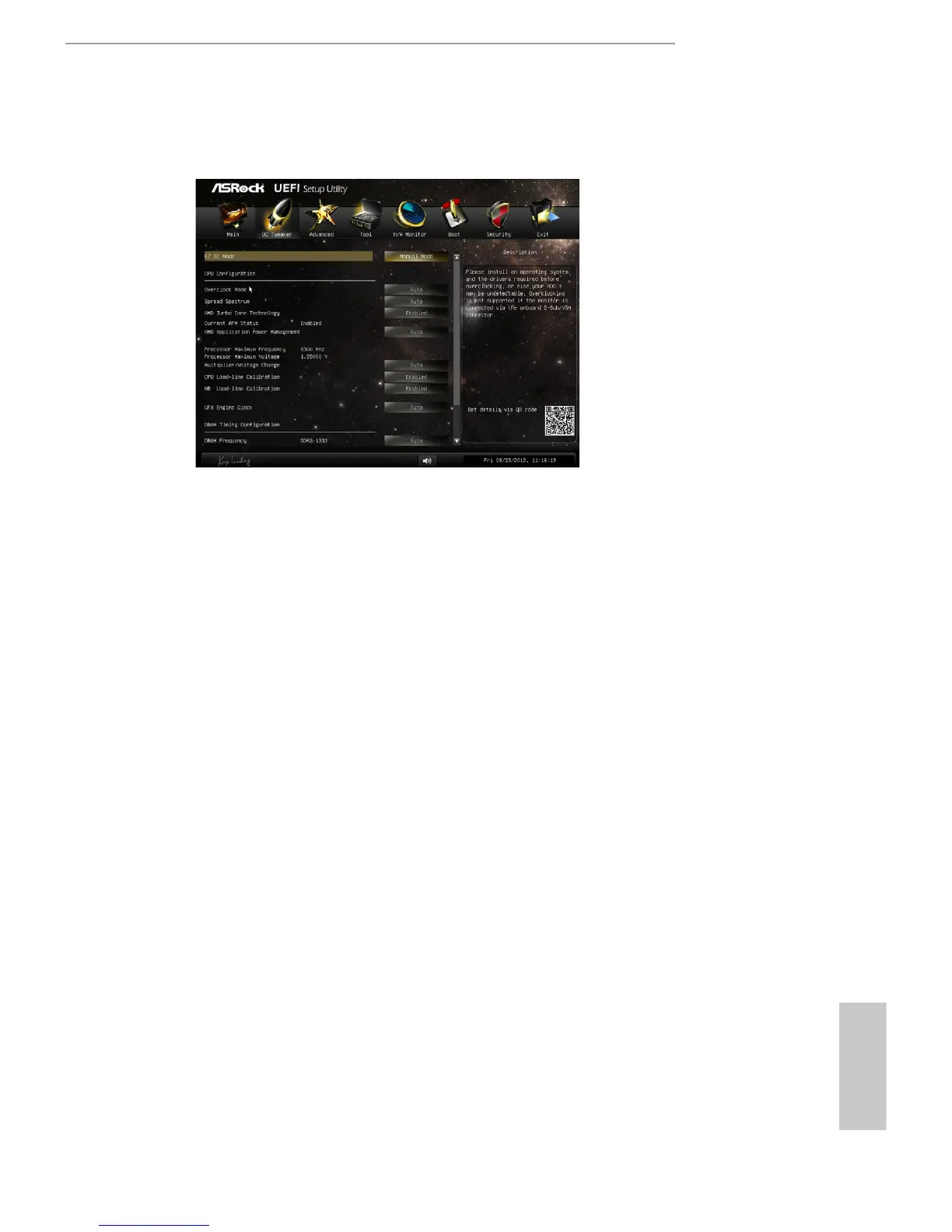
4.3 OC Tweaker Screen
In the OC Tweaker screen, you can set up overclocking features.
EZ OC Mode
You can use this option to adjust EZ overclocking setting. Please note that
overclocing may cause damage to your components and motherboard. It
should be done at your own risk and expense.
CPU Conguration
Overclock Mode
Use this to select Overclock Mode. Configuration options: [Auto] and
[Manual]. The default value is [Auto].
Spread Spectrum
This item should always be [Auto] for better system stability.
AMD Turbo Core Technology
This item appears only when the processor you adopt supports this fea-
ture. Use this to select enable or disable AMD Turbo Core Technology.
Conguration options: [Enabled] and [Disabled]. The default value is
[Enabled].
AMD Application power Management
Application Power Management (APM) ensures that average power con-
sumption over a thermally significant time period remains at or below
the TDP for the CPU mode being used. If [Enabled] is selected, the power
consumption is reduced when overclocking.



 To Next Page