EasyManua.ls Logo

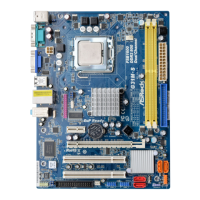
ASROCK G31M-S - User Manual

ASROCK G31M-S
118 pages
Print Icon
To Next Page IconTo Next Page
Loading...
11
11
1
ASRock G31M-GS / G31M-S Motherboard
EnglishEnglish
EnglishEnglish
English
Copyright Notice:Copyright Notice:
Copyright Notice:
No part of this installation guide may be reproduced, transcribed, transmitted, or trans-
lated in any language, in any form or by any means, except duplication of documen-
tation by the purchaser for backup purpose, without written consent of ASRock Inc.
Products and corporate names appearing in this guide may or may not be registered
trademarks or copyrights of their respective companies, and are used only for identifica-
tion or explanation and to the owners’ benefit, without intent to infringe.
Disclaimer:Disclaimer:
Disclaimer:
Specifications and information contained in this guide are furnished for informational
use only and subject to change without notice, and should not be constructed as a
commitment by ASRock. ASRock assumes no responsibility for any errors or omissions
that may appear in this guide.
With respect to the contents of this guide, ASRock does not provide warranty of any kind,
either expressed or implied, including but not limited to the implied warranties or
conditions of merchantability or fitness for a particular purpose. In no event shall
ASRock, its directors, officers, employees, or agents be liable for any indirect, special,
incidental, or consequential damages (including damages for loss of profits, loss of
business, loss of data, interruption of business and the like), even if ASRock has been
advised of the possibility of such damages arising from any defect or error in the guide
or product.
This device complies with Part 15 of the FCC Rules. Operation is subject to the
following two conditions:
(1) this device may not cause harmful interference, and
(2) this device must accept any interference received, including interference that
may cause undesired operation.
Published May 2009
Copyright©2009 ASRock INC. All rights reserved.
CALIFORNIA, USA ONLY
The Lithium battery adopted on this motherboard contains Perchlorate, a toxic
substance controlled in Perchlorate Best Management Practices (BMP) regulations
passed by the California Legislature. When you discard the Lithium battery in
California, USA, please follow the related regulations in advance.
“Perchlorate Material-special handling may apply, see
www.dtsc.ca.gov/hazardouswaste/perchlorate”
ASRock Website: http://www.asrock.com

Questions and Answers

  • А
    АлексейDec 20, 2025
    нужна схема материнской платы, пожалуйста.

    Summary

    Copyright and Disclaimer

    Copyright Notice

    Details ASRock's copyright policy for the installation guide.

    Disclaimer

    Outlines specifications, changes, and liability for errors in the guide.

    California USA Perchlorate Notice

    Informs about Perchlorate in lithium batteries and disposal regulations.

    Motherboard Layout and I;O Panel

    Motherboard Component Layout

    Diagram identifying key motherboard components and their numbering.

    I;O Panel Overview

    Illustrates and labels the rear panel input/output ports.

    Enabling Multi-Streaming Function

    Step-by-step guide for setting up audio multi-streaming in Windows.

    Introduction and Specifications

    Introduction to the Motherboard

    Thanks the user and introduces the quick installation guide.

    Package Contents

    Lists all items included in the motherboard package.

    Motherboard Specifications

    Detailed technical specifications of the motherboard.

    Connector and Feature Specifications

    Details on connectors, BIOS, unique features, and hardware monitoring.

    Warnings and Cautions for Overclocking

    Overclocking Risk Warning

    Warns about the risks associated with overclocking components.

    Specific Overclocking Cautions

    Details specific cautions for FSB, Hyper-Threading, and memory.

    Intelligent Energy Saver and Overclocking

    Explains Intelligent Energy Saver and provides overclocking frequency advice.

    CPU Overheat Protection

    Describes the system's automatic shutdown feature for CPU overheating.

    Installation Procedures

    General Installation Precautions

    Provides essential safety and handling precautions before installation.

    CPU Installation Guide

    Step-by-step instructions for installing the CPU.

    CPU Socket and PnP Cap Handling

    Details on opening the socket, inserting CPU, and removing PnP cap.

    CPU Fan and Heatsink Installation

    Instructions for applying thermal paste and installing the CPU heatsink.

    Memory Module Installation

    Guide on how to properly install DDR2 memory modules.

    Expansion Slot Installation

    Instructions for installing expansion cards into PCI and PCI Express slots.

    Jumpers and Connectors

    Jumpers Setup Guide

    Explains how to set jumpers and their functions.

    PS2_USB_PWR1 Jumper Configuration

    Details the configuration for the PS2_USB_PWR1 jumper.

    Clear CMOS Jumper Configuration

    Instructions for clearing CMOS settings using the CLRCMOS1 jumper.

    OC 800; FSB0; FSB1 Jumper Configuration

    Configuration for the OC 800 / FSB0 / FSB1 jumper.

    Onboard Headers and Connectors Overview

    Identifies various onboard headers and connectors.

    FDD and IDE Connectors

    Details on connecting floppy drive and primary IDE devices.

    Serial ATAII Connectors and Cables

    Information on SATAII connectors and data/power cables.

    Front Panel and Internal Connectors

    Identifies USB, Print Port, Internal and Front Panel Audio headers.

    System Panel, Fan, and Speaker Headers

    Details on System Panel, Chassis Speaker, Chassis Fan, and CPU Fan headers.

    ATX Power Connectors

    Instructions for connecting ATX power supply connectors.

    System Configuration and Support

    SATA;SATAII Hard Disk Installation

    Guide for installing SATA/SATAII hard disks.

    Driver Installation Guide

    Instructions for installing drivers from the support CD.

    Untied Overclocking Technology

    Explanation of Untied Overclocking Technology for stable overclocking.

    BIOS Information

    Information on accessing and using the BIOS Setup utility.

    Support CD Information

    Details on the contents and usage of the support CD.

    ASROCK G31M-S Specifications

    General IconGeneral
    Non-ECCYes
    Number of memory slots2
    Maximum internal memory8 GB
    Processor socketLGA 775 (Socket T)
    Processor manufacturerIntel
    Power fan connectorNo
    Number of SATA connectors4
    Number of Parallel ATA connectors1
    Controller interface typeSATAII
    Controller 2nd interface typeATA100
    USB 2.0 ports quantityUSB 2.0 ports have a data transmission speed of 480 Mbps, and are backwards compatible with USB 1.1 ports. You can connect all kinds of peripheral devices to them.
    Firewire (IEEE 1394) ports0
    Audio chipRealtek ALC662
    CertificationFCC, CE
    Power source typeATX
    Audio output channels5.1 channels
    Motherboard form factormicro ATX
    Compatible operating systemsMicrosoft Windows 2000 / XP / XP 64-bit / Vista / Vista 64-bit
    BIOS typeAMI
    BIOS memory size32 Mbit
    Maximum graphics card memory384 MB
    Networking featuresPCIE x1 LAN
    Weight and Dimensions IconWeight and Dimensions
    Depth191 mm
    Width244 mm

    Related product manuals