
 Need help?
Do you have a question about the ASROCK H310D4-P1 and is the answer not in the manual?
Lists all items included with the motherboard package.
Details the platform, CPU, chipset, memory, expansion, and graphics.
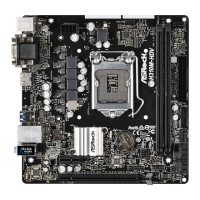
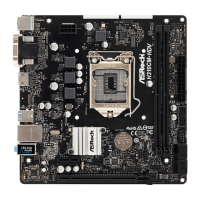
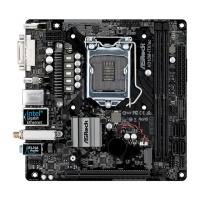
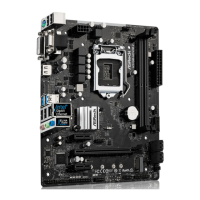
Illustrates the physical components and connectors on the motherboard.
Lists crucial precautions before installing motherboard components or changing settings.
Step-by-step guide for installing the CPU onto the motherboard socket.
Instructions for mounting the CPU cooling solution.
Guide on how to correctly insert SO-DIMM memory modules into the slots.
Explains the function and configuration of motherboard jumpers, specifically Clear CMOS.
Details various onboard headers and connectors like SATA, CPU Fan, COM, and Chassis Intrusion.
Describes the function of the motherboard's smart switch, the Power Button.
Step-by-step instructions for installing an M.2 WiFi/BT module.
Guide on how to install an M.2 SSD (NGFF) module.
Instructions on how to install necessary drivers from the support CD.
Overview of the UEFI SETUP UTILITY and how to access it.
Describes the main menu options available in the UEFI setup utility.
Explains the keyboard keys used for navigating within the UEFI setup utility.
Displays the system overview upon entering the UEFI setup utility.
Settings for processor features like Hyper Threading, C-States, and Turbo Boost.
Options for configuring DRAM timing and frequency.
Settings related to motherboard chipset features like VT-d and PCIe.
Controls for SATA controllers, power management, and SMART technology.
Configuration for serial and parallel ports and device settings.
Settings for power management features like Suspend to RAM and Wake-on-LAN.
Options for managing USB ports and XHCI hand-off.
Settings for security device support and Intel Platform Trust Technology.
Access to utilities like Instant Flash for UEFI updates.
Monitors system hardware status like CPU temp, fan speed, and voltage.
Manages supervisor/user passwords and Secure Boot settings.
Configures boot options, priorities, and settings like Fast Boot.
Options for saving, discarding changes, and exiting the UEFI setup utility.
 General
| Form Factor | Micro ATX |
|---|---|
| Socket | LGA 1151 |
| Chipset | Intel H310 |
| Max Memory | 32GB |
| LAN | Realtek RTL8111H |
| RAID Support | No |
| Memory Standard | DDR4 |
| PCIe Slots | 1 x PCIe 3.0 x16 |
| Storage Interface | 4 x SATA3 |
| USB Ports | 4 x USB 3.1 Gen1 (2 Front, 2 Rear), 6 x USB 2.0 (2 Front, 4 Rear) |
| Video Outputs | 1 x HDMI |
| Audio | Realtek ALC887 |




 To Next Page
