7
2.4 Setting the BIOS RAID Items
After installing the hard disk drives, please set the necessary
RAIDitemsintheBIOSbeforesettingyourRAIDconguration.
Bootyour system, and press <F2> key toenter BIOS setup
utility. Highlight Advanced and press <Enter>, then the main
interfaceofBIOSsetuputilitywillappear.Pleasesettheoption
Congure SATA as to [RAID]. Save your change before you
exitBIOSsetup.
2.5 Conguring the Intel RAID BIOS
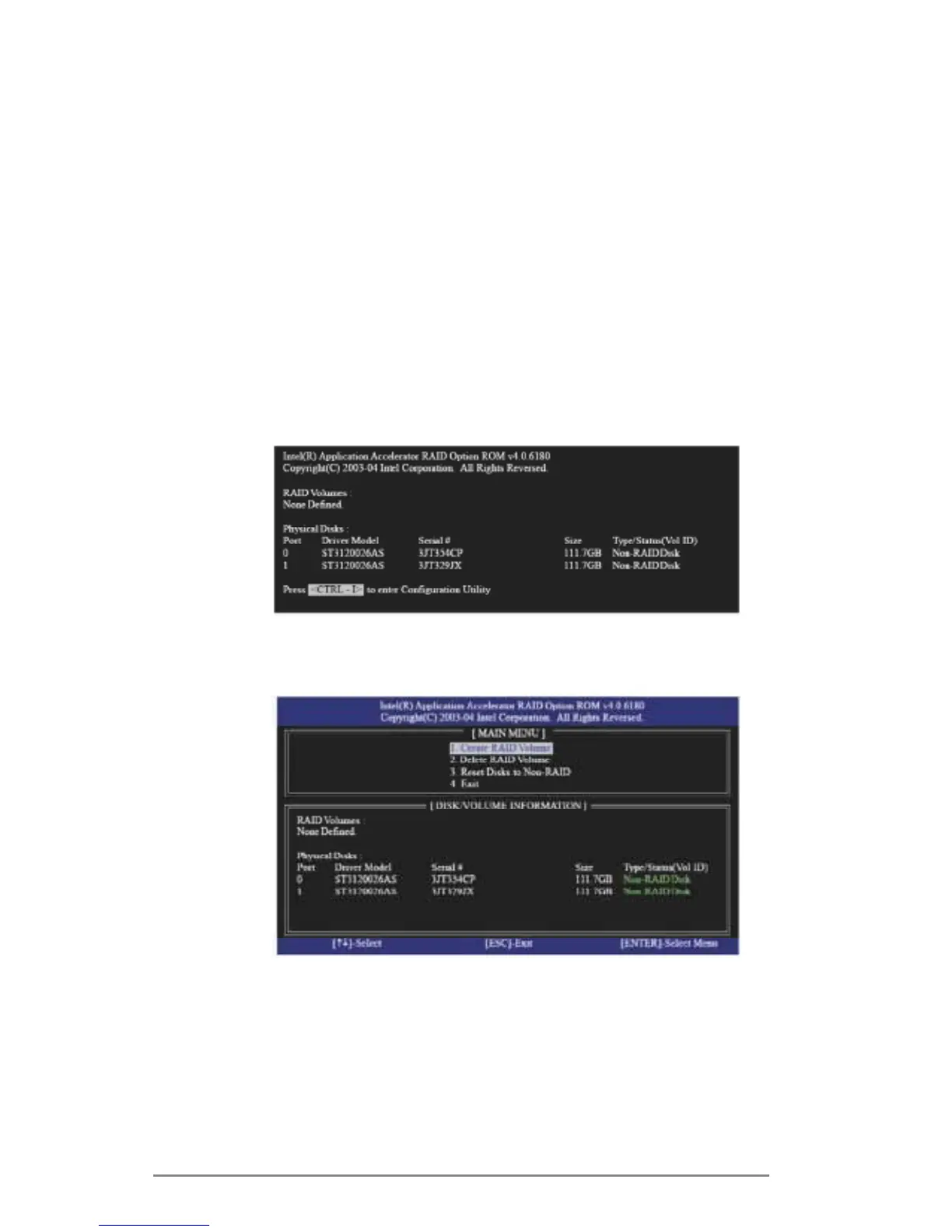
Reboot your computer. Waituntil you see the RAID software
promptingyoutopress<Ctrl+I>.
Press<Ctrl+I>.Then,the Intel RAID Utility - Create RAID
Volumewindowappears.
SelecttheoptionCreate RAID Volumeandpress<Enter>.



 To Next Page
 Loading...