2626
2626
26
ASRock P55 Pro Motherboard
EnglishEnglish
EnglishEnglish
English
C
B
A
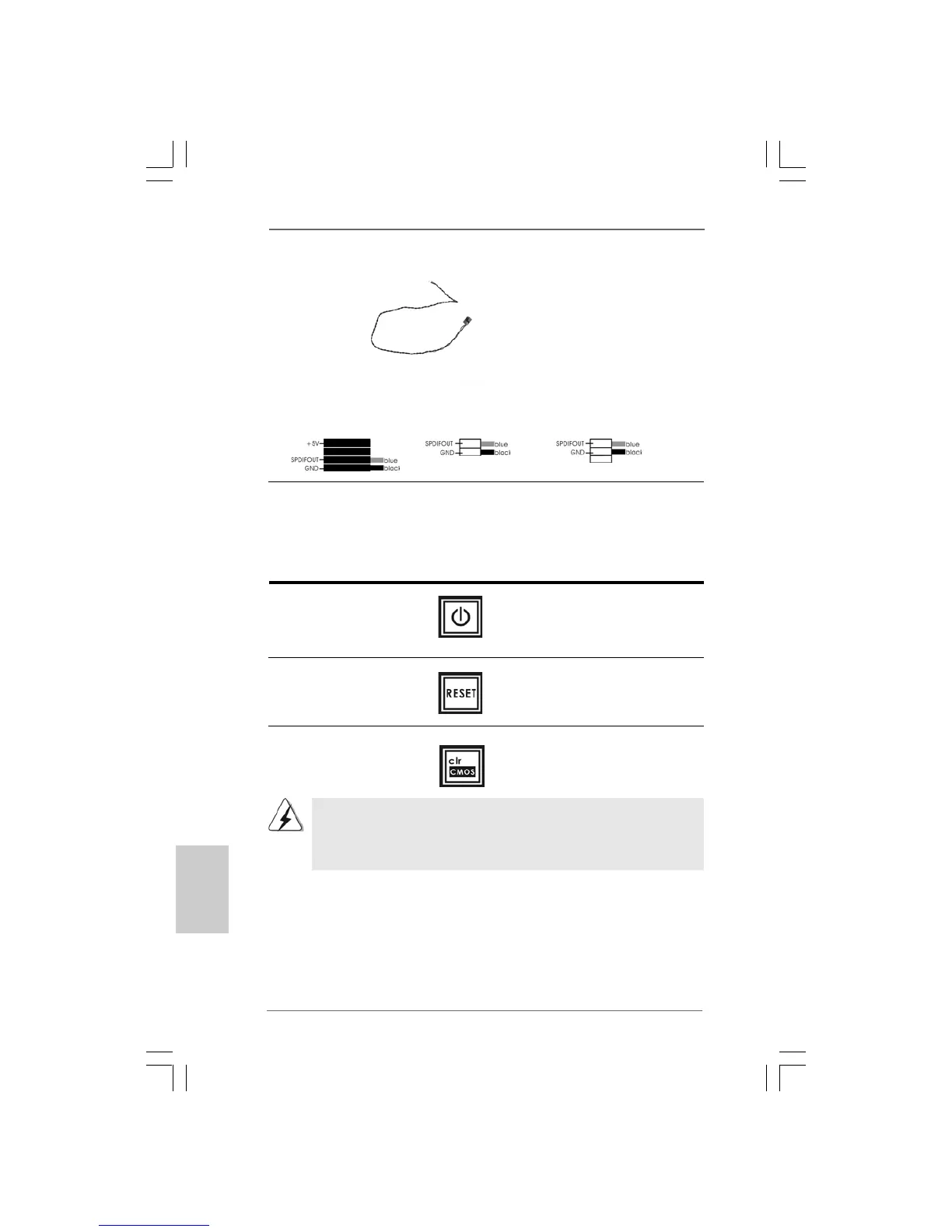
HDMI_SPDIF Cable Please connect the black end (A)
(Optional) of HDMI_SPDIF cable to the
HDMI_SPDIF header on the
motherboard. Then connect the
white end (B or C) of
HDMI_SPDIF cable to the
HDMI_SPDIF connector of HDMI
VGA card.
A. black end B. white end (2-pin) C. white end (3-pin)
You are not allowed to use Clear CMOS switch function if you set up the system
password. If you want to clear the CMOS values, please clean your system
password in advance or refer to page 20 “Clear CMOS jumper” description
instead.
2.9 Smart Switches2.9 Smart Switches
2.9 Smart Switches2.9 Smart Switches
2.9 Smart Switches
This motherboard has three smart switches: power switch, reset switch and
clear CMOS switch, allowing users to quickly turn on/off or reset the system or
clear the CMOS values.
Power Switch Power Switch is a smart switch,
(PWRBTN) allowing users to quickly turn
(see p.2 No. 20) on/off the system.
Reset Switch Reset Switch is a smart switch,
(RSTBTN) allowing users to quickly reset
(see p.2 No. 18) the system.
Clear CMOS Switch Clear CMOS Switch is a smart
(CLRCBTN) switch, allowing users to quickly
(see p.3 No. 17) clear the CMOS values



 To Next Page