66
English
Flash.
*For BIOS backup and recovery purpose, it is recommended to plug in your USB
pen drive before using this function.
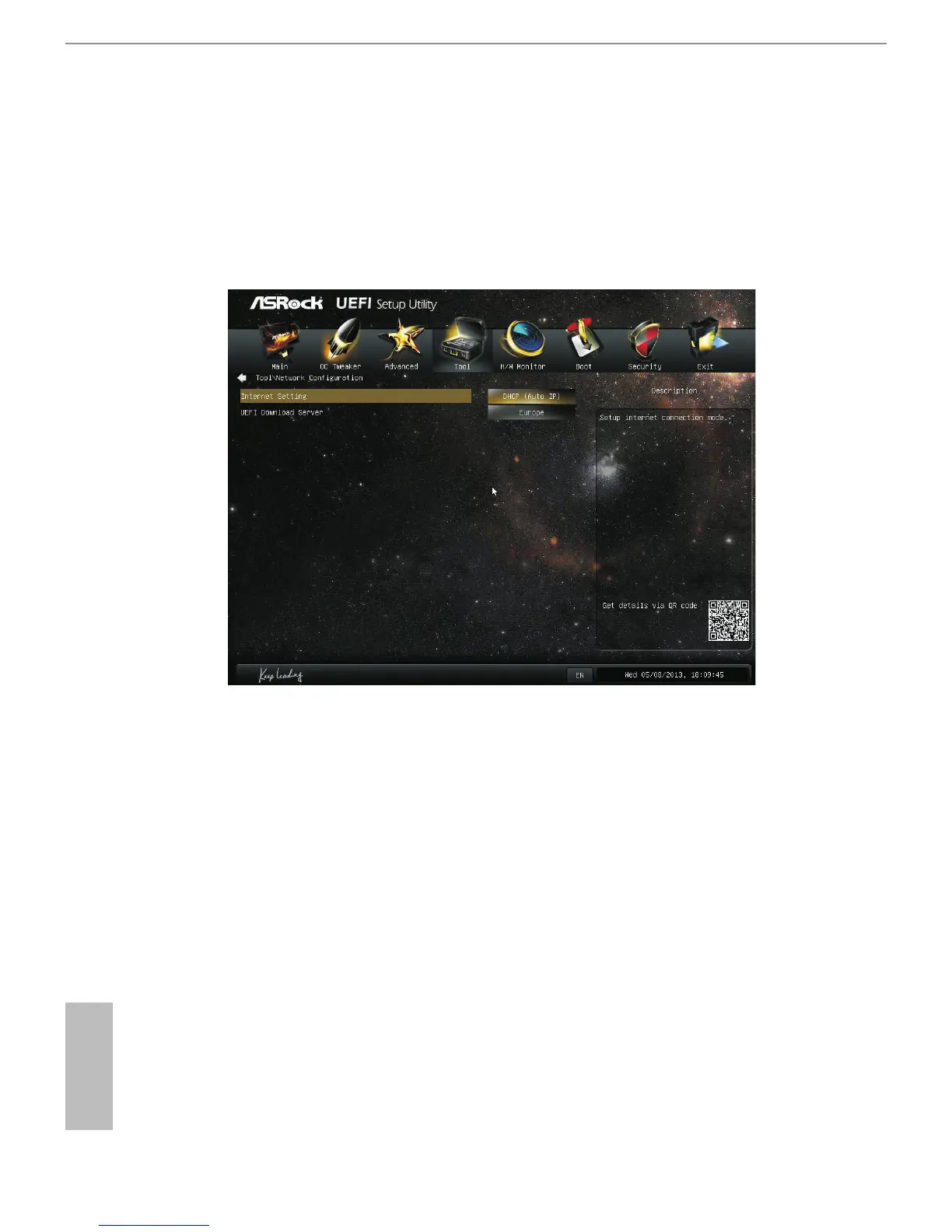
Network Conguration
Use this to congure internet connection settings for Internet Flash.
Internet Setting
Enable or disable sound eects in the setup utility.
UEFI Download Server
Select a server to download the UEFI rmware.
Dehumidier Function
If Dehumidier Function is enabled, the computer will power on automatically to
dehumidify the system aer entering S4/S5 state.
Dehumidier Period
Congure the period of time until the computer powers on and enables
Dehumidier aer entering S4/S5 state.



 To Next Page