English
33
Z690 PG Riptide
A
A
20
o
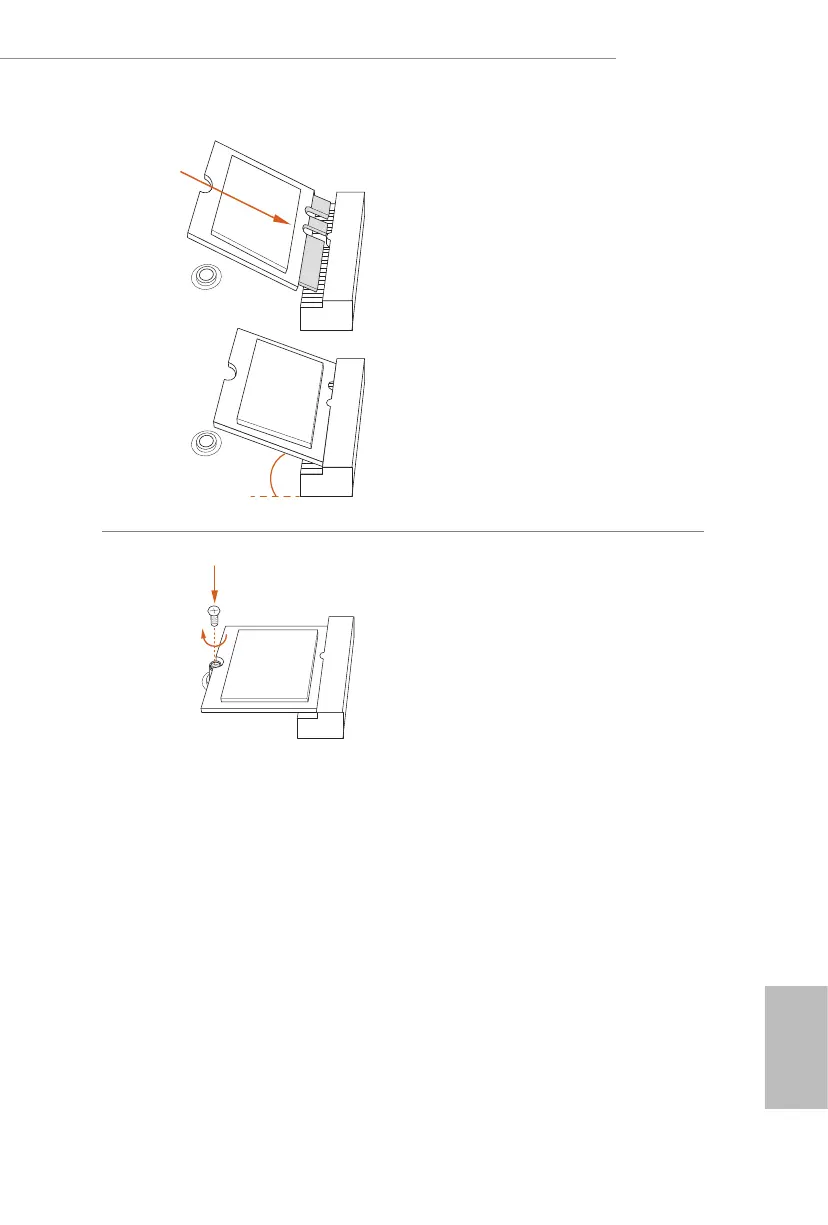
Step 3
Gently insert the WiFi/BT PCIe WiFi
module or Intel® CNVi (Integrated
WiFi/BT) into the M.2 slot. Please be
aware that the module only ts in one
orientation.
A
Step 4
Tighten the screw with a screwdriver
to secure the module into place.
Please do not overtighten the screw as
this might damage the module.






 To Next Page