The SMARTair Mini Updater is a crucial component within the SMARTair access control system, designed to facilitate the management and update of access credentials and audit trails. It acts as an intermediary device, connecting the central TS1000 SMARTair database with the physical locks and wall readers, ensuring that the access control system remains synchronized and up-to-date.
Function Description
The primary function of the Mini Updater is to provide a direct communication link between the TS1000 SMARTair database and the access points (locks and wall readers). This direct connection is vital for the real-time or near real-time update of card information, retrieval of audit trails, and modification of access rights. Without this connection, the Mini Updater cannot perform its functions, and the access control system would not be able to process changes or gather data effectively.
The Mini Updater operates over a TCP/IP network, communicating with the TS1000 database via port 3050. This network-based communication allows for flexible deployment within an existing IT infrastructure. It essentially translates TCP/IP network signals into RS-232/422/485 serial communication, which is typically used by the locks and readers. This conversion capability is provided by an integrated TCP/IP to RS-232/422/485 converter, making the Mini Updater a versatile bridge in the SMARTair ecosystem.
Key functions include:
- Modify Cards: This feature allows for the updating of access card permissions. When changes are made in the TS1000 database (e.g., granting new access, revoking old access, or changing time-based permissions), the Mini Updater ensures these changes are propagated to the relevant locks and readers. This is critical for maintaining security and flexibility in access management.
- Get Audit Trail: The Mini Updater can retrieve audit trail data from the locks and readers. This data typically includes information about who accessed a door, when, and whether access was granted or denied. This is invaluable for security monitoring, incident investigation, and compliance purposes. The collected audit trails are then sent back to the TS1000 database for storage and analysis.
- Update Doors: This function encompasses the broader task of synchronizing the configuration and operational parameters of the doors (locks and readers) with the central database. This might include firmware updates for the locks, changes to door schedules, or other system-wide configurations that need to be pushed out to the physical access points.
The Mini Updater itself does not open doors or directly manage access decisions; rather, it facilitates the flow of information that enables the TS1000 system to make and enforce those decisions. It is a data conduit, ensuring that the intelligence of the central system reaches the edge devices and that feedback from the edge devices returns to the center.
Usage Features
The Mini Updater is designed for straightforward integration and operation within the SMARTair system. Its setup involves both hardware connection and software configuration.
- Network Connectivity: The device connects to the network via an Ethernet port, supporting 10/100M speeds. This allows it to be integrated into standard office or building networks. The default IP address (192.168.2.1) simplifies initial setup, allowing administrators to connect directly for configuration.
- Serial Communication: On the other side, it provides RS-232, RS-422, and RS-485 interfaces for connecting to locks and wall readers. This multi-protocol support ensures compatibility with a range of SMARTair devices. The physical connection uses RJ45 jacks, with specific pin assignments for Tx+, Tx-, Rx+, and Rx- for the different serial standards.
- Indicator LEDs: The device features several indicator LEDs:
- LINK: Indicates network link status.
- ACT: Shows network activity.
- PWR: Confirms power supply.
These LEDs provide quick visual feedback on the device's operational status, aiding in troubleshooting.
- Configuration Flexibility: The Mini Updater can be configured in two main ways:
- Web Browser Interface: A built-in web server allows administrators to access and configure the device's network and serial settings using a standard web browser. This method is user-friendly and accessible from any computer on the same network segment. Settings such as IP address, subnet mask, gateway, baud rate, character bits, parity type, and stop bit can be adjusted.
- VCOM Program: For more advanced or integrated setup, a dedicated VCOM (Virtual COM) program is provided. This software allows for the discovery, configuration, and mapping of the TCP/IP – RS232 adaptor to a virtual COM port on a computer. This is particularly useful for applications that require a traditional serial port interface but need to communicate over a network. The VCOM program facilitates the creation of virtual serial ports, making the network-connected Mini Updater appear as a local serial device to the SMARTair software.
- Virtual COM Port Mapping: The VCOM program is a key feature for integrating the Mini Updater with the TS1000 software. It allows administrators to assign a virtual COM port number to the network-connected device. This abstraction simplifies the software's interaction with the Mini Updater, as it can communicate as if it were talking to a local serial port. This is crucial for the Mini Updater software to function correctly.
- Mini Updater Software: A dedicated Mini Updater software application runs on a Windows PC, which then communicates with the Mini Updater hardware via the configured virtual COM port. This software is responsible for initiating the "Modify Cards," "Get Audit Trail," and "Update Doors" operations. It acts as the user interface for managing the updates. The software can be configured to start automatically with Windows, ensuring continuous operation.
- Multiple Mini Updaters: The system supports the use of multiple Mini Updaters, each connected to the TS1000 database. This allows for distributed update capabilities across different physical locations or for managing a large number of access points more efficiently. Each Mini Updater needs its own unique configuration, including a distinct virtual COM port and a descriptive name.
Maintenance Features
The Mini Updater is designed for reliable operation, but it also includes features for maintenance and troubleshooting.
- Reset Options: The device offers two types of reset functionalities:
- Software Reset (without changing IP address): This can be performed via the web browser interface or the VCOM program. It resets most configuration settings to default values but retains the current IP address. This is useful for clearing erroneous configurations while keeping network connectivity.
- Hardware Reset (including IP address): For a complete factory reset, including the IP address, a physical reset button inside the device must be pressed while applying power. This requires opening the device enclosure. This is typically used when the device's IP address is unknown or inaccessible, or when a full reset is needed to resolve persistent issues.
- Firmware Updates: While not explicitly detailed as a user-accessible feature, the "Update Doors" function implies that the Mini Updater can facilitate firmware updates for connected locks and readers. This is a critical maintenance aspect for enhancing security, adding new features, and fixing bugs in the field.
- Diagnostic Tools: The ability to PING the device's IP address is a fundamental diagnostic tool for verifying network connectivity. The VCOM program also provides message logs for device information and VCOM info, which can be invaluable for troubleshooting communication issues.
- Configuration File Management: The Mini Updater software uses a
Config.ini file for its settings. This file can be manually edited to adjust parameters such as the COM port number, database path, and server details. This allows for fine-tuning and advanced configuration, as well as easy replication of settings across multiple installations.
- Robustness: The design of the Mini Updater, with its direct connection to the database and its role as a dedicated communication bridge, contributes to the overall robustness of the SMARTair system. By offloading communication tasks from the central server, it helps ensure that updates and audit trail retrievals are handled efficiently and reliably.
In summary, the SMARTair Mini Updater is an essential, network-enabled device that bridges the gap between the central SMARTair database and the physical access control points. It provides the necessary communication infrastructure for managing access rights, collecting audit data, and maintaining the system, all while offering flexible configuration and maintenance options to ensure reliable operation.

 Need help?
 General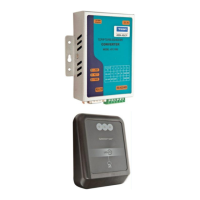

 To Next Page