Karaoke System AST-250. Owner’s Manual
8
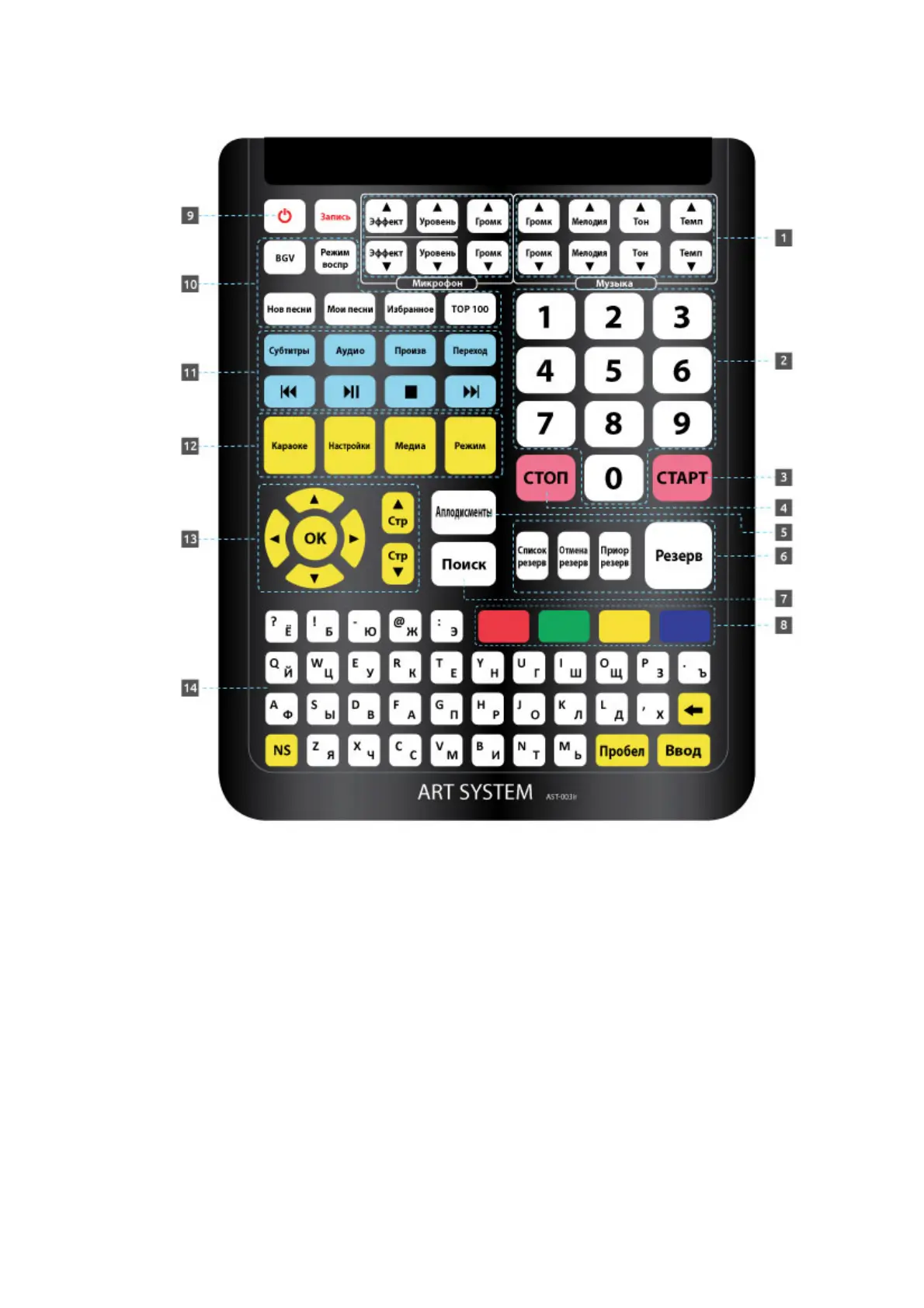
2.5. Remote control panel
Figure 3
1. Button box for control of audio track playback.
2. Button box of digit keys.
3. Button for playback start / confirm the action.
4. Button for playback stop / cancel the action.
5. Button for playback of applause record.
6. Button box for playback queuing (reservation).
7. Button for songs searching mode.
8. Button box of coloured function pushbuttons.
9. Button for turning on/off the device.
10. Button box for control of additional functions «Karaoke».
11. Button box for control of «Media Player» functions.
12. Button box for switching the device functions.
13. Button box of navigation buttons.
14. Extended keyboard.



 To Next Page