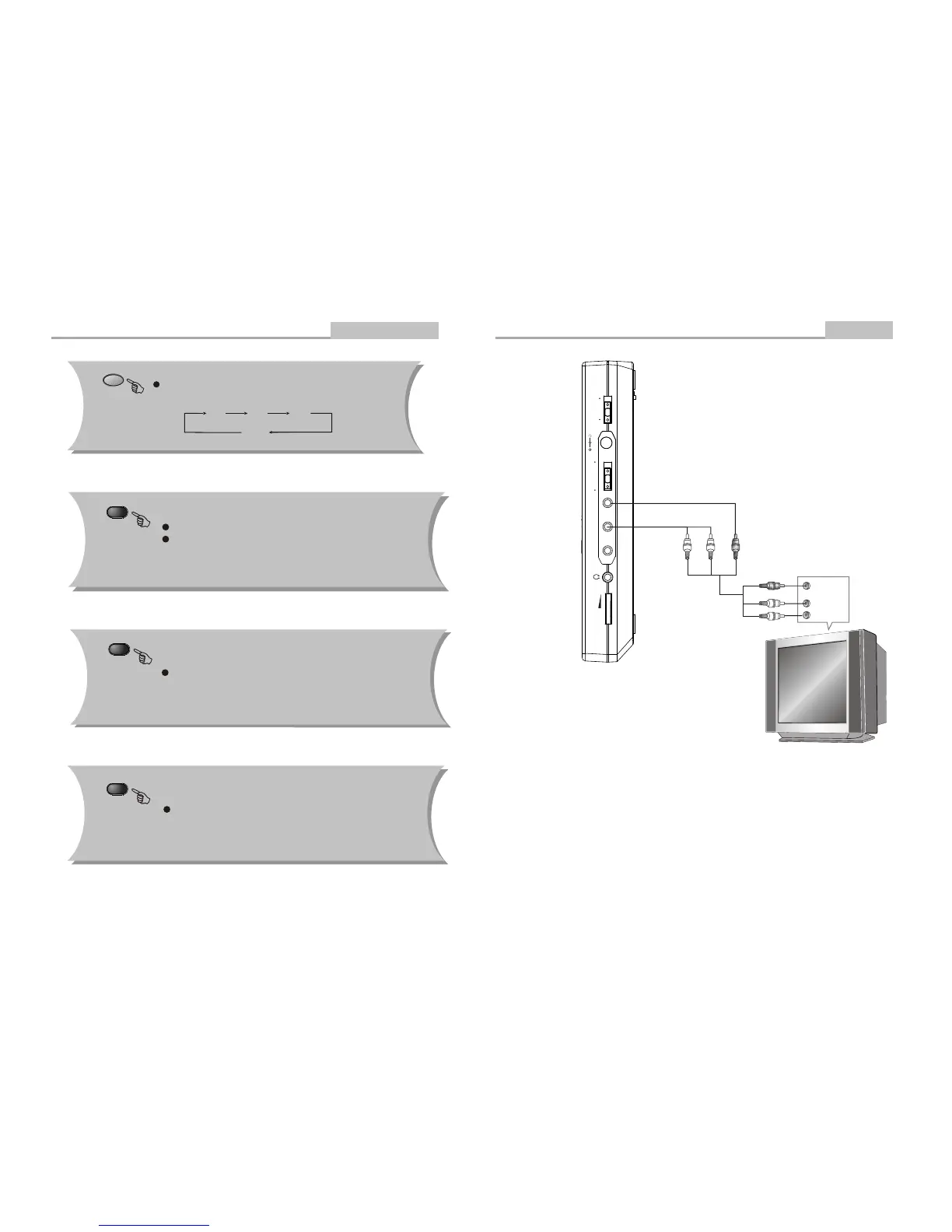
VOLUME
DC IN 12V
POWER
ON OFF
COAXIAL AUDIO VIDEO
INPUT OUTPUT
-7-
Connecting to a TV Set
Connections
VIDEO IN
AUDIO IN
WHITERED Yellew
-22-
Advanced Features
Remote Control Operation
ZOOM
Q1 Q2 Q3
Q Off
During DVD playback, press ZOOM to magnify the image as
follows:
LANGUAGE
Note: This function is disc specific.
During DVD playback
Press LANGUAGE repeatedly to select from up to 8 audio
languages/formats.
ANGLE
During DVD playback
Press ANGLE to view scenes from different camera angles.
Press ANGLE repeatedly to change from one camera angle to
another.
Note: This function is disc specific.
Note: This function is .
disc specific (languages will vary)
SUBTITLE
During DVD playback
Press SUBTITLE repeatedly to select from up to 32
subtitle languages.


 To Next Page