Astec Mobile Screens Setup 19 KDS 710
710
KDS
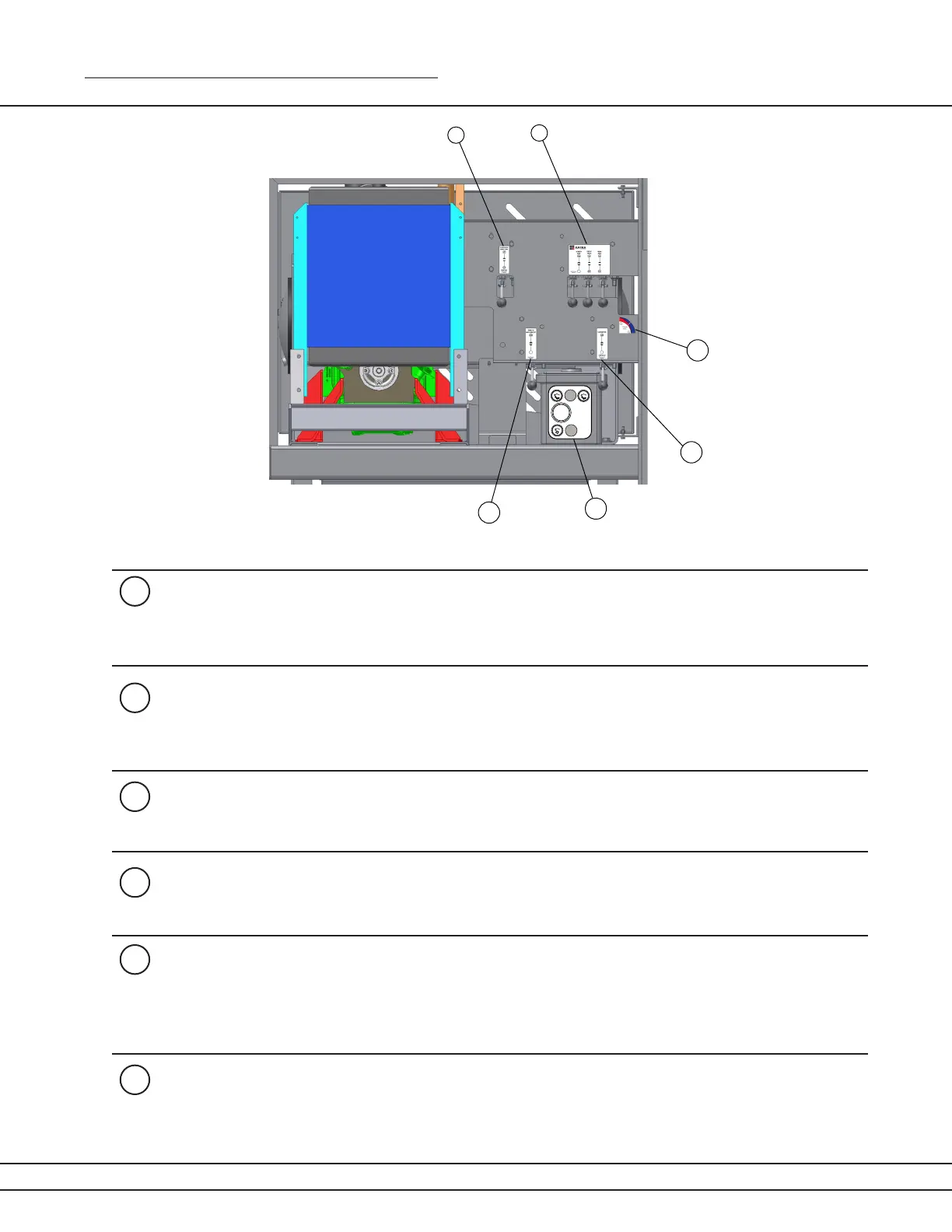
To operate the screen “uphill” (moving the material clockwise*), pull the lever
to the UP position. To operate the screen “downhill” (moving the material coun-
ter-clockwise), push the lever down. The middle position puts the screen in
neutral.
The nes conveyor lever turns the nes conveyor and any auxiliary conveyors
ON if pulled to the UP position.
To unfold the nes conveyor, pull the lever down. After the conveyor has been
lowered completely into operating position, push the lever up to start the
conveyor.
1
2
4
Figure 19a
3
The Screen Box lever will activate the screen (direction determined by the
“Screen Direction” lever depicted in gure 1)
5
6
The Speed of both the nes conveyor and any auxiliary conveyor that is con-
nected, can be controlled with the ow control valve. To increase the speed of
the nes conveyor, turn the ow control valve counter clockwise. To Divide the
ow evenly between an auxiliary conveyor and the nes conveyor, move the
ow control valve to the middle.
The engine control panel starts the engine. Plant should run at 2200 RPM
when processing material. Idol speed is 1100 RPM.



 To Next Page