710
KDS
Astec Mobile Screens Maintenance 36 KDS 710
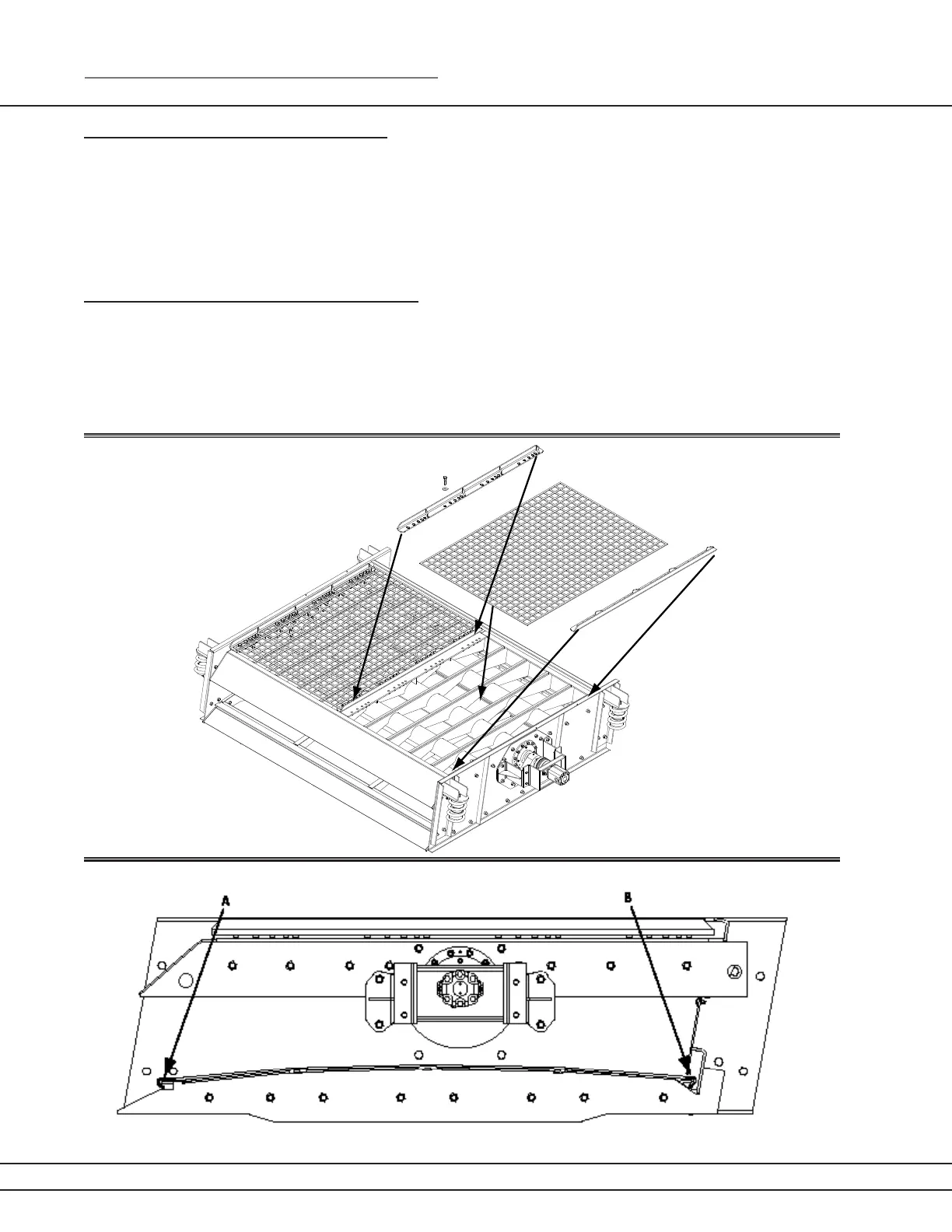
Screen Cloth Replacement (top deck)
To replace screen cloths in the KDS 710T:
Remove nuts, bolts and washer from tension bar.
Remove clamp from frame.
Remove worn screen.
Clear edges of debris. Place new screen cloth on deck (with screen hooks facing up).
Begin tightening tension clamps. Starting at one point and work your way around plant until all
clamps are snug. Repeat process until all clamps are tight.
Screen Cloth Replacement (bottom deck)
Loosen tension bar from back of screen.
Remove worn screen cloth
Hook new screen cloth to front of screen (a) and then back (b).
Tighten tension bar (ensure even tension across entire screen cloth.
■
■
■
■
■
■
■
■
■
Figure 36a
Figure 36b



 To Next Page