Astec Mobile Screens Maintenance 35 KDS 710
710
KDS
NOTE: When greasing bearings DO NOT over grease! Over greasing will place too much stress
on the seals, causing them to no longer function correctly.
Abnormal bearing temperature may indicate poor lubrication. Normal operating temperatures may
range from cool to touch to too hot to touch, depending on bearing size, speed and surrounding
conditions. Unusually high temperature accompanied by excessive leakage of grease indicates too
much grease. High temperature with no grease showing at the seals, particularly if the bearing is noisy,
usually indicates too little grease.
The bearings have been lubricated at the factory
with No. 2 consistency lithium base grease. This
grease is suitable for normal operation conditions.
Re-lubricate bearings with lithium base grease
or a grease which is compatible with the original
lubricant and that is suitable for ball bearing
service. In unusual or doubtful cases, contact
your local Astec Mobile Screens Dealer.
Flashing
Check Flashing inside of top deck, bottom deck,
feed bin, screen box hoppers, and delivery
conveyor. Flashing is used to prevent spillage
from occurring.
In order to properly prevent spillage, ashing
must be ush with conveyor belt, with a minimum
gap. Check to make certain ashing is not
excessively rubbing conveyor.
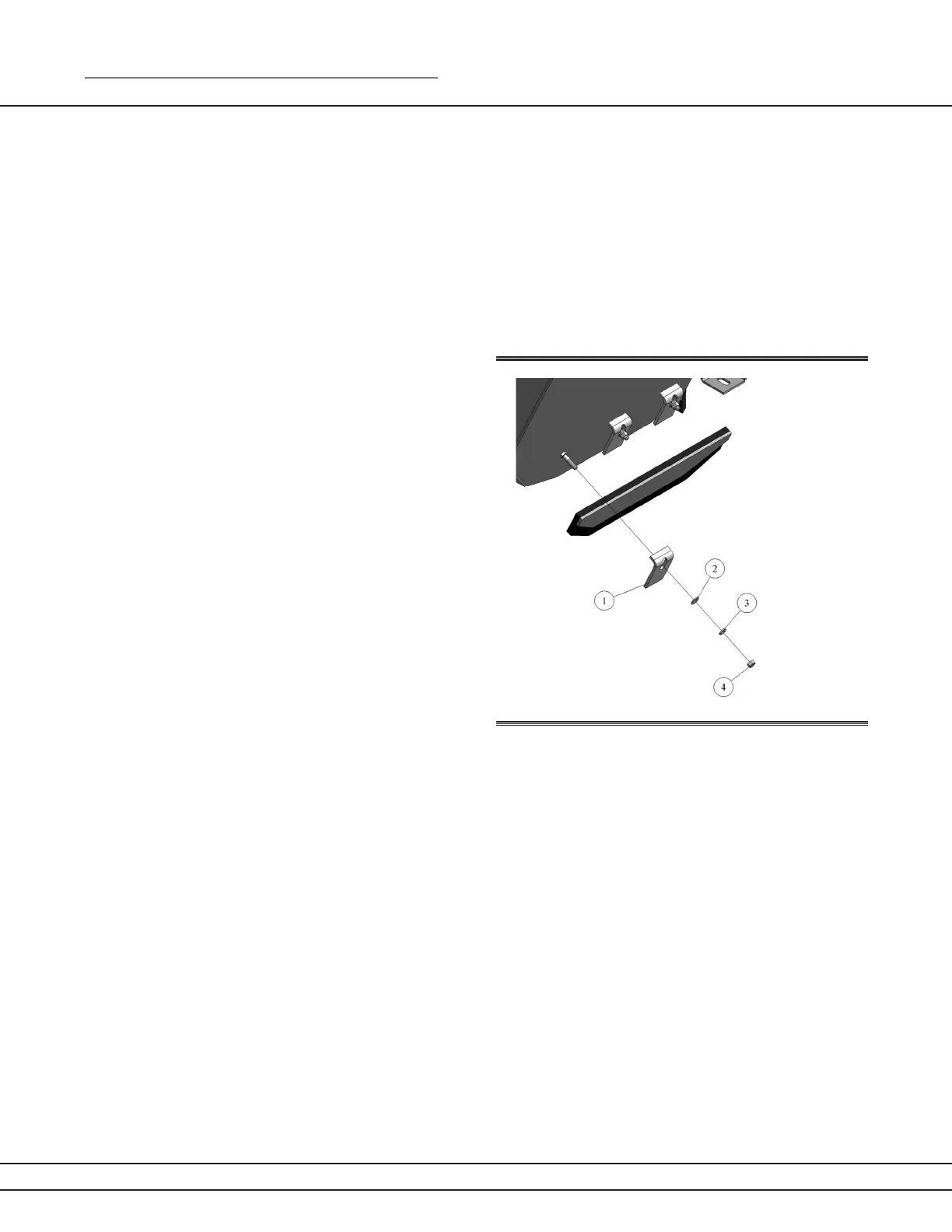
If ashing is not aligned correctly or needs to be re-aligned, loosen tension brackets (1) by loosening
nut (4) and adjust ashing to proper position.
After realignment, tighten tension bracket nuts. If ashing is worn to the point that it is not preventing
spillage, replace ashing with correct replacement part. See parts section for specic ashing sizes.
Figure 35a


 To Next Page
 Loading...