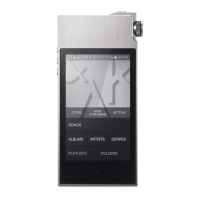
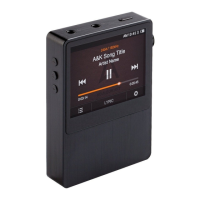
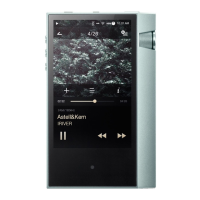
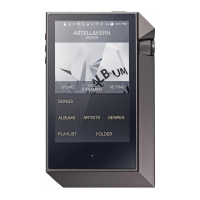
Need help?
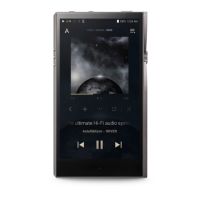
Do you have a question about the Astell & Kern AK120 and is the answer not in the manual?
Details on Pouch, Micro USB Cable, Quick Start Guide, and Warranty.
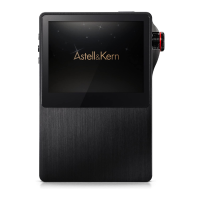
Identifies Earphone, OPTICAL, Micro SD, USB, Power, and navigation buttons.
Procedure for powering the device and its screen on/off.
Instructions for resetting the product in case of malfunction.
How to connect earphones and the product to a computer.
Connecting the device to a computer for data transfer.
Instructions for copying files from a computer to the device.
Guide on inserting, removing, and recommended SD cards.
Connecting external devices via optical audio ports.
Introduction to the software for managing media and firmware.
Detailed steps for installing the iriver plus 4 software.
Process for ripping music from CDs using the software.
Instructions for updating the device's firmware using the software.
How to use the touch LCD for navigation and control.
Methods for scrolling and selecting items in lists.
Procedure for choosing and starting music playback.
Detailed explanation of playback buttons, volume, and screen elements.
Configuration of equalizer, repeat modes, and play modes.
Step-by-step guide to pairing and connecting Bluetooth devices.
Procedures for disconnecting and deleting paired Bluetooth devices.
General instructions on navigating and using the settings menu.
Adjusting interface language and screen brightness.
Configuring power saving features and Bluetooth options.
Accessing system information, scans, album art, and reset options.
Precautions to prevent damage and ensure safe operation of the device.
Safety advice for usage environments, volume levels, and headphones.
Troubleshooting guide for power, charging, and PC connectivity problems.
Resolving issues related to screen display and sound output.
Addressing computer connection issues and file playback errors.
Information regarding copyright and iriver's IP rights.
Legal notice on document use and copyright protection.
Details on KCC, FCC, CE, and TELEC certifications.
Listing of registered trademarks, particularly from Microsoft.
Statement excluding manufacturer liability for damages from improper use.
 General
| Brand | Astell & Kern |
|---|---|
| Model | AK120 |
| Category | Stereo System |
| Language | English |

 To Next Page